


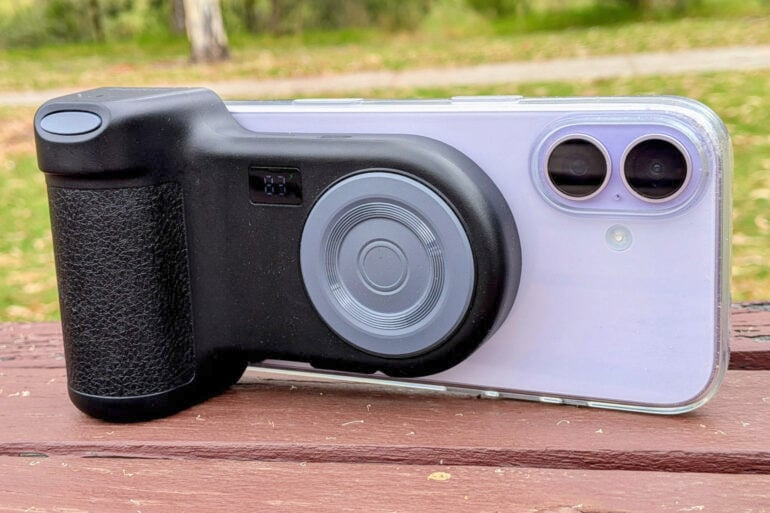
A wireless powerbank which doubles as a smartphone camera grip, the Belkin Stage PowerGrip makes your phone feel like a pint-sized digital SLR.
These days, most people have abandoned standalone digital cameras for the smartphone in their pocket. While it’s handy to always have a camera at hand, holding a smartphone like a camera is a cumbersome substitute for holding the real thing.
Smartphone makers acknowledged this early on by allowing the volume up button to double as a camera shutter button, so the button is at your fingertips when holding the phone sideways in landscape mode. Pressing down on a physical button also makes it easier to hold the phone steady when shooting, compared to tapping the camera app’s on-screen shutter button.
If you miss the old-school feel of a real camera in your hands, you’ll immediately understand the appeal of the Belkin Stage PowerGrip. If you’ve only ever known smartphone photography, the PowerGrip offers plenty of benefits that might win you over.
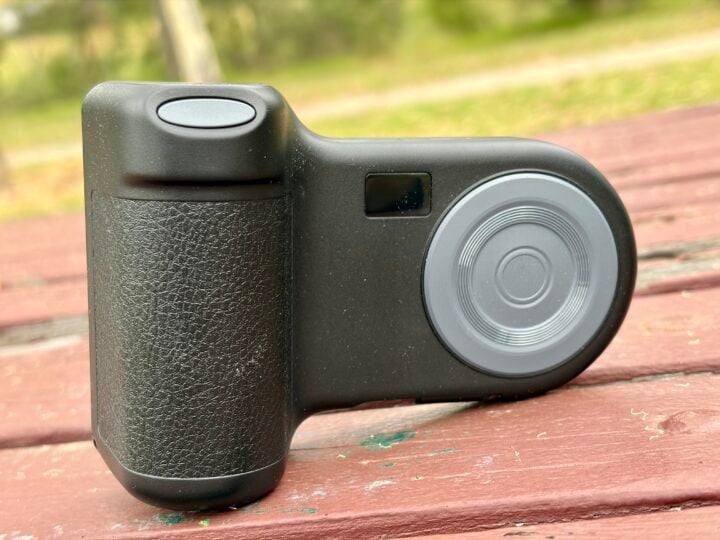
Table of contents
Belkin Stage PowerGrip first impressions
Going back to the days of analogue film, high-end Single-Lens Reflex (SLR) cameras from the likes of Canon and Nikon have featured a bulge or ‘grip’ on the right-hand side, so they are easier to hold steady.
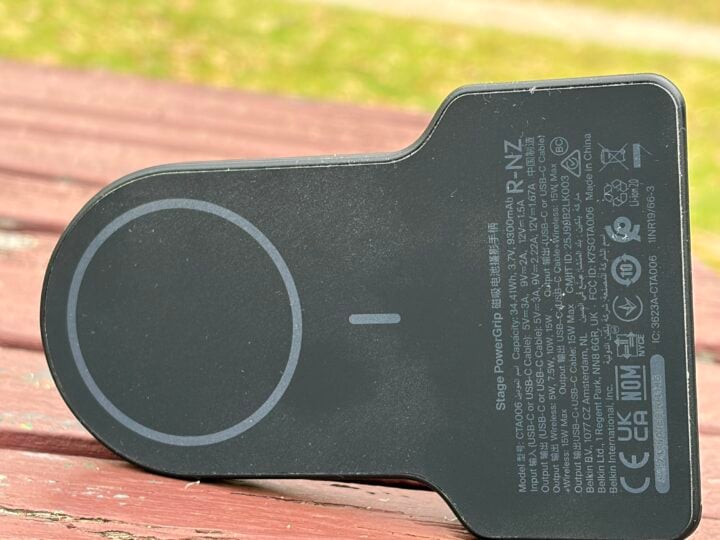
The Belkin Stage PowerGrip brings the same ergonomics to smartphones. It magnetically clamps to the back of the phone, attaching firmly enough that you can hold it just by the grip without fear of the phone falling off.
Clamping to the bottom half of the phone ensures that the grip doesn’t cover the rear lenses or built-in flash. There’s even a lanyard hole, as well as a ¼-inch thread on the bottom of the grip, so you can attach it to a tripod.
Holding the grip in your right hand, you’ll find a shutter button under your pointer finger. Once you pair the grip with your phone via Bluetooth, pressing the button replicates pressing the volume up button, which captures a photo if the camera app is open.
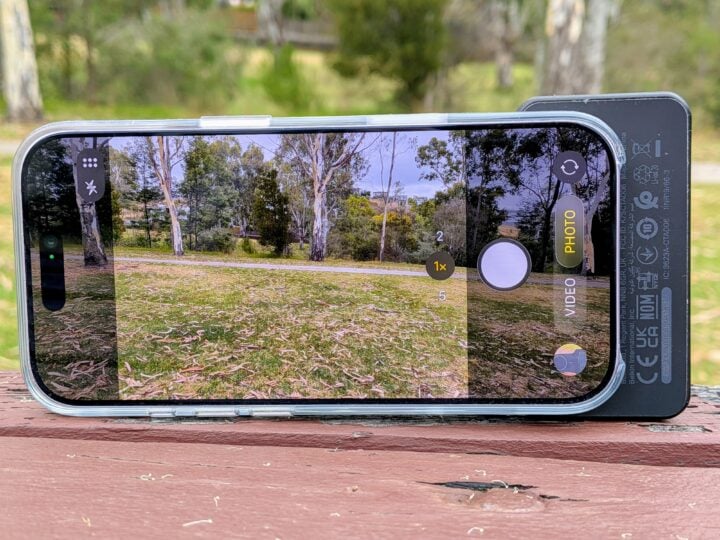
Such simplicity ensures that the grip works with Apple and Android smartphones. By default, holding down the shutter button starts recording video on Android. On Apple devices, it triggers burst mode, but you can change this to video in the settings.
The downside of this simplicity is that the PowerGrip isn’t designed to mimic the Camera Control button found on many iPhones and some Android handsets. This means you need to manually launch the camera app before the PowerGrip’s shutter button can capture photos.
Keep in mind, the PowerGrip is designed to work with the Apple iPhone 12 or Google Pixel 10 and above. It’s not that the shutter button won’t work with earlier phones, but rather that their body isn’t designed to clamp firmly.
Apple introduced MagSafe charging with the iPhone 12, while Google’s Pixel 10 introduced Pixelsnap charging. The Pixel 9a will still attach magnetically, for example, but it doesn’t clamp tightly enough to allow you to lift it up just by the grip.
Belkin Stage PowerGrip specifications and price
| Battery capacity | 9,300 mAh |
| Connectivity | USB-C Bluetooth Wireless charging |
| Charging | In: USB-C x1 Out (15 W combined): USB-C x2 Wireless 7.5 W |
| Compatibility | Apple iPhone 12 and later (MagSafe) Google Pixel 10 and later (Pixelsnap) |
| Extra features | Tripod thread ¼-inch Lanyard loop |
| Dimensions | 11.7 x 8.3 x 4 cm |
| Weight | 272 gm |
| Colours | Charcoal, Sand, Blue |
| Price | $99.95 RRP |
| Warranty | 2 years |
| Official website | Belkin Australia |
Features
The Belkin Stage PowerGrip’s other party trick is that it’s a 9,300 mAh wireless power bank. When you press the power button to wake up the grip, you’ll see a power level readout on the small front screen.
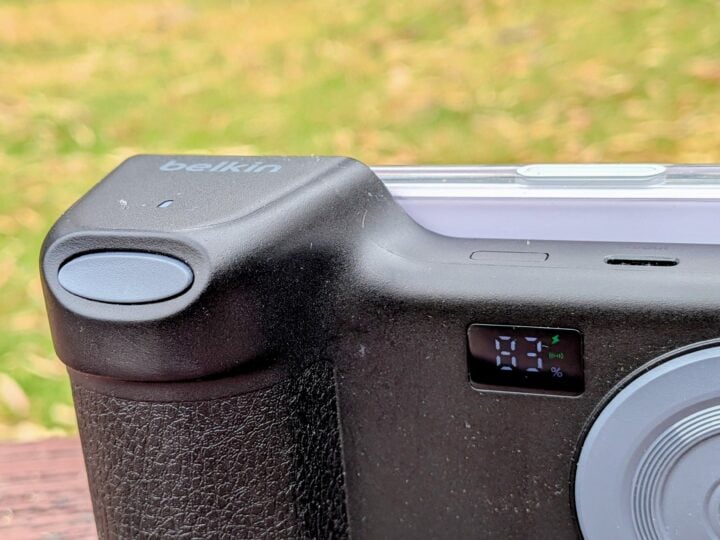
As an added bonus, the PowerGrip can also change two wired devices via USB-C. One via the built-in retractable 75-cm cable at the bottom, and one via the USB-C port at the top, which is also the battery’s charging port.
Keep in mind, charging is slow. The PowerGrip delivers 15 W in total, but only 7.5 W via wireless charging. So it’s more for slowly topping up your phone as you take photos during the day, rather than giving it a big drink when it’s running low.
The Grip can stand up on its heavy end, which means it can also double as a smartphone stand or bedside charger.
Who is the Belkin Stage PowerGrip for?
A lot of thought has clearly gone into the design of the Belkin Stage PowerGrip to help replicate the traditional camera experience while throwing in the modern benefit of wireless charging.
If you’re familiar with an SLR grip, the PowerGrip will instantly feel at home in your hands. The only shortcoming is that you might find yourself wishing that it put more physical SLR-style controls at your fingertips.
Keep in mind, if you’re primarily after a wireless portable charger, then you might benefit from a faster charger, such as Belkin’s BoostCharge Magnetic Portable Wireless Charger 10K.
The post Belkin Stage PowerGrip review: Get a grip appeared first on GadgetGuy.
0 (mga) komento:
Mag-post ng isang Komento