


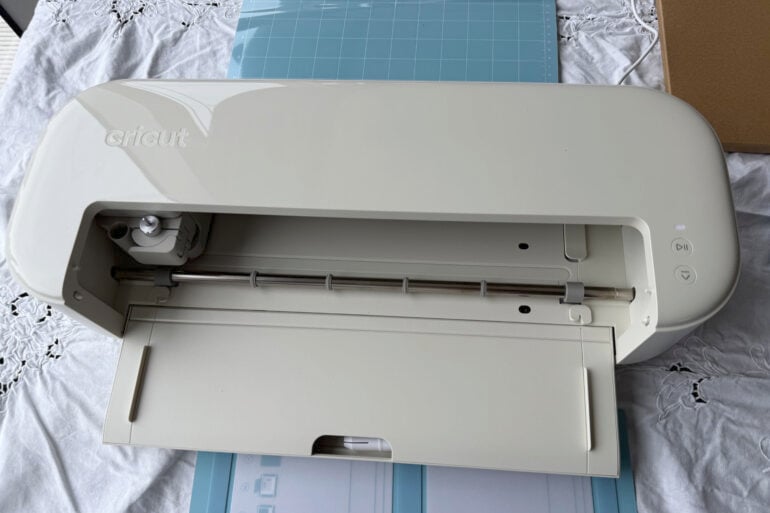
Crafting machines are a fun gateway drug to suddenly wanting to make everything yourself. It gets real expensive, and real time-consuming, real fast, and yet it’s worth it to be able to give people objects that are homemade and thus carry a bit of you with them. It’s more personal, meaningful and interesting.
Cricut is the most popular brand of crafting machines in Australia, and the company recently released its two latest machines, with a focus on making them more accessible to newer crafters. I’ve spent over a week with the Cricut Explore 5 and Joy 2. While I love both of them for different reasons, I think the Explore 5 is going to be the better buy for more people, despite its higher price tag.
Table of contents
- First impressions
- Specifications and price
- Design
- Cutting and drawing
- Design Space software
- Who is the Cricut Explore 5 for?
First impressions
The first thing I noticed about the Cricut Explore 5 is how much smaller it is than the previous generation. It’s a whole 30 per cent smaller than the Explore 4, and takes up so much less space than my usual Maker 4. It still retains basically all the features of the previous model, and it now comes with a pack of essential tools.
I was impressed by how much was included in the pack — the materials are a bit miserly, with only small pieces of each of the varieties, so it’s more of a sample pack than a materials bundle. But the tools are what make the difference — everything you need to weed, as well as a card mat, light grip mat, pen and scoring tool.
Setting up the machine in Cricut’s Design Space software was easier than ever. I just turned on the machine next to my laptop with Design Space open, and it synced, just like that.
Cricut Explore 5 specifications and price
| Price | $449 |
| Warranty | 1 year in addition to your Australian consumer law rights |
| Official website | Cricut Australia |
| Included in the box | Cricut Explore 5 machine in Taupe Premium Fine Point Cutting Tool Scoring Tool Dual-Sided Marker (0.4 mm & 1.0 mm) in Black Light Grip Machine Mat, 12 in x 12 in (30.5 cm x 30.5 cm) Welcome card USB cable Power adapter Free trial subscription to Cricut Access Materials (see website for all materials) |
| Dimsnsions | 50.2 cm x 19.05 cm x 11.9 cm |
| Weight | 4.5kg |
| Max cut sizes | Max cut size using machine mat (small): 11.5 x 11.5 inches (29.2 cm x 29.2 cm) Max cut size using machine mat (large): 11.5 x 23.5 inches (29.2 cm x 59.6 cm) Max cut size using Smart Materials: 12 inches x 12 feet (30.5 cm x 3.6 m) |
The biggest differences between the Explore 4 and 5 are just what comes in the box, and the size of the machine. That’ll be great for new crafters, but it means the machine isn’t for people who already have a recent Explore or Maker machine in working order.
Design
There is a lot to love and be a bit suspicious of with this new design.
The smaller size is fantastic, and I’m so glad that the tool storage in the door remains (even if it is a bit less organised). Having the mat now load automatically when you start the cut in Design Space is handy, allowing the machine to lose a button and taking out a step in the making process.
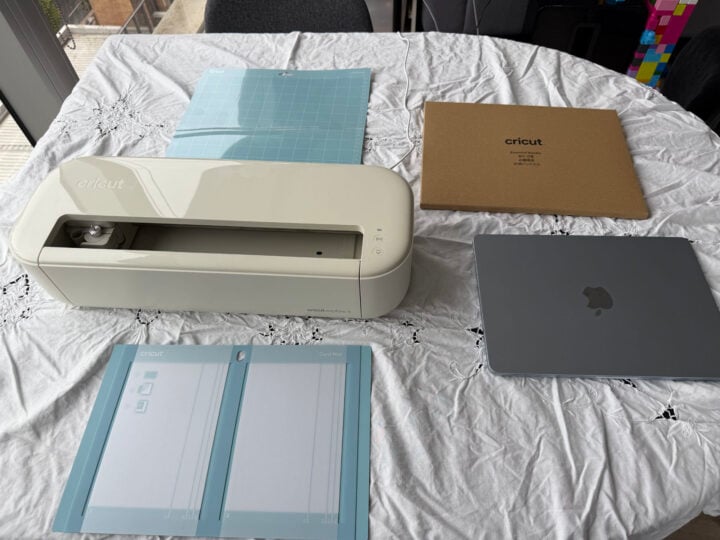
I am just concerned that the machine no longer has a lid. The top of the machine is now open to the air, which looks really nice, and likely reduces the manufacturing cost, but now means it’s going to get full of dust. Pet hair will get into it. That’s going to cause other problems.
Of course, you can choose to cover the machine with something. I’d say a dust cover is now an essential extra step, whether you cover it with a towel or make something custom. The cover used to come built in, and now it’s another thing you have to think about.
Cutting and drawing
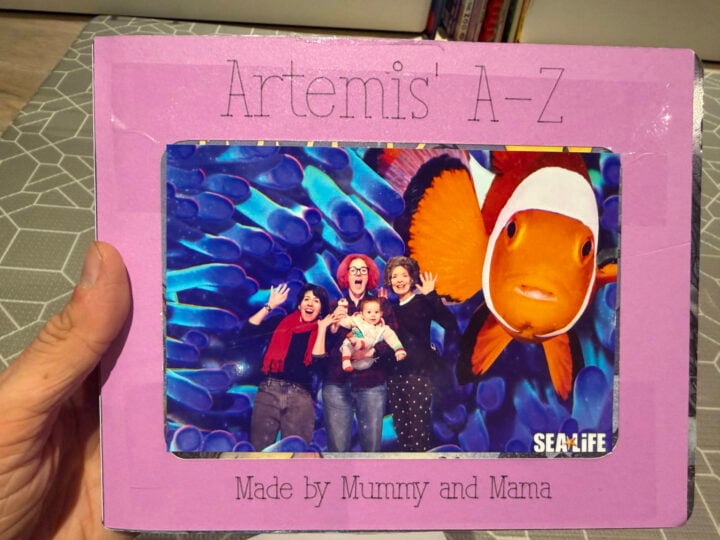
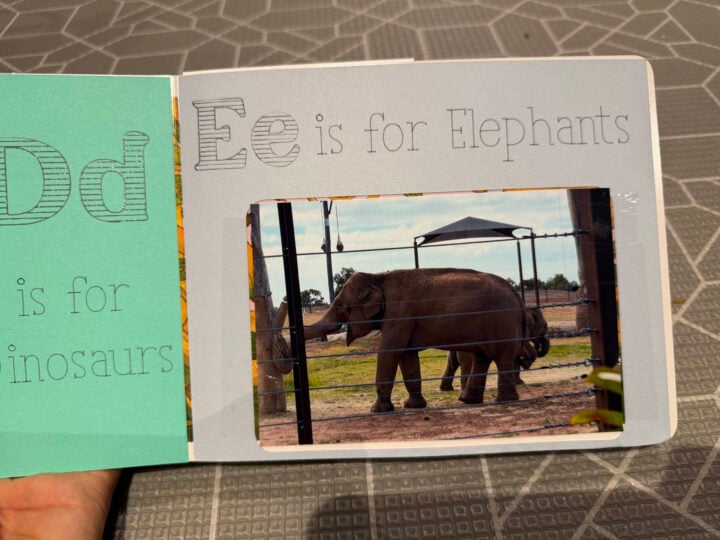
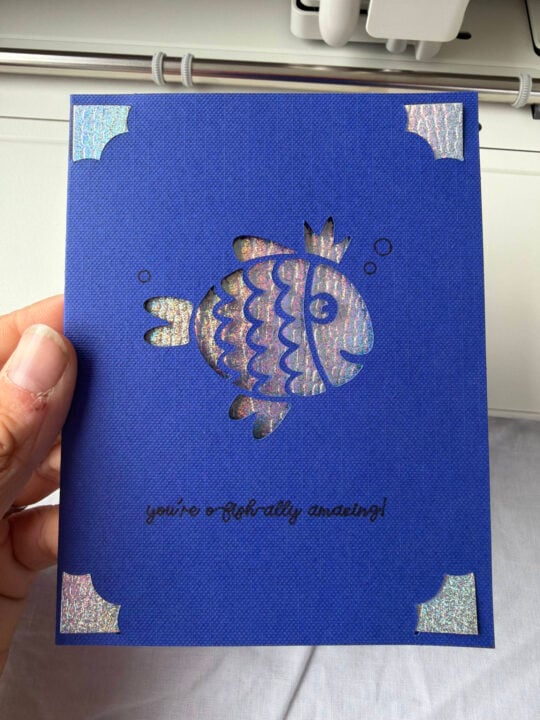
Of course, this is kind of the Cricut Explore 5’s whole thing. It’s right there in the name. And, the good news is that the Explore 5 is mostly great at it. I’ve made cards, cut out and written on smart paper sticker cardstock cut-outs for a custom book, and cut infusible ink for a tote bag, and all of them came out looking excellent. Though the cut on the infusible ink was deeper than I would have liked in places.
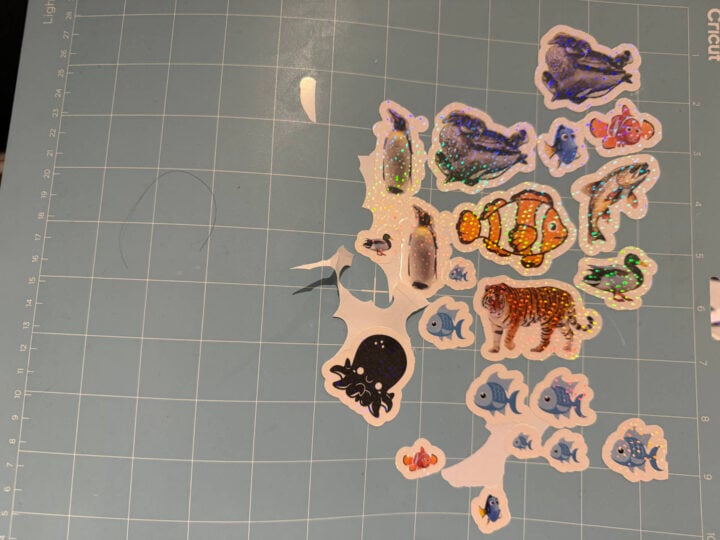
My attempts at print-and-cut sticker making have been less successful. But, given that my colleagues have had better experiences, I’m going to put that down to the trials of using beta software. The kiss cut keeps going all the way through to the mat on the light setting, and damaging the mat on the regular setting, which is frustrating on a sticker sheet. Hopefully, this no longer occurs outside beta.
The process for cutting and creating is very straightforward. A small project, like a card, is quick to pull together. You can select a template or existing design, or start from scratch in the app (more on that later), load a card into the card mat, put it in the machine, and then you have a really beautiful card. The more time-consuming part is choosing what to put on the card; the actual making is simple.
However, compared to the Explore 4 and the Maker 4, there are some new irritations and extra touch points, which likely won’t be an issue for newcomers who didn’t know it could be better. But people who have been using Explores or Makers for years will find this bothersome.
You can no longer leave a pen in the pen holder while the machine cuts, or it will simply draw offset instead of cutting, ruining your materials. For those who score cardstock, you can no longer put the scoring tool in clamp A (clamp A has been replaced with a pen holder), and you will have to switch between the tools. It won’t make much difference to your workflow if you’re just occasionally making a card, or if you mostly just use a pen or cut (not both at the same time). But making a 30-page book and having to constantly put the pen in and out meant that it was a much more labour-intensive process than it would have been on one of the older machines, or the Maker 4.
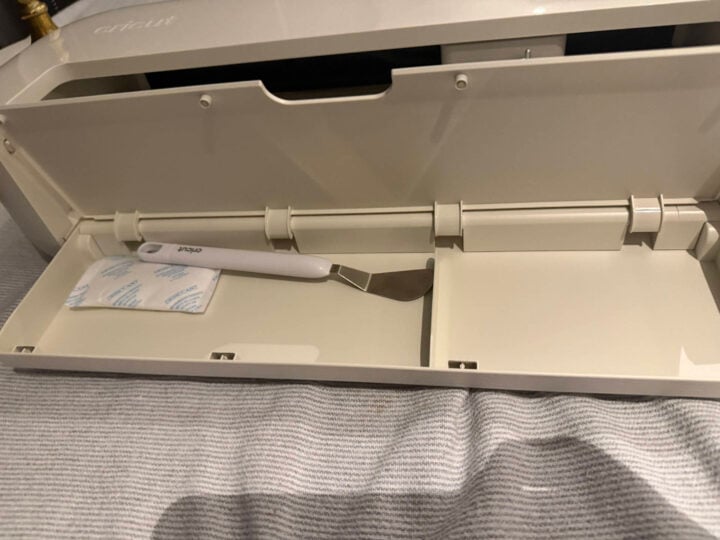
The benefit, though, is that the Explore 5 now uses the universal pen holder, which means that (as long as you’re getting the pens with the compatible symbol), you can use the same pens across multiple machine types, which will make things less confusing when shopping. Of course, not as helpful if you have old pens now, but good for the future.
For people who haven’t had a Cricut machine before, the Explore range is the Medium in terms of Cricut’s consumer-grade machines. The Joy is the smallest and most limited, but best for small spaces and for people who just want to make the occasional card, the Joy Xtra is the Joy but more, and then the Maker 4 is the large appliance, able to cut hundreds of types of materials, do fancy things like debossing, and work with wood and metal (with a price tag to match).
The Explore 5 is in the sweet spot for most crafters who have some space and want options. The vast majority of people who want a crafting machine would be more than satisfied with how cleanly and easily the Explore 5 cuts paper, vinyl, temporary tattoos, stickers, and a range of other materials.
Design Space software
Design Space, which is the essential software to use with the machine, has always been a bit finicky. It needs to be connected to the internet to work, and it has a paid subscription that gives users access to more images and fonts to use.
I have had a love-hate relationship with the software for some time. However, this latest update has solved one of my biggest complaints: there are now templates for the most common projects.


Before, you had to kind of guess when making an insert card, cutaway card, or sticker sheet from scratch whether your design would work out in reality. Now you can start with the template and go from there, which cuts down the amount of materials that go to waste due to an incorrect estimation. It also makes the creation process so much faster, so you spend less time trying to make the whole thing work, and more time on the creative fun parts.
Unfortunately, this update has also introduced a bunch of generative AI nonsense, which I hate and believe is antithetical to creativity and artistry. I’m sure this update will have some actual artists rethinking some of their usage of the app. Luckily, the AI nonsense is (mostly) well labelled and can be avoided.
The templates are really good, though.
Who is the Cricut Explore 5 for?
Overall, the Cricut Explore 5 is an excellent and extremely capable cutting machine.
There are a few changes over the Explore 4 that I feel are downgrades, but the offset of that is better compatibility, a smaller footprint, and decent cost savings (over the Explore 4’s launch price), which I think makes up for it. This is the perfect cutting machine for people who are looking to get into crafting and want a machine that does almost everything.
Unless you plan on working with wood, or doing embossing or debossing, then this is the best larger-format Cricut machine you can get for the money.
The post Cricut Explore 5 review: Smaller, cheaper and more agile appeared first on GadgetGuy.
0 (mga) komento:
Mag-post ng isang Komento