


I have been using mesh Wi-Fi routers for some years and, put simply, have been enjoying fewer complaints from the family about internet access. Over the last few years, I have tested outdoor security cameras and robotic lawn mowers, and I have always faced one key issue. They need Wi-Fi coverage to work. I have found the Eero Pro 7 to be great in my house, with reasonable coverage through the walls into my garden, but not very far into it.
I take a look at the Eero Outdoor 7 to see if it can meet my outdoor Wi-Fi needs.
Table of contents
- Why is Mesh so good for Wi-Fi?
- Features
- Specifications and price
- Using the Eero Outdoor 7
- Who is the Eero Outdoor 7 for?
Why is mesh so good for Wi-Fi?
A single Wi-Fi router’s signal can only reach so far, and the further you go, the speed and consistency deteriorate. A Wi-Fi extender will increase that distance by placing it halfway between your router and the area where you want Wi-Fi connectivity. A Wi-Fi extender has lots of compromises.
On the other hand, a mesh network strengthens coverage by placing units similarly to extenders, keeping the same Wi-Fi network name and improving handover between mesh units to provide consistent coverage at higher speeds more securely.
Eero Outdoor 7 features
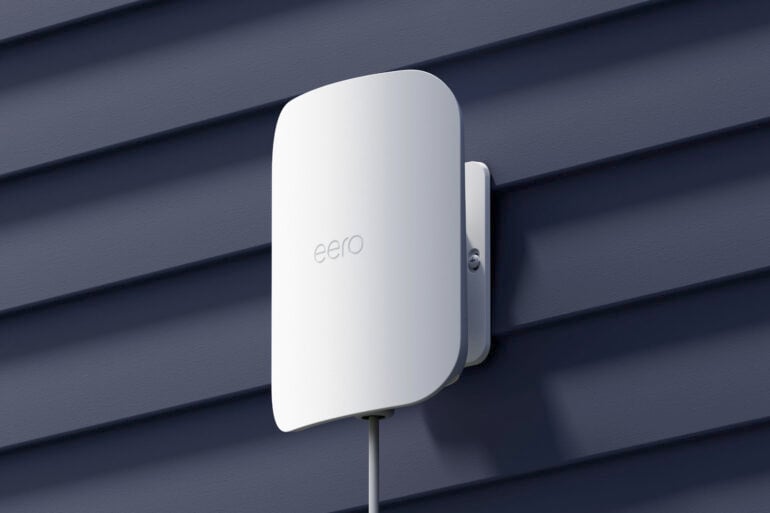
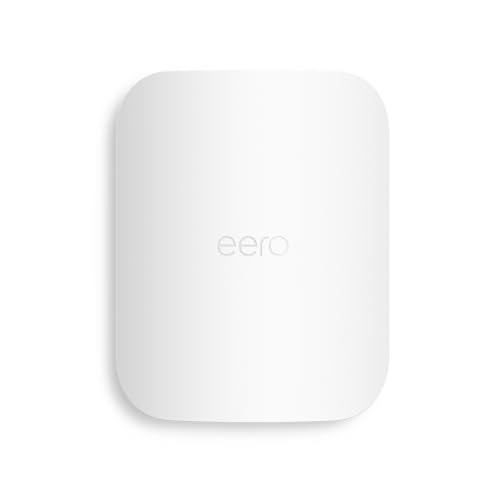
The Amazon Eero Outdoor 7 is a weatherproof mesh Wi-Fi satellite that extends your Eero Wi-Fi internet outdoors. Rated IP66, the outdoor unit can be mounted outside and withstand rain and dust, ensuring consistent high-speed internet for your outdoor activities.
Best mounted between two and five metres above the ground, Wi-Fi will improve in a 21m radius. If set up optimally, you will get the same speed in a deck chair on the back lawn as you would inside your house. If you are lucky enough to have a 2 Gbps NBN connection, this Eero can support that speed.
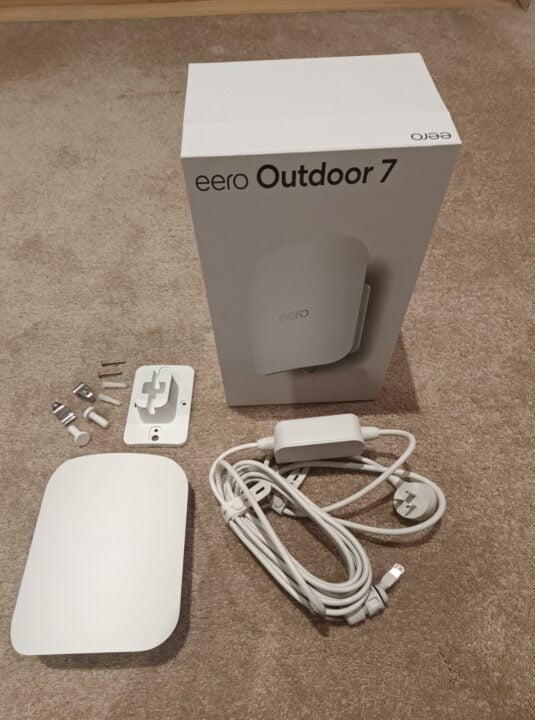
In the box you will find the Outdoor 7, a mounting bracket and hardware (screws, etc.), and a power supply. The included power supply plugs into a standard mains power outlet and, when powered, links to the other Eero mesh units via Wi-Fi.
You can also power the Outdoor 7 with a power over Ethernet (POE) cable. To do so, you will also need to have a powered switch and an Ethernet cable. Assuming the indoor Eero router is connected to the same switch via Ethernet, the Outdoor 7 does not even need to be within Wi-Fi range, thereby extending your Wi-Fi network even further.
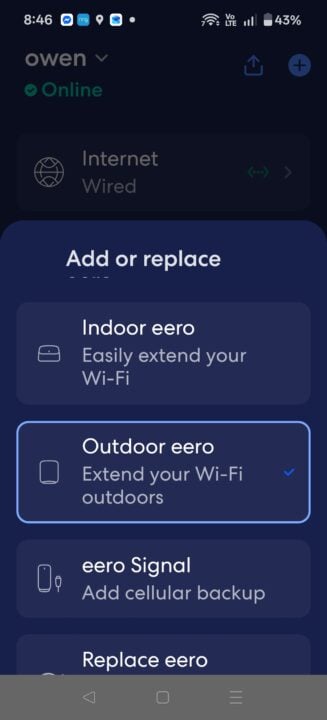
Amazon products are known for how easy their setup is and how well their apps work. Using the Eero app, the setup is super easy, and information around positioning, testing, and mounting is all there on your smartphone screen for you to follow.
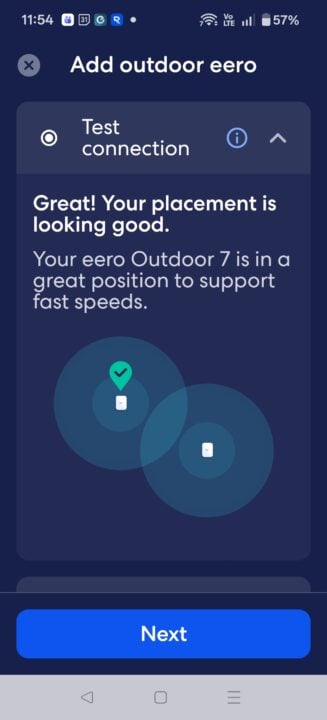
Amazon uses some fancy marketing terms in the form of ‘True Mesh’, ‘True Roam’ and ‘True Channel’ to back up their claim of optimal performance and reliable Wi-Fi. Breaking it down, Eero uses software to determine the best way for each mesh unit to communicate with one another. They then work hard so that as you move from one location to another in your house, the handoff between the mesh units to your phone is seamless.
Finally, the router is smart enough to analyse the traffic from competing W-Fi networks (your neighbours) in the vicinity and pick channels that are not in use or are less congested, which will give the best performance.
I was surprised by the $729.99 price for one unit in Australia, which is more than double the price of the standard Eero 7 mesh router.
The Outdoor 7 not only works with the current range of Eero 7 devices, but it is also backwards compatible with all previous Eero products.
Eero Outdoor 7 specifications and price
| Frequency | 2.4Ghz & 5 GHz supporting up to 100 devices |
| Temp | -40 to +55 degrees Celsius |
| Field of view | 360 Degrees |
| Dimensions | 21 x 16 x 9 cm |
| Price (RRP) | $729.99 (one unit) |
| Website | Eero Australia |
| Warranty | Three years |
Using the Eero Outdoor 7
I installed my Eero Outdoor 7 in about 10 minutes on a brick-veneer wall. As I looked at the included hardware, all I needed were the screws and wall plugs. I must admit that I did not know what the other fittings were for. It’s all explained on Eero’s website, including some handy installation videos.
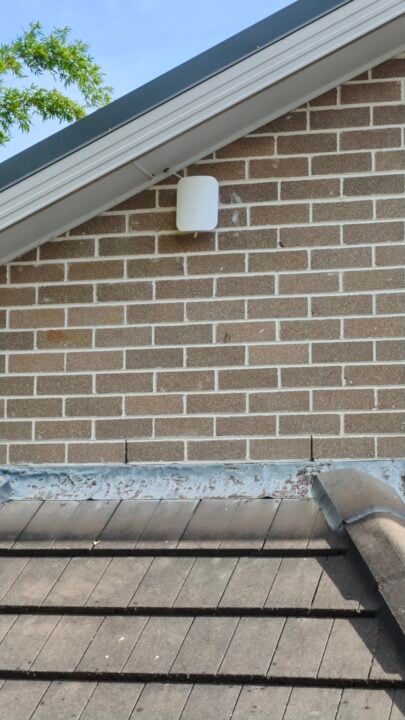
The app will lead you through the process, but note that some of the terms refer to American building products, such as ‘stucco’; in Australian terms, this is render. However, for most who will be mounting onto brick, follow the stucco instructions.
At the end of the power cable is a weatherproof plug that will screw into the bottom of the Outdoor 7. This plug should be removed to reveal the Ethernet plug. The Ethernet plug is much smaller, so you will need a smaller hole. Reinstall the waterproof plug after you have the cable through the wall.
I was lucky that where I installed my unit, the wall is an attic. You will have a cable and a power brick, and will require a power point, which you must consider as part of the installation. A cable running along the inside of a family room wall is unattractive. Although not required, an electrician may come up with a better solution.
Once added to your Eero setup, the outdoor unit acts like any other Eero mesh unit, with similar controls. Do note that the Outdoor 7 only supports 2.4 GHz and 5 GHz frequencies.
The antenna inside the Eero is omnidirectional but with limited up-and-down range, so it will work in all directions across a plane. If you mounted it on a pole, you would have good coverage 20 metres away across the front, rear, and sides. However, most installs will be on a wall, most likely brick in Australia, so make sure you mount it on a wall facing the outdoor area where you want improved Wi-Fi coverage.
I like the Eero 7 solution so much, I use it myself over other brands. The outdoor antenna now gives me internet in my entire yard. The robot lawn mower never loses its signal, and I can work on my laptop outside or stream a football game. My caravan is in range if I need to hide from the world, and I can mount a camera deep in my yard to ensure no one tries to steal it.
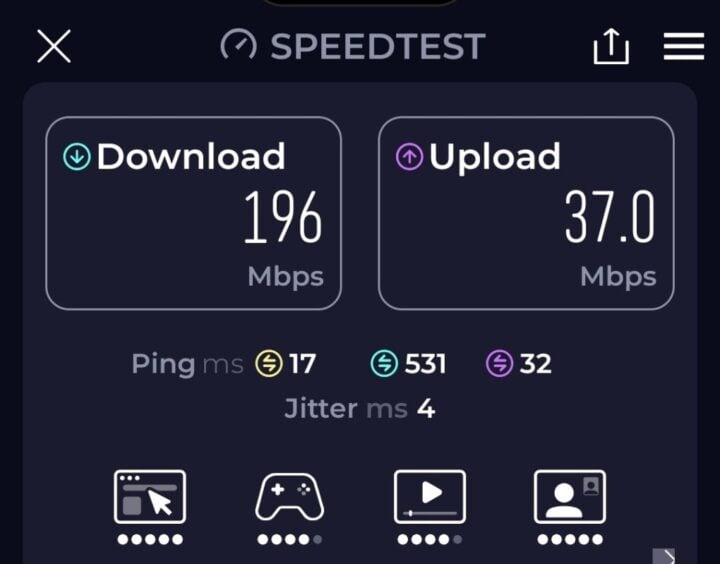
I did an internet speed test at my back fence, which is 25m from the house. I previously had no coverage, but it has since changed to 196 Mbps down and 37 Mbps up (NBN plan 500/40), which is exceptional.
Who is the Eero Outdoor 7 for?
If you want to extend your internet world into the backyard or perhaps an outside shed, then the Eero Outdoor 7 is a key addition to any Eero mesh solution.
Netflix at the pool, Zoom calls from the deckchair, security cameras, outdoor sensors, and robots will now enjoy the same internet speeds you previously had only inside your house: no technicians required, just a smartphone, drill, screwdriver, and a power outlet.
GadgetGuy occasionally uses affiliate links and may receive a small commission from purchased products.
The post Amazon Eero Outdoor 7 review: Bring your Wi-Fi outside appeared first on GadgetGuy.
0 (mga) komento:
Mag-post ng isang Komento