


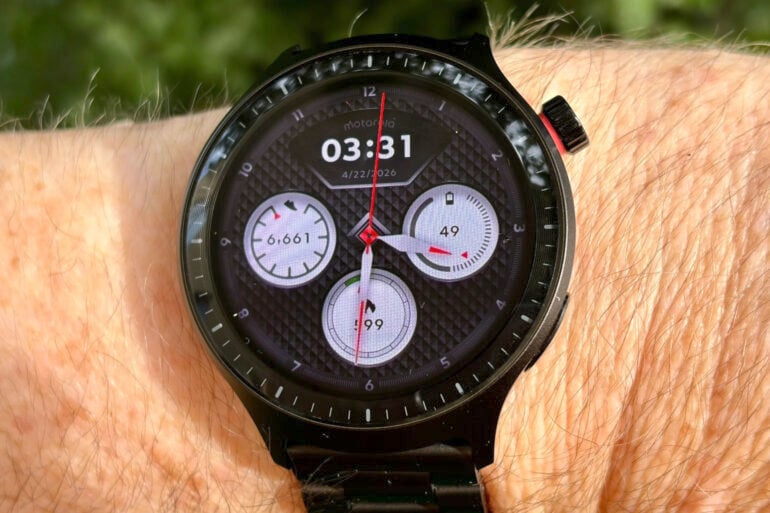
With a long battery life and a small price tag, the Motorola Moto Watch delivers the basics without breaking the bank.
When it comes to smartwatches, it’s easy to assume you need to spend well north of $500 – especially when the expensive all-rounders from Apple, Samsung and Google tend to make the headlines, along with the high-end sportswatches from the likes of Garmin and Suunto.
They’re great watches if you’re on a major health and fitness kick, but expensive smartwatches tend to be overkill for your average punter. If you just want to count your steps, track occasional exercise and glance at notifications without pulling your phone from your pocket, you’ll barely scratch the surface of their features.
Thankfully, there are plenty of smartwatch options for those with basic needs and a tight budget. Enter the $199 Motorola Moto Watch, compatible with Android 12 via the Moto Watch app.
Just a heads-up, Motorola’s smartwatch range is a bit confusing and this model isn’t listed on the Australian Moto Watch site alongside the Moto Watch 40, 70 and 120. Nor is it the MotoWatch Fit.
We’re actually talking about this Motorola Moto Watch, model XT2547-2, sometimes referred to as the “Moto Watch (Powered by Polar)” because it’s the first device to come out of Motorola’s partnership with sports watchmaker Polar.
Table of contents
Motorola Moto Watch first impressions
The Motorola Moto Watch certainly looks more premium than its $199 price tag would suggest. Especially if you’re looking at the Pantone Matte Black model with a stainless steel link band (it’s also available in Pantone Volcanic Ash with a silicone band).
The Moto Watch body looks a lot like a classic sports watch, thanks to the large 47 mm round body with 1 and 5-minute markers on the bezel. There’s also a prominent crown, with a more subtle programmable function button below. Keep in mind that it’s a big body, so it might look bulky on slender wrists.
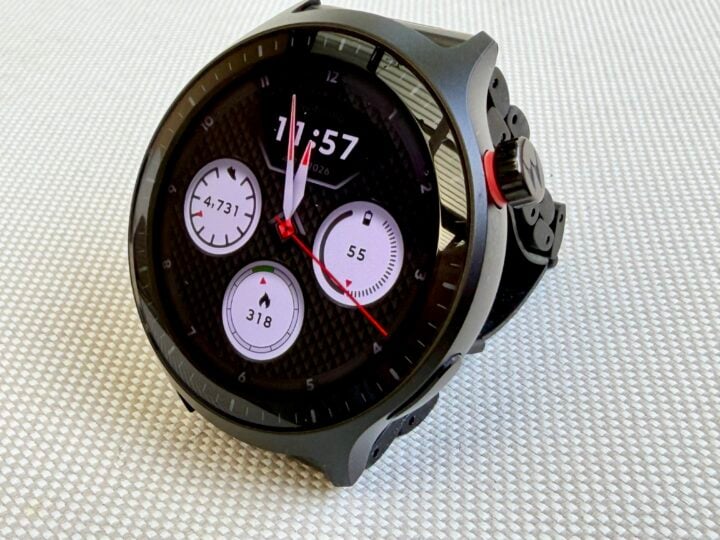
Meanwhile, the stylish metal link band adds to the old-school look, which admittedly won’t appeal to everyone. You’ll probably need to use the supplied tool to remove a few links so it fits snugly on your wrist.
While some metal link bands can stretch to slip over your hand, this band features a traditional butterfly clasp. You press the sides of the clasp to pop it open and make the band larger, then clip it closed once it’s on your wrist.
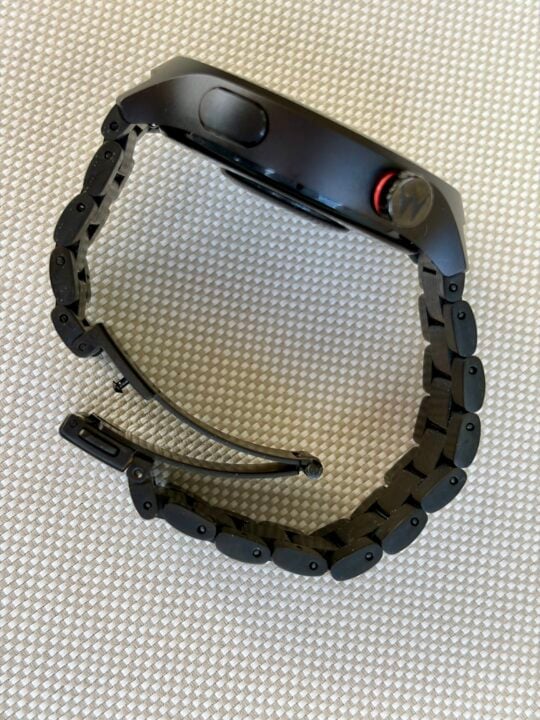
One trade-off with a metal link band is that it’s heavier than a silicone, leather or fabric band. The weight and cold of the metal mean that it feels more noticeable strapped to your wrist, plus it rattles a bit when you move your arm.
Another trade-off is that sports watches tend to shun clasps for fear of them popping open during vigorous exercise. To be fair, this isn’t a high-end sports watch, but the good news is you shouldn’t have trouble changing bands thanks to 22 mm band compatibility.
The Moto Watch’s screen is a 1.4-inch OLED display protected by Gorilla Glass 3. It features an IP68 waterproof rating and can withstand 1 ATM pressures to a depth of 10 metres.
As an OLED screen, it’s not as impressive as the AMOLED display on the Apple and Google Pixel watches, but it does still offer great viewing angles.
There’s also the option to enable an always-on basic watch face so you can glance at it to see the time when the screen is asleep. Raising your wrist, pressing the crown or tapping the screen wakes the screen to reveal the full watch face (tapping is disabled by default).
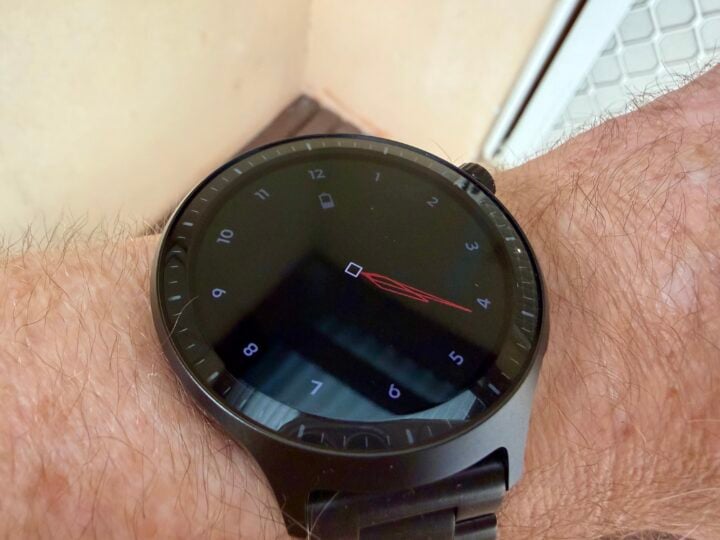
With auto-brightness enabled, the screen is a little dim for my liking, but thankfully, you can override this. Plus, you can extend the time before the watch face goes back to sleep.
Of course, tinkering with these settings will cut into the battery life, which is supposedly good for up to an impressive 13 days on the default settings. Enabling the always-on display slashes this to up to seven days, but that’s likely to drop further once you discover how many useful features are disabled by default.
Motorola Moto Watch specifications and price
| Display size | 1.4-inch round |
| Display technology | OLED |
| Wrist band | 22 mm metal link (Matte Black) 22 mm silicone (Volcanic Ash) |
| RAM | 515 MB |
| Onboard storage | 4 GB eMMC |
| Charging | Custom 2-pin charging pad |
| Battery life | Up to 13 days (up to 7 days with always-on display) |
| Bluetooth | Bluetooth 5.3 + BLE |
| Operating system | RTOS-based operating system powered by Polar’s fitness algorithms |
| Sensors | Accelerometer, Gyroscope, PPG Sensor, Ambient Light Sensor, E-Compass |
| Ruggedness | IP68 waterproof rating Withstand 1 ATM pressures to a depth of 10 metres Gorilla Glass 3 |
| Dimensions | 47 x 47 x 12 mm body |
| Weight | 40 gm body 107 gm body and metal link band |
| Colours | Pantone Matte Black, Pantone Volcanic Ash |
| Price | $199 RRP |
| Warranty | 1 year |
| Official website | Motorola Australia |
Features
The Motorola Moto Watch’s biggest shortcoming compared to more expensive smartwatches is that it doesn’t run Google’s Wear OS. Instead, Motorola has opted for a simple, lightweight RTOS-based operating system powered by Polar’s fitness algorithms.
The downside is that you miss out on many high-end smartwatch features, like a built-in smart assistant and support for third-party apps like Strava and Spotify.
You can connect Bluetooth earbuds to hear exercise audio feedback and play music from your smartphone or from the watch’s onboard storage – copying across MP3s using the Moto Watch smartphone app. Of course, most people don’t have MP3s at hand these days.
You also miss out on NFC for contactless payments and other wireless interactions.
The upside of shunning Wear OS is that the smartwatch is far less power-hungry, meaning it can run on cheaper hardware with a very long battery life.
When the watch is running low, you’ll find two charge pins on the back of the body for connecting the supplied custom charging pad. Five minutes on the charger gets you a day’s worth of juice.
Setting up the watch, you’re asked for your height and weight, then to select your daily goals activity from Level 1 to 3, depending on your level of physical activity. Even Level 1 expects 58 minutes of high-intensity activity, which seems a bit much to me.
Thankfully, the watch notifies you of your achievements throughout the day but doesn’t hassle you to reach your goals – unlike the Apple Watch’s habit of ludicrously suggesting a quick 20-minute walk just as you’re getting into bed, just so you can close your activity rings.
When it comes to the Motorola Moto Watch’s user interface, everything is fairly intuitive: swipe down for settings, up for notifications and left/right for various fitness readouts. Keep in mind, you can receive message notifications, but you can’t reply using the watch.
Pressing the crown calls up the list of apps (double-press for last-used app), while the function button launches the workout app by default.
It’s worth mentioning that displaying smartphone notifications is disabled by default, which reduces the watch’s usefulness but increases the battery life. You can also make and receive calls through the watch if your smartphone is nearby.
When it comes to the onboard apps, you’ve got all the health and fitness basics: workout tracking, sleep tracking, heart rate, blood oxygen (disabled by default), stress, breathing exercises and Apple-esque daily activity rings. Most of this is built on Polar’s technology, but you miss out on high-end features like ECG, temperature tracking and fall alerts.
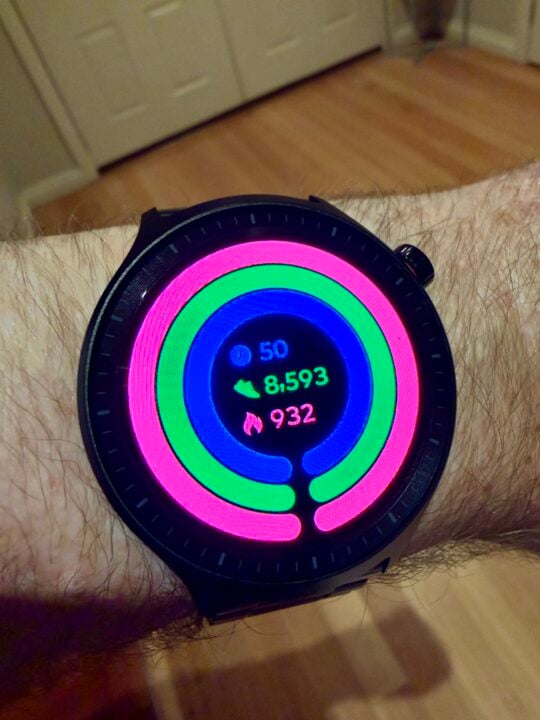
By default, tracked exercises include walking, running and cycling – both indoors and out – along with ‘workout plan’ interval training, strength training, core training, yoga, cricket and badminton. That covers the basics, but it’s not a lot compared to most smartwatches.
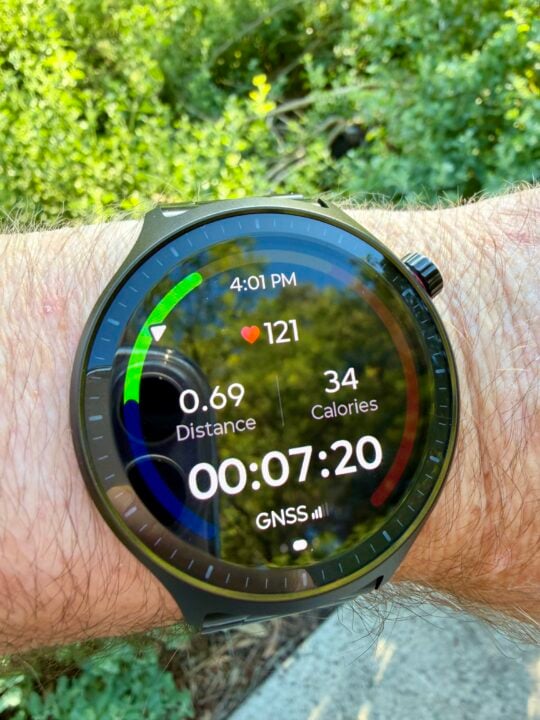
Diving into the settings and you discover around 100 more exercises you can add to that default list, although it gets a bit ludicrous with options like billiards, darts and kite flying.
It’s a shame they couldn’t include dog walking, because my hounds are great walking companions but understandably insist on little pit stops that slow me down – distorting the results. The ability to separate dog walking and exercise walking would offer a clearer fitness picture.
When it comes to your health and fitness stats, you can see an easy-to-read breakdown in the Moto Watch smartphone app (which I tested with the Motorola Edge 70), plus it can share health data with Android’s Health Connect service.
Understandably, at this price, there’s no LTE connectivity for internet access when your smartphone isn’t nearby. The good news is that the watch features onboard dual-frequency GPS, so you don’t need to take your phone with you to track outdoor exercise.
Quality
The Motorola Moto Watch suffices for basic day-to-day health and fitness tracking, but has a few shortcomings once you walk out the front door.
At first, the watch failed to auto-detect two outdoor walks, even though the Apple Watch dutifully detected them at the 15-minute mark. Then I discovered that auto-detect exercise is also disabled by default, hidden way down deep in the Moto Watch’s sub-menus.
Of course, enabling this reduces the battery life even further, making that “up to seven days” with always-on screen figure sounds less and less convincing. From my experience, expect the watch to last around five days between charges by the time you re-enable all the useful extra features.
With this feature enabled, the Moto Watch detected a walk after 10 minutes, but still fell short of expectations. Unlike more advanced smartwatches, it started the clock at zero rather than retrospectively including the first ten minutes – therefore recording a half-hour walk as only 20 minutes. That’s very frustrating if you only tend to go for short walks each day.
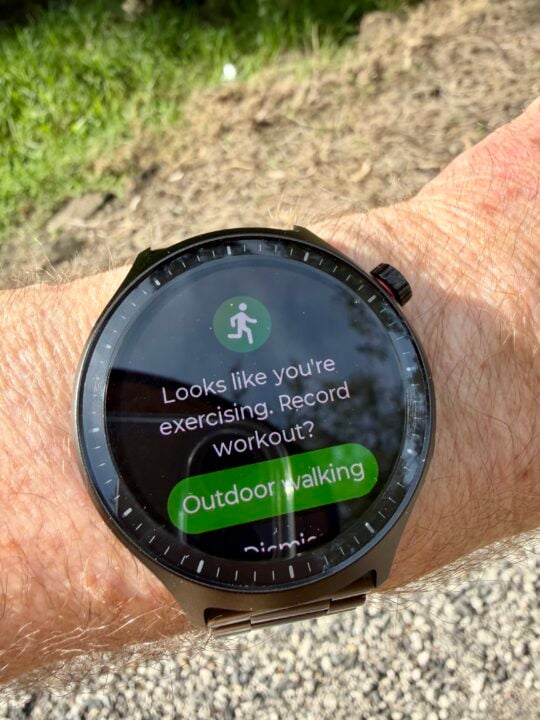
Once the watch realised I was walking, it did a fine job of keeping track – with an easy-to-read display. Likewise, with strength training at the gym.
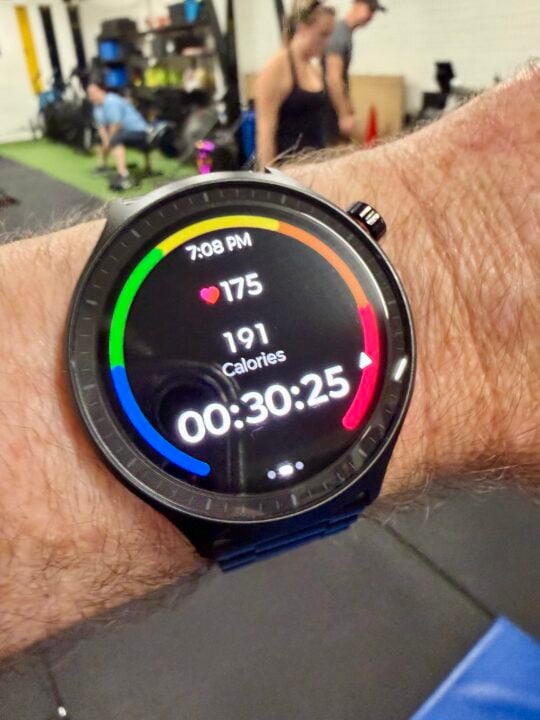
I’ve seen complaints that the onboard GPS regularly loses its satellite connection when you go running without your phone, which interrupts exercise tracking, but I didn’t experience this when walking without my phone.
One big outdoor frustration is that the basic always-on watch face isn’t bright enough to see outdoors, even on an overcast day with auto-brightness disabled and the brightness set to max. So when you glance at the watch, it looks completely black until you raise your wrist to wake the screen. It seems that, even though auto-brightness is disabled, it is still auto-dimming the always-on display when you’re outdoors.
It’s also frustrating that, unlike many smartwatches, a mere flick of your wrist isn’t enough to wake the screen, and you need to raise your arm. It’s another area where the Moto Watch lacks polish compared to its more expensive rivals.
Who is the Motorola Moto Watch for?
If your needs are basic, then the Motorola Moto Watch is surprisingly good considering the low $199 price tag. It would make a decent first smartwatch for people with simple needs, but if you’ve got experience with other smartwatches, you’ll lament the lack of third-party apps, inability to reply to smartphone messages and various lack of polish like the dim always-on display.
The post Motorola Moto Watch review: Affordable back-to-basics smartwatch appeared first on GadgetGuy.
0 (mga) komento:
Mag-post ng isang Komento