


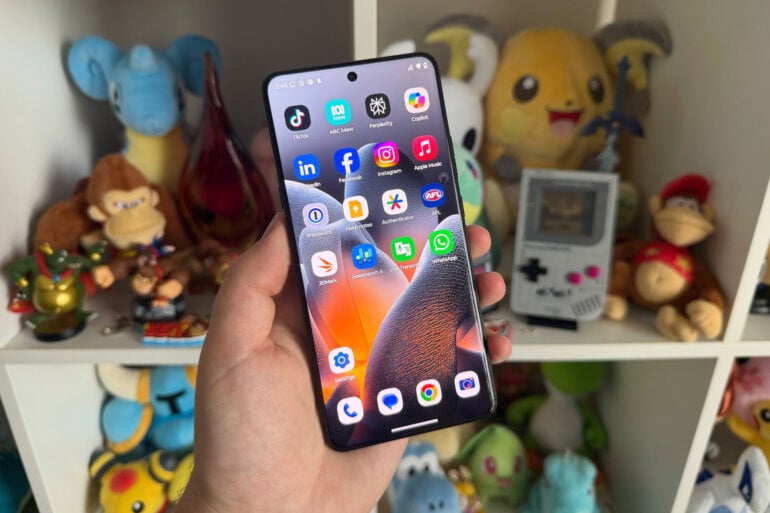
If you want to spend more than $1,200 on a phone in Australia, you’re usually looking at something from Apple or Samsung, and to a lesser extent (based on market share data), Google or Oppo. Aside from its foldable Razr phones, Motorola hasn’t dabbled in the high-end phone market for some years. The brand must have felt something in the air, because the Motorola Signature is a bold attempt to topple the current flagship phone hierarchy in Australia.
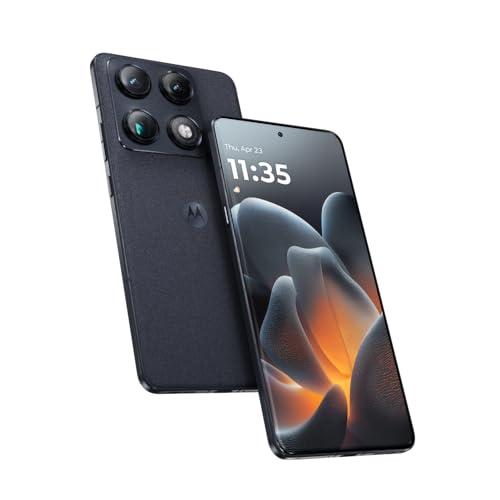
Sleek and slim, the Signature boasts one of the best camera systems going around. On the inside is a hardware stack that challenges its iPhone and Galaxy contemporaries. Look at the outside, and you see an aesthetic unlike any other phone at a similar price.
Not every flagship feature has found its way into the Motorola Signature. But enough of them have, and to a high enough quality, to make it a premium Android handset worth considering.
Table of contents
- Motorola battles with modern premium smartphones
- Specifications and price
- Design
- Performance
- Moto Pen Ultra
- Camera quality
- Who is the Motorola Signature for?
Motorola battles with modern premium smartphones
In recent years, Motorola has flirted with the premium market without fully committing. Its closest dalliance in Australia came in the form of the foldable Razr 60 Ultra, which cost $1,699 when it launched in 2024. More recent phones, like the Edge 60 Pro, came close with its $1,199 pricing, still a couple of hundred dollars off recent iPhones and Samsung Galaxy handsets.
The Motorola Signature is a statement of intent from the experienced phone company. At $1,499 (temporarily $1,199 at launch), it’s pricier than the standard iPhone 17 but $100 cheaper than the base Samsung Galaxy S26 model. By competing so closely with the top end of town, Motorola is confident that the Signature is on par with well-established competition.
Some of Moto’s recent higher-end phones have tried to straddle affordability with premium features. Most of the time, camera quality has been the selling point, but the processing power hasn’t been on the same level. This time, the gloves are off, with Motorola fully committing to high-end hardware all the way through, but stopping just short of using Qualcomm’s Snapdragon Elite series of chipsets.
Motorola has copped some justified criticism in recent years for not supporting its devices with enough post-launch software updates compared to its similarly priced rivals. That shortcoming has been laid to rest, with the Motorola Signature coming with seven years of guaranteed operating system and security updates.
It puts the phone on much more even footing alongside Android heavyweights in Samsung and Google, while beating the five years of OS updates supported by the $2,299 Oppo Find X9 Pro.
Motorola Signature specifications and price
| Display | 6.8-inch Extreme AMOLED 1264 x 2780 resolution 120Hz refresh rate |
| Dimensions | 162.1 mm x 76.4 mm x 6.99 mm 186 grams |
| Processor | Snapdragon 8 Gen 5 |
| Storage and memory | 256GB / 512GB storage 12GB LPDDR5X memory |
| Cameras | 50MP rear camera: f/1.6 50MP rear ultra-wide camera: f/2.0 50MP rear telephoto camera: f/2.4, 3x optical zoom 50MP front camera: f/2.0 |
| Battery and charging | 5200mAh silicon-carbon battery 90W TurboPower wired charging 50W TurboPower wireless charging |
| Connectivity | USB-C 3.2 Wi-Fi 7 Bluetooth 6.0 Nano SIM eSIM NFC |
| Network bands | 2G, 3G, 4G, 5G (sub-6) |
| Software | Android 16 Seven years of OS and security updates |
| Durability | IP68 and IP69 ratings |
| Price (RRP) | 256GB: $1,499 512GBGB: $1,699 |
| Warranty | Two years |
| Official website | Motorola Australia |
Design
Motorola has perfected its slim edge-to-edge design with the Signature. I’ve complained previously that it’s been too easy to accidentally touch the screen of Moto’s previous edge-to-edge phones, like the Edge 60 Pro. Thankfully, the Motorola Signature combines the generous screen real estate of its Edge predecessors with a more conventional approach that doesn’t see the screen awkwardly curve around the edges.
Even with a large 6.8-inch screen, the Signature is pleasantly thin and easy to pick up. Its fabric-like back provides a nice level of grip, unlike the rather slippery design of many glass or metal-backed phones. Despite the thinness, nothing about this phone feels flimsy. That’s partly due to its aluminium frame and the stunning AMOLED display made from the sturdy Corning Gorilla Glass Victus 2 material.
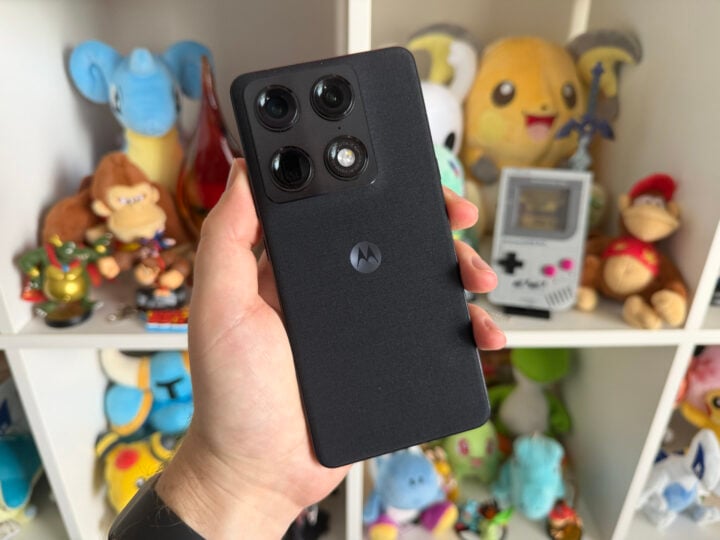
On the back, as big as the camera array is, it’s unobtrusive, bordered by a nice metal-brushed frame. These cameras may protrude a little bit, but the phone doesn’t wobble when placed on its back. There’s no panic quite like the feeling of seeing a $1,500 phone precariously teeter on a benchtop when bumped.
Adorning the right side is the power button with the volume adjustments just above it. On the left is a dedicated Moto AI Key. Unfortunately, its usability is limited to several specific functions. Holding down the button activates Moto AI, which can be summoned to interface with Perplexity or Copilot. Double-tapping the button either summarises your notifications or starts an audio recording that transcribes the results.
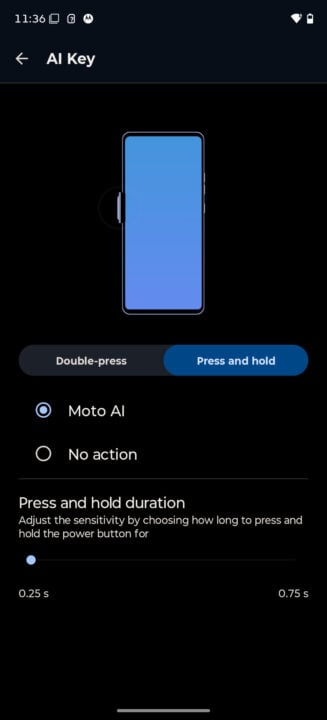
Accessing any of these features requires signing in with a Moto account, which feels a bit redundant, given that you’ve already signed in using a Google account that gives you access to Gemini. Annoyingly, you also can’t assign the button to anything else, like a shortcut to opening the camera app. It’s either Motorola’s AI features or nothing.
Motorola packs a clear phone case in the box, which is more than what most brands do. Just don’t expect it to hold up to anything too rigorous; it’s a bit on the cheap and flimsy side. Still, it’s not a bad stopgap until you get a sturdier case.
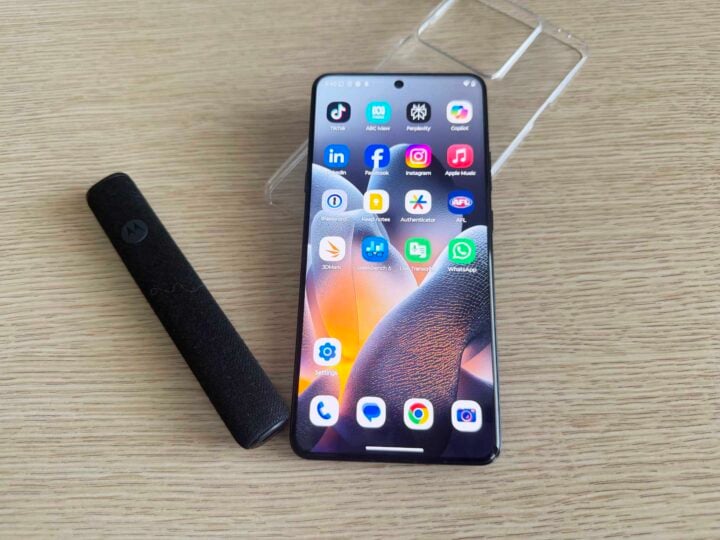
That’s where Motorola’s generosity stops: it ships a USB-C cable in the box, but no charger. Wrapping the cable neatly is a bit of cardboard that has a QR code linking to Motorola’s website, where you can buy one of its branded chargers.
Out of curiosity, I looked at the specific listing for Moto’s TurboPower chargers, only to find that the JB Hi-Fi link didn’t return any results. Harvey Norman had stock at the time of writing, charging $89 for the 125W wall charger required to take full advantage of the Signature’s 90W peak speeds.
Performance
With the Snapdragon 8 Gen 5 chipset and 12GB of RAM in tow, the Motorola Signature is one speedy phone. Everything is smooth, and swapping between apps is satisfyingly snappy. More than any Motorola phone I’ve used before, this is the most ‘flagship’ the brand has felt in the face of stiff competition.
Based on raw processing performance, the Signature comfortably outpaces cheaper phones, while taking it right up to last year’s flagship handsets, including the Samsung Galaxy S25 Ultra and Google Pixel 10 Pro.
| Phone | CPU single-core | CPU multi-core | GPU |
| Apple iPhone 17 Pro Max | 3,768 | 9,443 | 45,451 |
| Apple iPhone 17 | 3,520 | 9,057 | 37,161 |
| Oppo Find X9 Pro | 3,165 | 9,418 | 20,447 |
| Motorola Signature | 2,609 | 9,391 | 17,415 |
| Samsung Galaxy S25 Ultra | 2,360 | 8,911 | 14,671 |
| Apple iPhone 16e | 2,679 | 6,144 | 23,732 |
| Google Pixel 10 Pro | 2,317 | 6,455 | 3,233 |
| Oppo Reno 15 Pro | 1,555 | 6,330 | 11,828 |
| Motorola Edge 60 Pro | 1,432 | 4,695 | 9,107 |
| Samsung Galaxy A57 | 1,389 | 4,435 | 6,674 |
| Motorola Edge 60 Fusion | 1,050 | 3,014 | 2,581 |
Gaming and graphical performance is also strong, but longer sessions aren’t the Signature’s forte.
| Phone | Wild Life score | Wild Life Extreme score |
|---|---|---|
| Samsung Galaxy S25 Edge | N/A | 5,459 |
| Motorola Signature | N/A | 5,275 |
| Samsung Galaxy S25 FE | N/A | 4,399 |
| Apple iPhone 17e | N/A | 3,865 |
| Motorola Edge 60 Pro | N/A | 3,066 |
Put through a 20-minute stress test using either of 3DMark’s Wild Life benchmarking tools, the Motorola Signature heats up quickly. Data from the tests shows that performance gradually drops during the first 10 minutes. Afterwards, the phone stabilises by throttling performance, preventing it from getting any hotter.
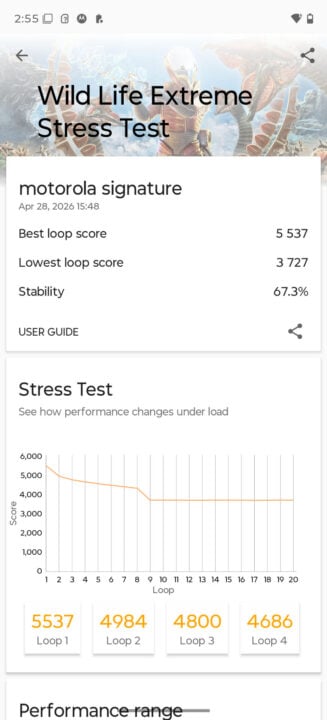
Even so, the Wild Life stress test (as opposed to the ‘Extreme’ variant that runs at 4K) rarely dipped below 60fps. Put simply, the Motorola Signature can play some reasonably intensive games, provided you don’t push the phone too hard.
Battery life
Equipped with a 5,200mAh silicon-carbon battery, the Motorola Signature doesn’t have much trouble getting through a full day of use. That depends on how you use it, however.
To refer back to the stress testing, the Signature’s battery drained by 13 per cent during the 20-minute Wild Life benchmark. That’s more than most phones I’ve tested, suggesting that the heat generated while under heavy load is a bit of a battery-sapper.
As for general use, though, I got roughly a day and a half out of the Signature before I started looking for a charger.
Moto Pen Ultra
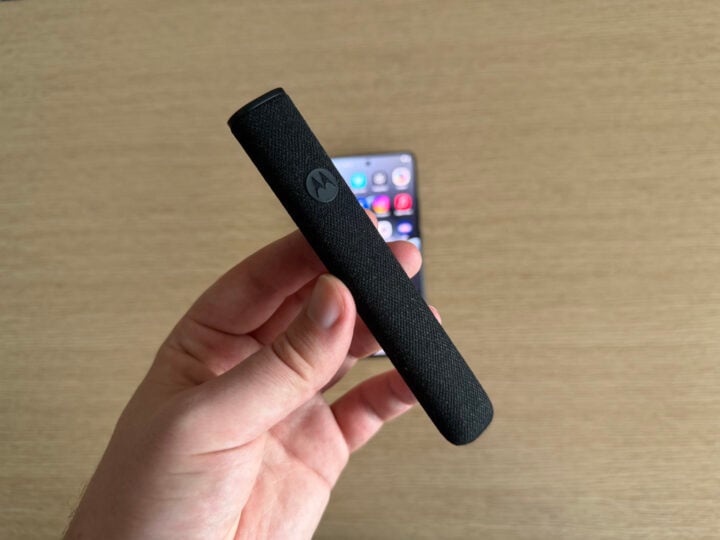
To put the Signature through its paces, Motorola also loaned me its latest stylus, the Moto Pen Ultra. Ironically, for a device with ‘signature’ in its name, the phone doesn’t come with the stylus. Instead, it’s an optional $139 accessory sold through Telstra.
Even before you start using the Moto Pen Ultra, one flaw quickly becomes apparent: storage. The stylus comes in a neat fabric-coated sheath, with a USB-C charging port at one end, and the slot for the pen at the other. Removing the stylus is as easy as pushing it in until you hear a click, and then it pops out for removal.
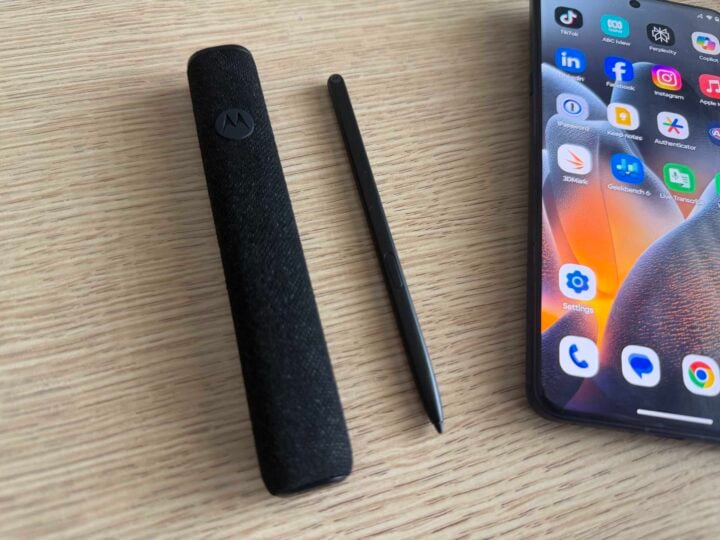
Neither the pen nor the case reliably attaches to the phone in any way. Rather than an on-device solution, you need to carry the pen separately. It also points to the Signature’s lack of Qi2 magnetic technology. I can feel a slight pull when lining the phone up to a Belkin wireless charging pad I have on hand, but the phone slides straight off when I tilt the pad vertically.
Back to the stylus, it’s a bit thin, particularly compared to other stylus accessories, like an Apple Pencil. But it’s a reasonably feature-rich pen that includes a quick-access menu for making new notes, annotating screenshots, and converting handwriting to text.
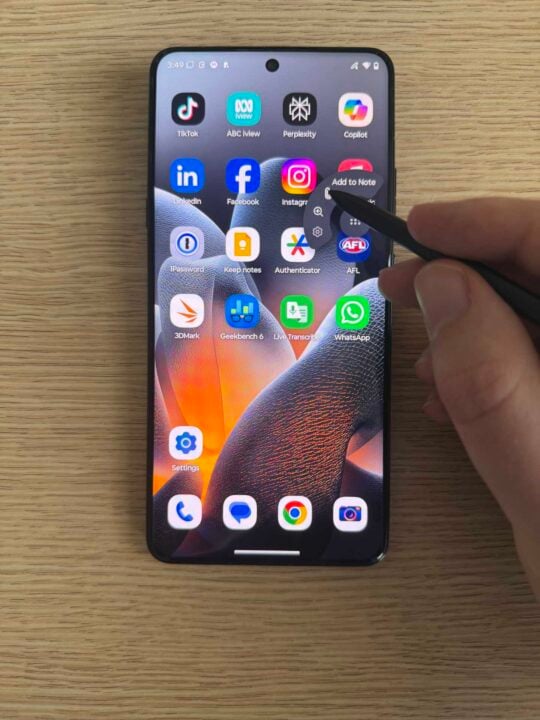
I’m not someone who sketches, and my handwriting is terrible (hats off to Motorola for being able to accurately convert my scratchings into something legible), so I’m not the target market for a stylus. But the lack of on-phone storage for the Moto Pen Ultra severely limits how often I’d use it in the first place.
There’s no slot or magnetic strip on the Signature for the stylus to attach itself. Needing to carry a separate case wherever my phone goes, just in case I want to jot something down, is a hindrance I’d rather not bother with. It’s a handy little stylus, but I routinely forget where my phone is, let alone a much smaller accessory.
Motorola Signature camera quality
Of everything the Signature does, Motorola spent the most time hyping up its camera quality. It proudly waved around a DXOMARK Gold Label in the phone’s marketing materials. According to the external benchmarkers, the Motorola Signature wields the top 10 camera array of any smartphone in the world. But what do the phone’s photos look like in the real world?
On paper, the cameras certainly look impressive. There’s a 50MP main wide camera, a 50MP ultra-wide camera, and a 50MP telephoto camera with 3x optical zoom. Turn the phone around, and you’ll see a 50MP selfie camera — 50 seems to be Motorola’s magic number.
Of course, benchmarks are one thing, while real-world performance is another. In this case, the Motorola Signature well and truly lives up to its lofty camera claims outside of a closed testing environment. Consistently across the board, photos are evenly lit, even in tricky conditions, while the colours look deep and lifelike.
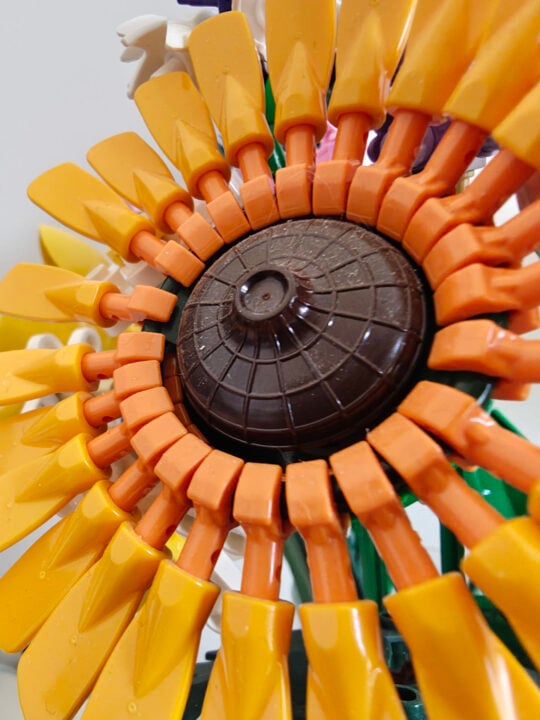
Irrespective of which of the phone’s cameras you use, they all produce vibrant and true-to-life colours. It’s common to look at a photo taken by a phone and notice where it has juiced up the saturation levels. But with the Motorola Signature, I look at these photos, then look back at the Lego flowers on my desk, and don’t notice a difference.


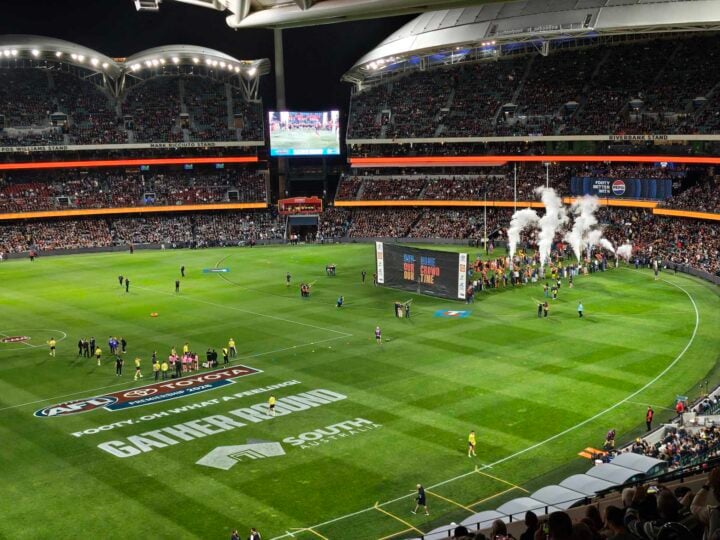
A recent outing to the footy saw me sitting almost in the back row, but that didn’t deter the Motorola Signature from taking in all the action. Impressively, the consistency between ultra-wide, wide, and telephoto zoom photos stood out compared to many other phones.


Who needs binoculars at the footy when you’ve got a phone that can zoom in as well as this? Obviously, the closer you can physically get to a subject, the better photos you’ll get overall, but when that’s not physically possible, the Motorola’s optical zoom does a bang-up job.
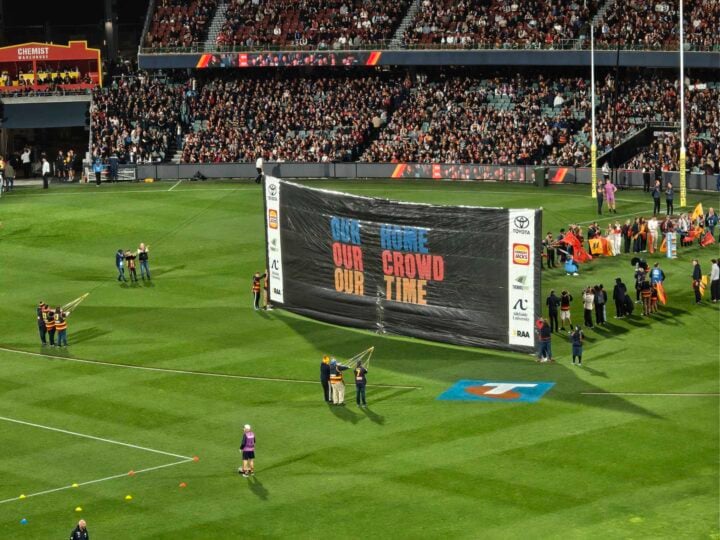
Mixed lighting didn’t trip up the phone, either:
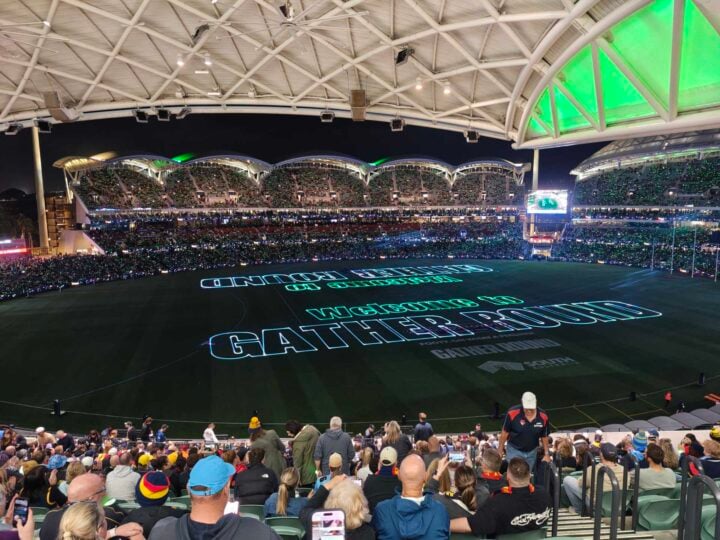
Digital zoom quality is another factor that separates good phones from great phones. In this case, the Motorola Signature could punch all the way in from the nosebleed section to the banner on the oval. The edges around the text are a bit soft, but it’s a mighty effort for a phone’s digital zoom, capturing the individual creases and all.

The results were similarly impressive when getting a closer look at the Adelaide Oval’s beloved scoreboard. People’s faces turn into blurry blobs when seen through digital zoom, but inanimate objects look pretty darn good.
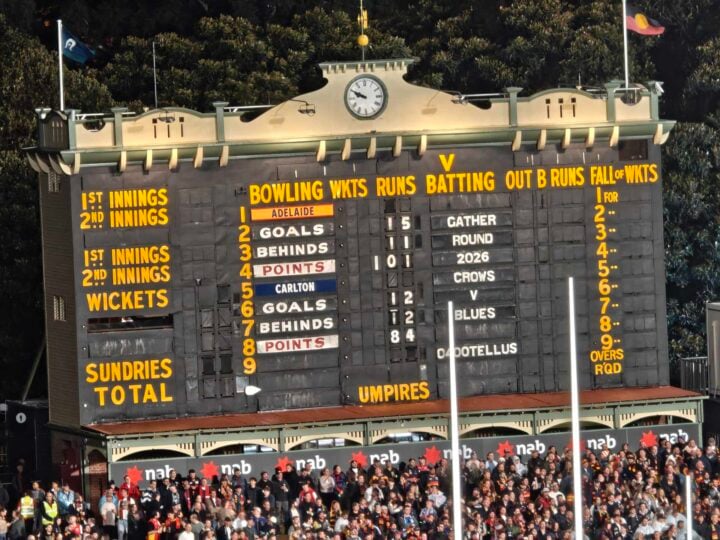
To put the scoreboard photo in context, here’s what you can see with the Signature’s main camera:

Turning to my trusty cat model, Billie, the Motorola Signature captured a lovely amount of detail (including the blanket’s loose threads caused by Billie). Her fur and whiskers are clearly depicted, while the shallow depth of field creates a pleasant soft background. Even using the macro mode (used on the right-hand photo), the results may not be as sharp, but you can pick out an extraordinary level of minuscule details.


I didn’t even physically recoil when looking back at some selfies taken on the Signature — I consider that a win. Colours look accurate, and my freckles remain intact without any ridiculous airbrushing.

This photo, taken after going to the footy with family, is probably what impressed me the most. Not a compositional masterpiece by any means, the way it evenly lit our faces in dim conditions without completely overexposing the background was quite the feat.

It’s probably obvious by this point, but I can see why the Motorola Signature scored so well in independent camera testing.
Who is the Motorola Signature for?
This may sound like hyperbole, but it’s not: the Motorola Signature has the best camera system of any Android phone under $1,500 in Australia. Keen phone photographers should seriously consider this as a viable alternative to the Samsung and Google alternatives that have occupied this space for so long.
Its main shortcoming only applies to avid mobile gamers, and even then, some settings tweaks will see the Signature cope just fine. It’s exciting when a brand takes a big swing and connects, which is exactly what Motorola has done in taking the fight to the top end of town.
GadgetGuy occasionally uses affiliate links and may receive a small commission from purchased products.
The post Motorola Signature review: Superb flagship photo snapper appeared first on GadgetGuy.
0 (mga) komento:
Mag-post ng isang Komento