


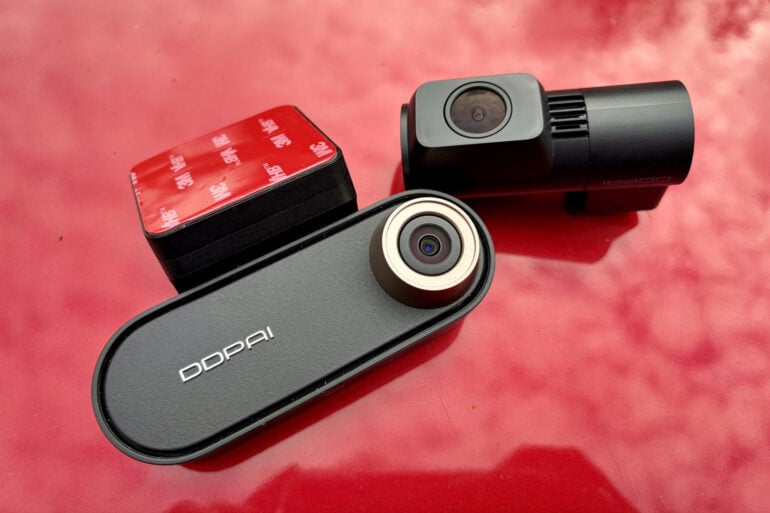
Giving your old ride a high-tech overhaul, the DDPAI N5 Pro Dashcam keeps an eye on things – both in front and behind – when you’re behind the wheel.
Third-party dashcams have become a lot more sophisticated in the last few years, expanding their features far beyond simply keeping watch for accidents. This has been driven not just by tough competition, but also increasing consumer expectations when people see what’s available in the latest cars.
Case in point, now that my daughter drives to work and plays in a band, we recently bought a 10-year-old Mazda 6 to sit in the driveway alongside our 2023 Tesla Model Y. Sadly, the budget doesn’t stretch to two EVs.
While it’s fine to drive, the Mazda 6’s high-tech limitations are difficult to overlook when we’ve grown accustomed to the Tesla’s advanced remote access features such as dashcam, GPS tracking and sentry mode alerts if the alarm is triggered.
The ability to check if someone arrived safely at their destination, and an ETA on their arrival home, is both useful and reassuring.
That’s where the DDPAI N5 Pro Dashcam comes in, granting an old car a wide range of new high-tech features.
Table of contents
First impressions
Some dashcams double as GPS navigation screens and are designed to sit on the dashboard, but the DDPAI N5 Pro Dashcam doesn’t feature a screen. It sits up high on the windscreen, behind the rear vision mirror, so it has a clear view of the road ahead.
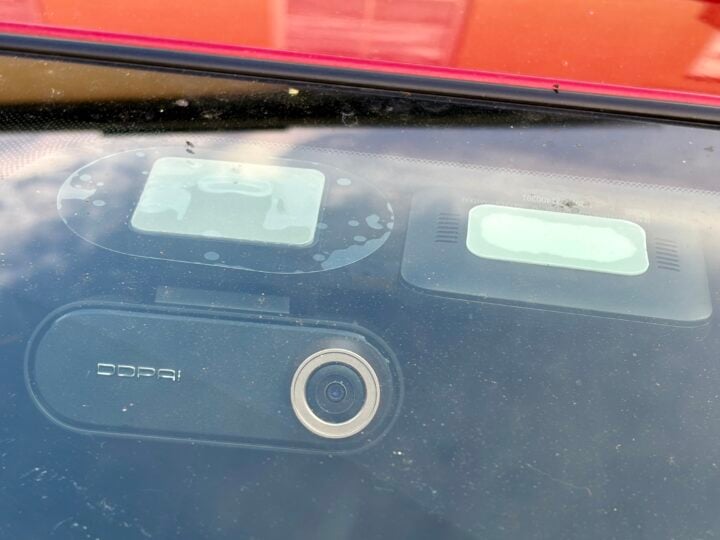
Attaching the camera to the windscreen first requires cleaning the glass and attaching an electrostatic sticker. Then you peel the backing off the camera mount’s 3M sticky pad and stick it to the electrostatic sticker. This attaches much more firmly than relying on a suction cup.
You might run into issues if, like my Mazda 6, there is a large sensor cluster behind the rear vision mirror. I ended up placing the front dashcam to the left of the mirror, on the passenger side, so it still has a good view of the road without blocking the driver’s view.
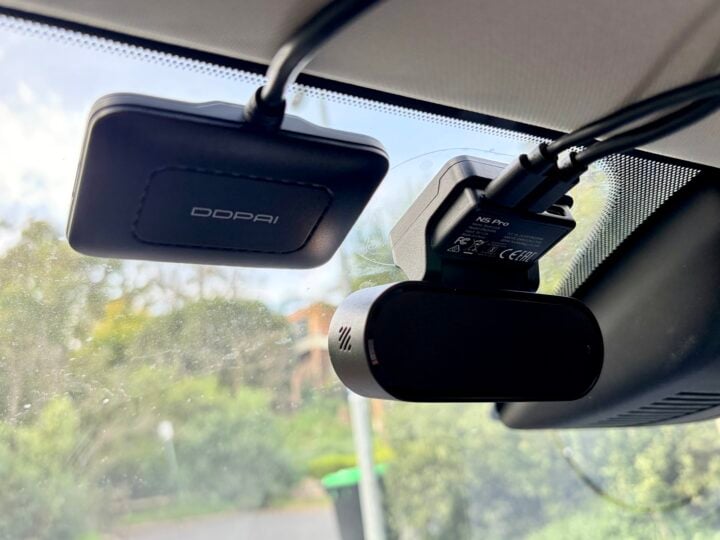
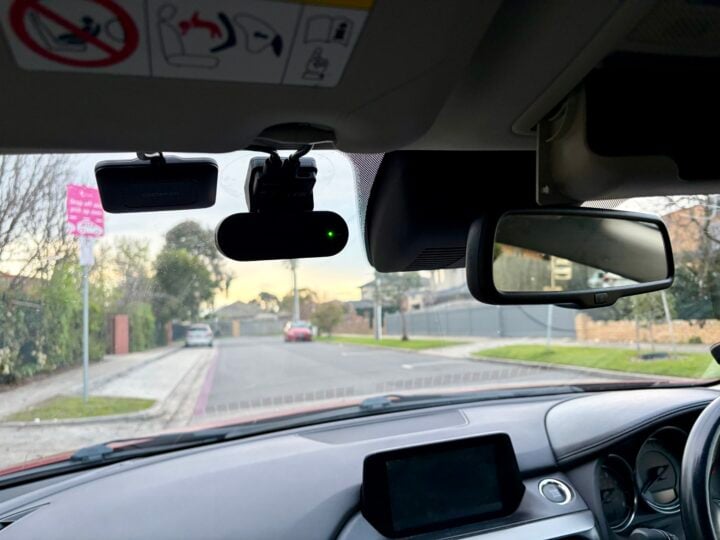
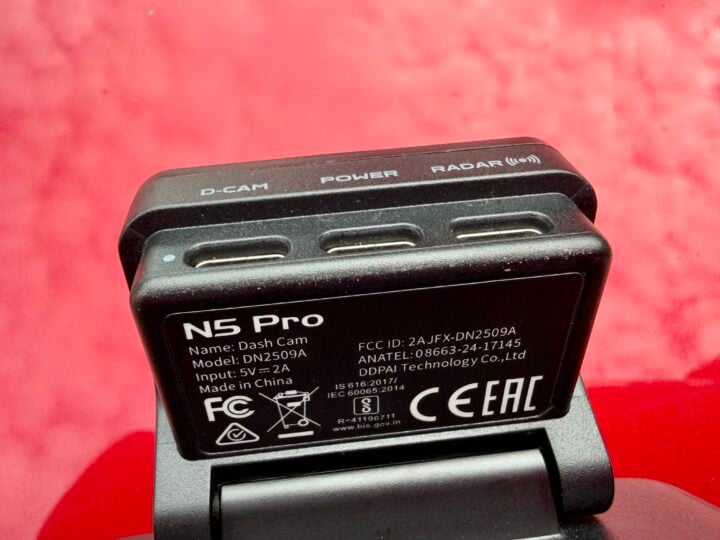
The camera is powered via USB-C, with DDPAI providing long cables and a trim tool to neatly run the power cable out of sight around the window and down to the dashboard.
The basic $289 includes the front and rear camera, cables and a standard 12V car cigarette lighter USB power charger. There’s an optional $35 hardware kit to wire the cameras directly into the car.
When hardwired, IPS power management monitors vehicle battery voltage in real-time to prevent battery drain, automatically cutting power to the camera if the car’s battery drops below a preset threshold.
The dashcam features a supercapacitor, rather than a lithium battery, to provide short-term backup power if required.
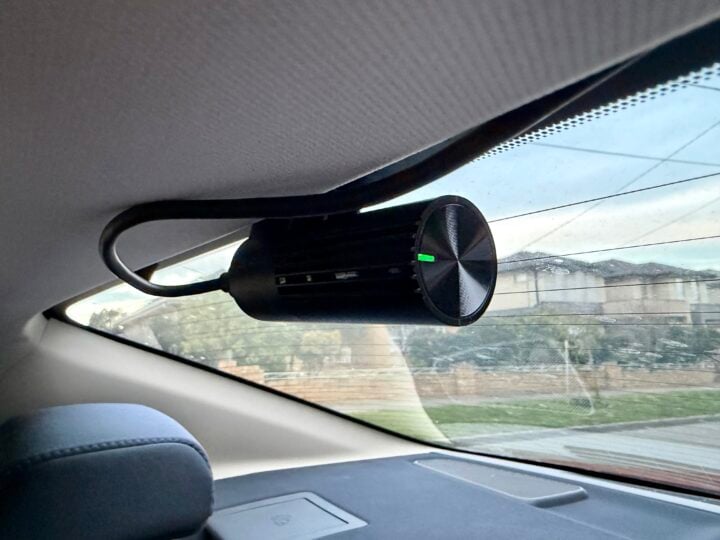
As mentioned, the DDPAI N5 Pro also comes with a thumb-sized secondary camera for looking out the rear window. It’s not a real-time reversing camera, just a second set of eyes to capture anything that might happen behind you.
Once again, you can use the trim tool to neatly run the rear USB-C cable around the ceiling trim, connecting the rear camera to the main front camera. Once mounted, you can tilt both cameras to get a good view of the road.
There’s an optional $85 low-power radar parking monitor, which attaches to the front windscreen alongside the main camera. It actively watches your car while parked, looking both forward and back, to wake the camera from a low-power sleep state if it detects motion or impact.
Don’t be confused by the name; it’s not designed to warn you when the police are pointing a radar speed gun at your car.
There’s also an optional $129 4G ‘cloud box’ module, which is particularly tempting, as it adds the remote access, status and monitoring features that we’ve come to expect from new cars. The included 4G SIM comes with 30 days free trial, after which it costs $113.79 per year if you auto-renew. You can also pay for 30, 180 or 730 days.
That ongoing expense might be tough for those suffering from subscription overload. I begrudgingly pay Tesla $10 a month for 4G access, which offers a few extra features compared to this, so I guess $113.79 for a year isn’t too bad.
DDPAI N5 Pro Dashcam specifications and price
| Video resolution | Front: 4K at 25/30 fps with HDR, 3K at 60 fps Rear: 2K at 25/30 fps |
| Lens | F1.8, 143° field of view |
| Video | MP4 AI.265 & H.264 |
| Storage | 64GB eMMC + optional MicroSD card up to 512GB |
| Connectivity | 5.8GHz Wi-Fi 6 Bluetooth BLE 5.4 4G (optional) |
| Satellite | GPS, BDS, GLONASS, GALILEO, QZSS |
| Inertial Measurement Unit | Three axis |
| Radar module | Optional |
| Power | Standard car charger + 3.5m power cable Optional hardwire kit with IPS Power Management |
| Operating temperature | −20°C ~ 70°C with Supercapacitor support |
| Dimensions | 102 × 62.5 × 31.3 mm |
| Price | $289 RRP + optional extras inc. 4G subscription |
| Warranty | 2 years |
| Official website | DDPAI |
Features
With a 4K front camera and a 2K rear camera, the DDPAI N5 Pro Dashcam is designed to give you a crisp and clear view of exactly what happened out on the road.
The 143-degree wide field lens offers a slightly fish-eyed view of the world, which allows you to look off to the sides and not just straight ahead.
Meanwhile, the large f/1.8 aperture lens lets in a lot of light to help in low-light conditions. After dark, the cameras also take advantage of HDR and Night Vision 2.0 technology so you can still make out plenty of detail.
The DDPAI mobile app lets you review videos or watch the live feed. You can access the camera locally via Bluetooth or Wi-Fi, with 5GHz Wi-Fi 6 for fast file transfers. There’s also remote access if you opt for the 4G module.
All of this means it’s easy to download videos and still images to your phone for sharing. The 4G module also lets you automatically upload to the cloud for safe-keeping.
As you’d expect with the high-quality camera, the resulting video clips are very impressive, even on an overcast day or after dark. The camera handles bright lights well, so you can still see plenty of detail elsewhere in the scene.
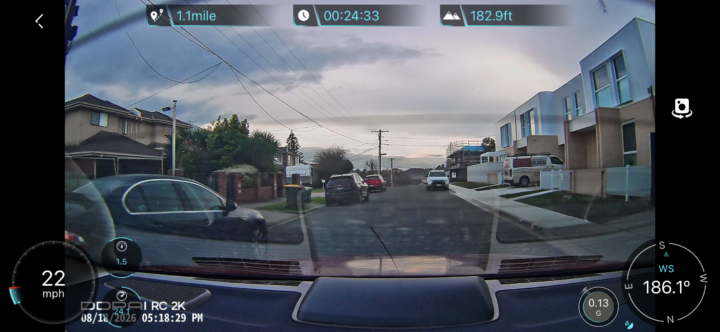
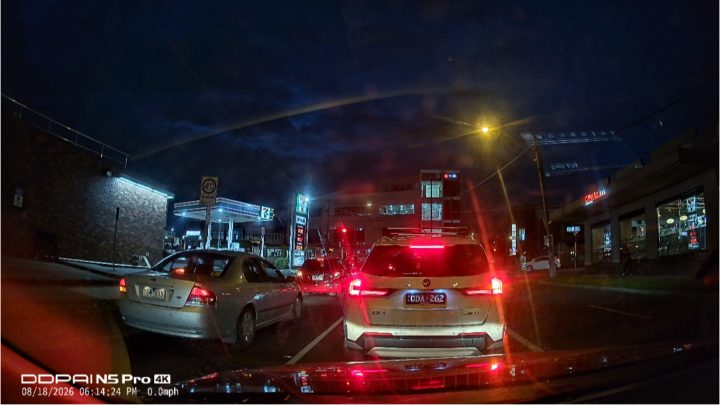
Along with the time-stamped video, you can also turn your phone to see a dashboard of the car’s current status, or else the location of the car on the map.
These details are saved alongside the video, so you can view them during replays and not just the live feed. You can also see the car’s travel history on the map.
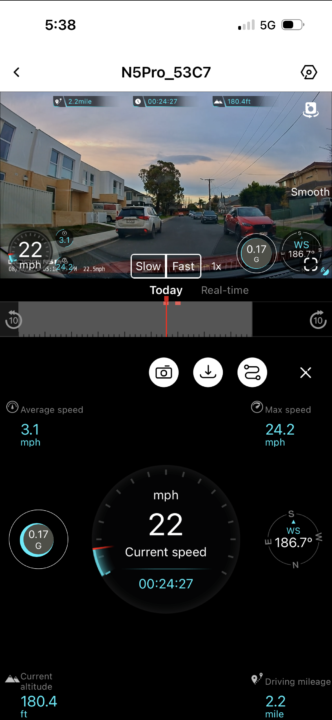
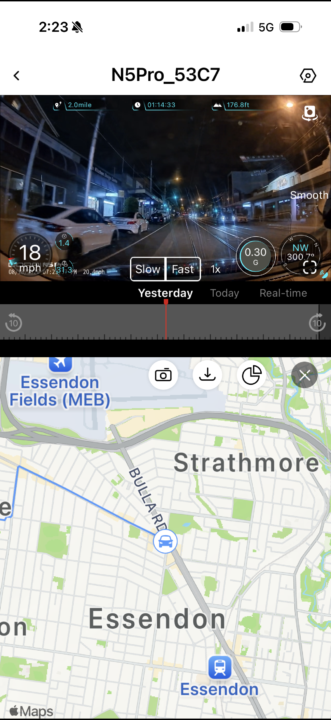
Looking at the app, the camera switch button at the top right lets you alternative been the front and rear camera, for a more complete view of what’s happening. There’s no picture-in-picture option.
While the video quality is very impressive, one surprise is that the DDPAI app doesn’t let you pinch to zoom in and make the most of that 4K resolution. To see fine details like a license plate number, you might need to export the video or a screenshot to your phone.
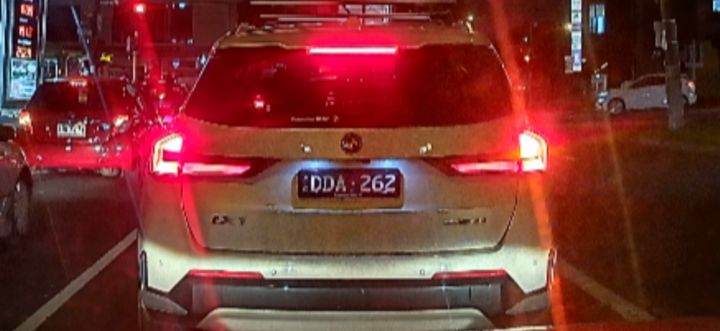
The app lets you scroll back and forward through the video of entire journeys. To make it easier to find events of interest, it automatically takes a photo and marks the video timeline when it detects a collision or sudden braking. It also saves the 10 seconds before and after that event as a separate video file.
This is extremely handy, although, by default, I found the impact detection a little too sensitive – constantly triggered by the nasty speed humps in my suburb (admittedly not helped by the Mazda’s dodgy suspension). Thankfully, you can adjust the sensitivity in the advanced settings.
More than just a passive dashcam, the DDPAI N5 Pro also supports GPS geo-fencing to automatically notify you when the car enters or exits a certain area. Of course, this requires the 4G module.
Plus, the dashcam features Advanced Driver Assistance Systems (ADAS), which monitors road conditions in real-time and provides voice alerts.
These include a ‘driver fatigue’ alert, plus a ‘vehicle front start alert’ if you fail to notice the car in front of you has started moving. The latter can become annoying when stuck in traffic, plus it’s easily confused – piping up when I backed out of a car park because the car in front appeared to move forward.
You can disable the vehicle front start alert, but unfortunately you can’t replace it with a simple ‘bing’ similar to how my Tesla behaves.
Surprisingly, you don’t get forward collision warnings if the camera thinks you’re approaching a vehicle too quickly. You also miss out on lane drift alerts and speed warnings if you’re going faster than the signs on the roadside, which many modern cars support.
When you’re parked, the optional Radar Parking Monitoring mode stands guard in low-power mode, actively watching the surroundings. If it detects motion or an impact, it wakes the cameras to capture 10 seconds of video – which is where cloud storage comes in handy, in the event your car is stolen.
Who is the DDPAI N5 Pro Dashcam for?
The inclusion of both front and rear cameras makes the DDPAI N5 Pro Dashcam an impressive upgrade for old cars. The sharp resolution and great low-light performance ensure that you’ll be able to make out plenty of detail in the event of an incident.
It’s the 4G and radar options that make the N5 Pro Dashcam particularly attractive if you’re looking to bring modem smart features to your old ride, although you’ll need to keep paying for 4G access. Advanced Driver Assistance Systems features might be limited, but the ability to know where your car is and what’s happening around it certainly offers peace of mind.
The post DDPAI N5 Pro Dashcam review: Hit the road with safety appeared first on GadgetGuy.
0 (mga) komento:
Mag-post ng isang Komento