


Keyboards come in all shapes and sizes these days, and it’s very easy to forget which brand of keyboard you are looking at. After all, they are just a bunch of keys all lined up in different colours and configurations. GravaStar is certainly an exception.
It’s hard to compare GravaStar with most keyboard brands, as they combine high-end specs and features with a super unique sci-fi aesthetic. It almost looks like its keyboards are from another planet, as is the case with the GravaStar Mercury V60 Pro.
Table of contents
- First impressions
- Specifications and price
- Design
- Keys and switches
- Performance
- Lighting and software
- Who is the GravaStar Mercury V60 Pro for?
First impressions
This is my first experience using a GravaStar keyboard, and I must admit, I found it hard to focus on anything other than its unique styling. I had to force myself to put that aside and spend some time looking at everything the Mercury V60 Pro delivers.
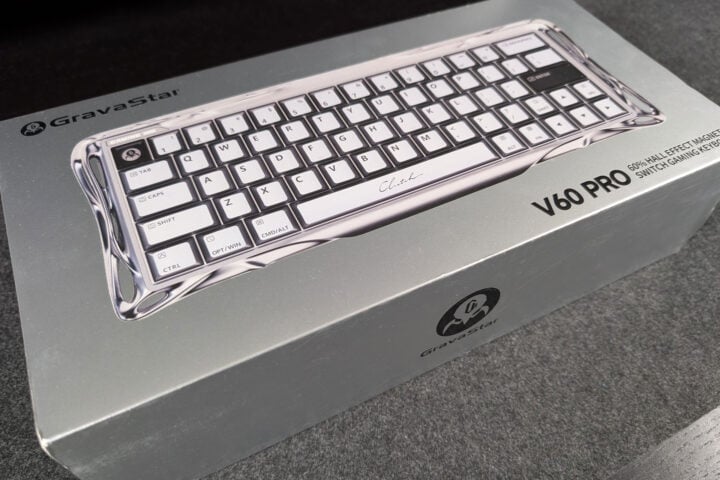
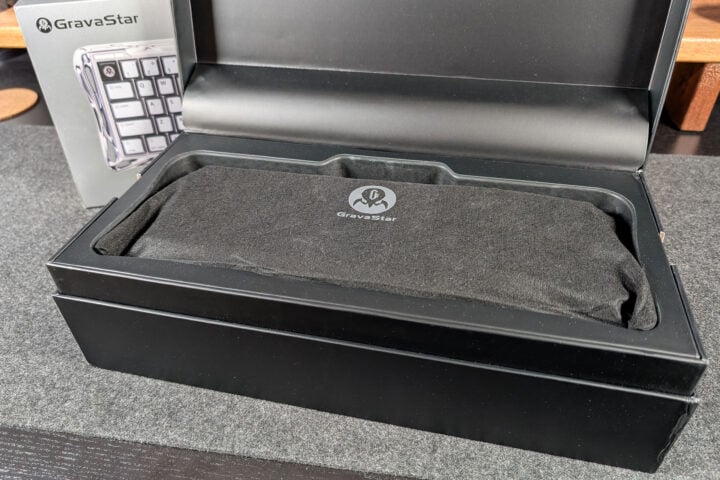
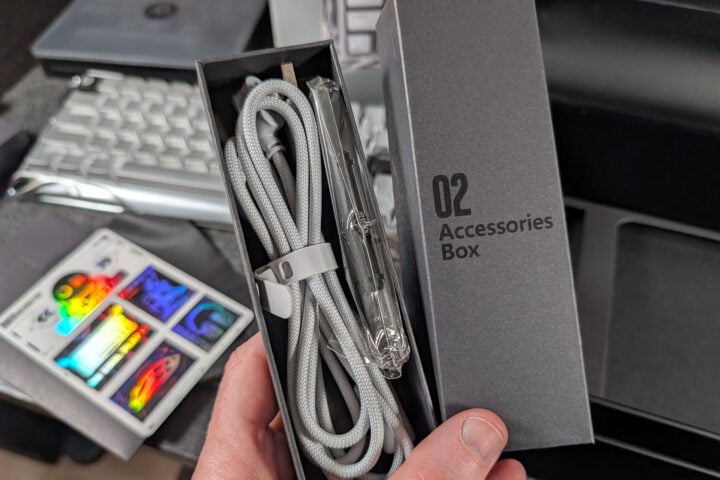
When first unboxing the keyboard, I was somewhat conflicted. Maybe I am old-fashioned, or maybe it’s the designer in me, but I much prefer a minimalist approach to my keyboards. Some clean lines and a boxy finish are all I am after. The Mercury V60 Pro is anything but simple. As I mentioned, it comes with over-the-top styling, replacement keycaps for every single key, and two accessory boxes with tools and replacement switches. Not your simple plug-and-play keyboard by any means. Regardless, it had piqued my interest. I was truly excited to test this one out.
GravaStar Mercury V60 Pro specifications and price
| Dimensions | 325 × 125.8 × 41 mm |
| Weight | 860 g |
| Connectivity | Wired USB connection |
| Switches | Hall Effect switches 4 x Extra Switches (GravaStar UFO Magnetic Gaming Switches) Switch total travel distance: 3.5mm |
| Polling Rate | Up to 8,000 Hz |
| Lighting | 16 Modes, Dual Systems, Multi-Zone RGB Lighting |
| Price (RRP) | $399.99 |
| Warranty | 12-month limited hardware warranty |
| Official website | GravaStar website |
Design
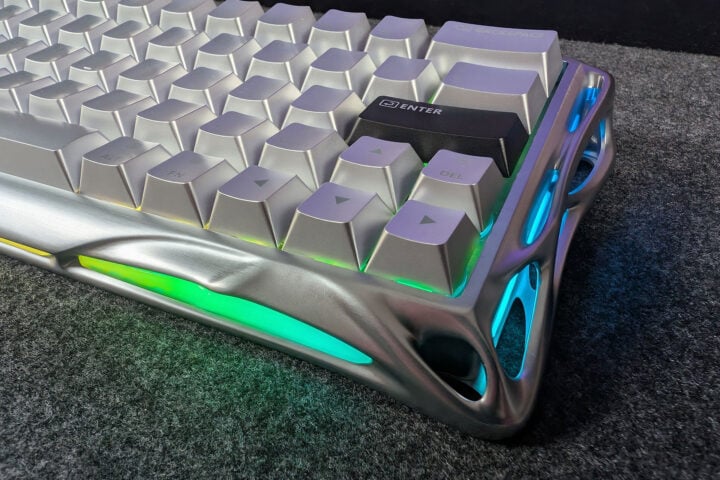
With every other brand making keyboards that look the same as the last, GravaStar quickly caught my attention. I didn’t actually recognise the brand name as much as I recognised the out-there styling of the product. I had seen these keyboards online and always thought to myself “wow, that’s unusual”. It wasn’t until I had the opportunity to use and review a GravaStar product that I finally put it all together. If I had to sum up the styling of GravaStar, think of either an overlord or a baneling from StarCraft 2.
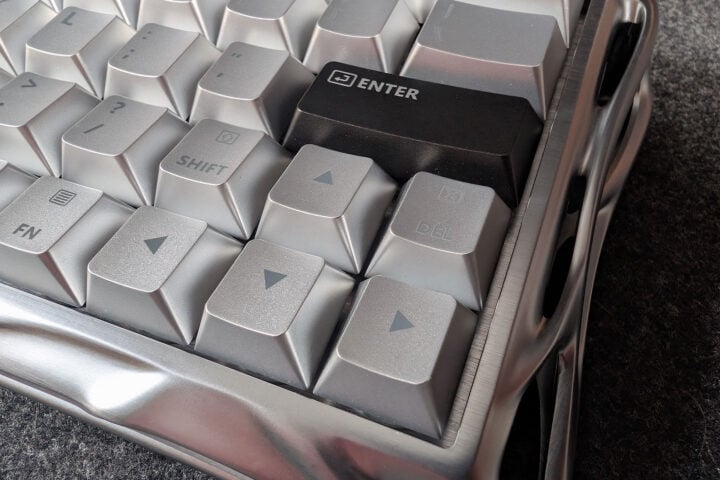
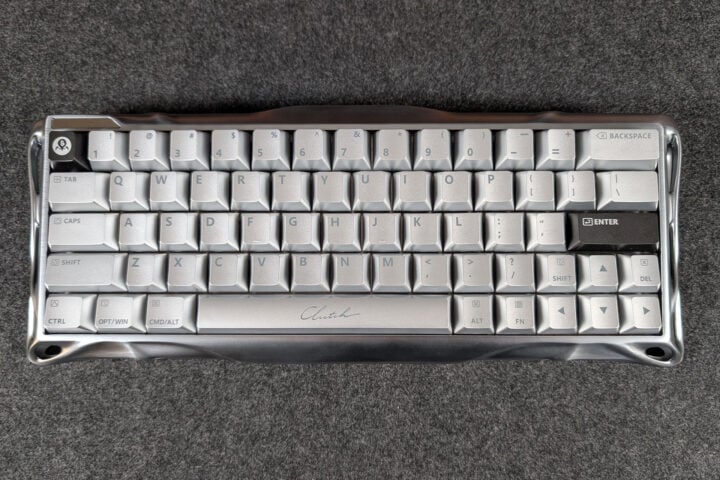
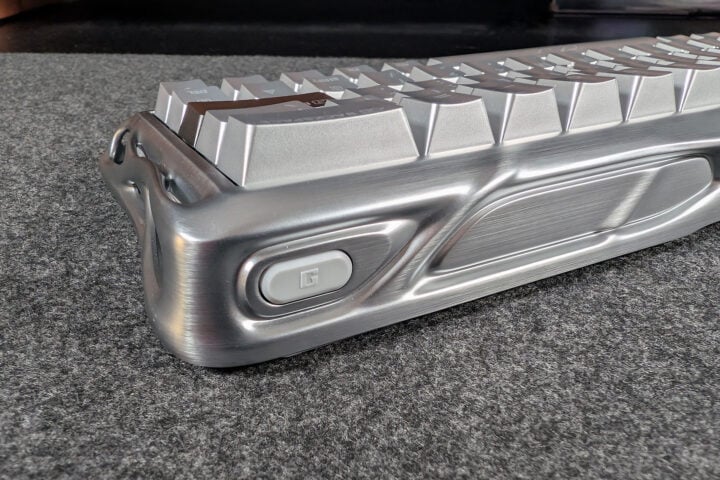
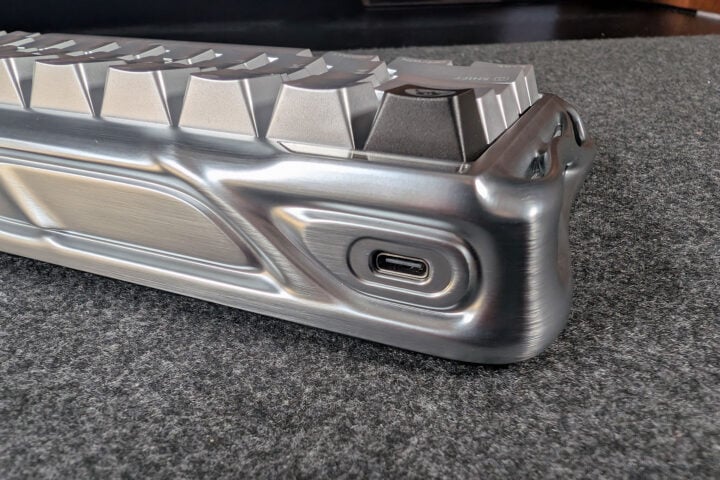
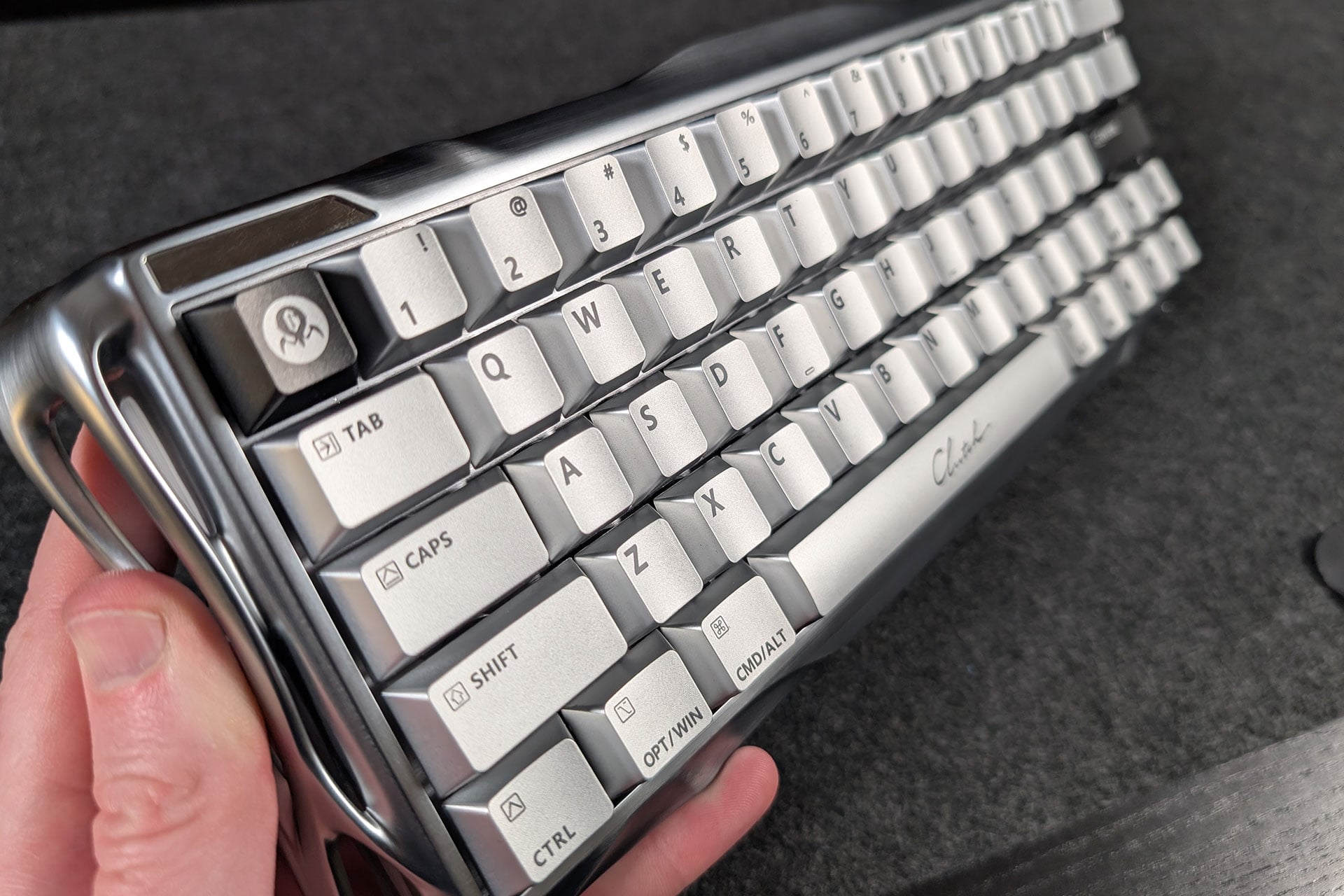
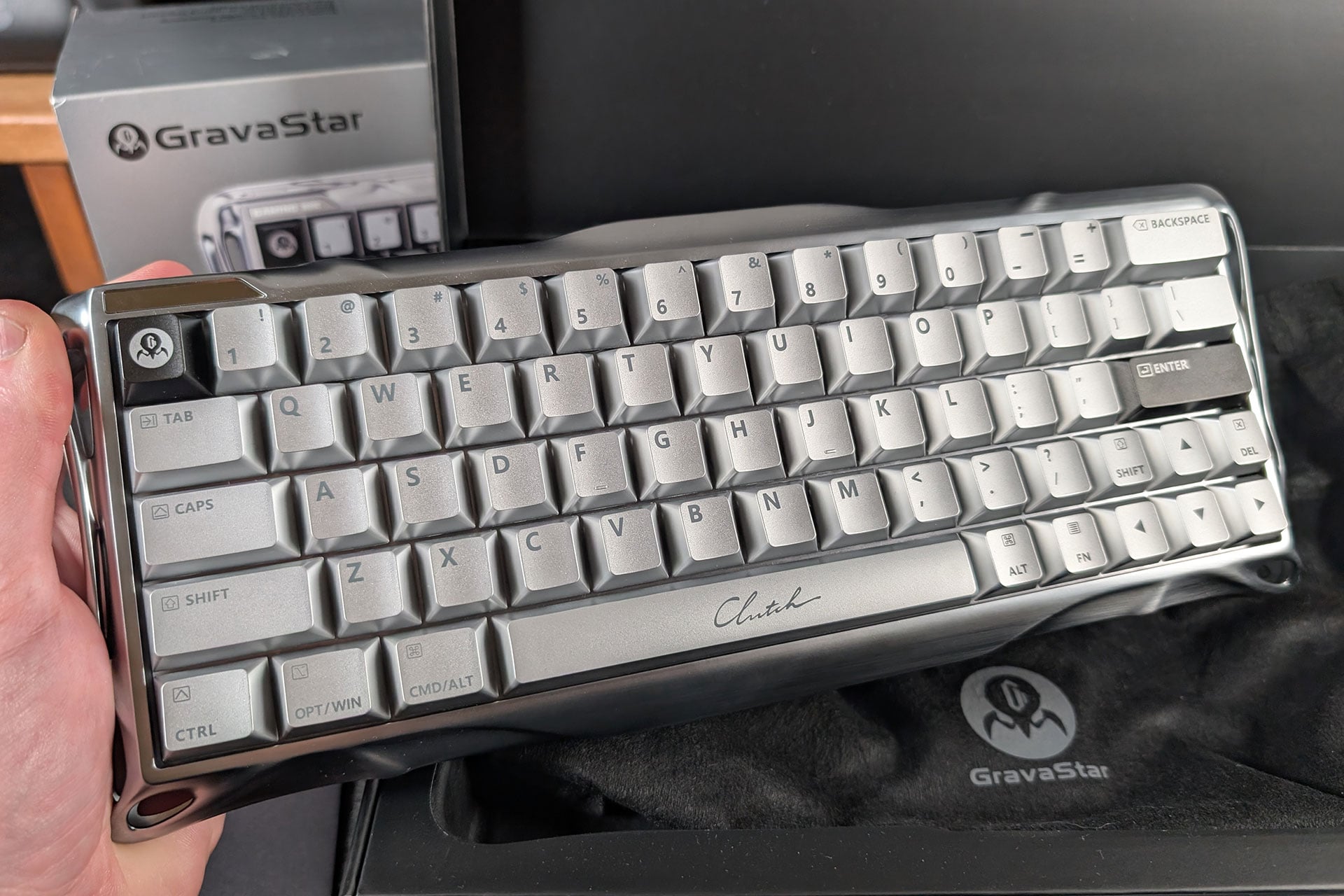
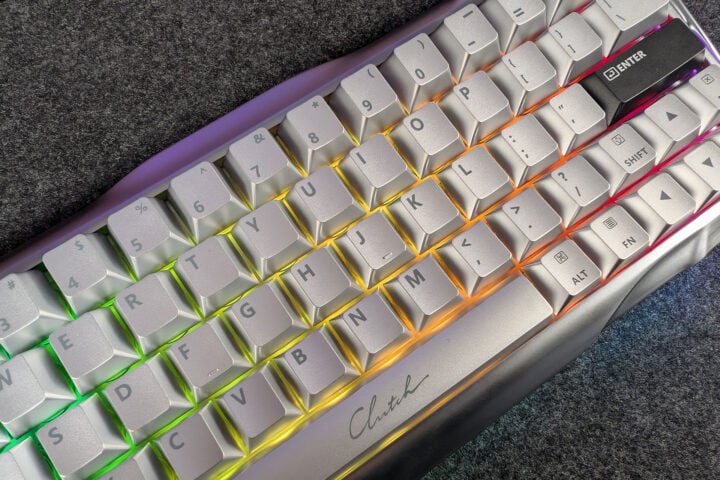
I got my hands on the Mercury V60 Pro Deluxe Edition Dual Keycap Gift Box Set, and as you have probably guessed, this comes with a lot of bits and pieces. As I mentioned, I wasn’t sold when I first took the keyboard out of the box. Yes, it had that ultra sci-fi look to it. And yes, it was like no other keyboard I had ever touched. But I felt it was somehow disappointing. Like there was something missing. Plugging in the V60 Pro and using it for the first time was a pleasure. The performance was clearly not the issue. It had to be the aesthetics putting me off. I couldn’t put my finger on it. I also noticed it was hard to read the keys under certain lighting. The grey lettering on shiny silver keys reflected light, making them appear blank.
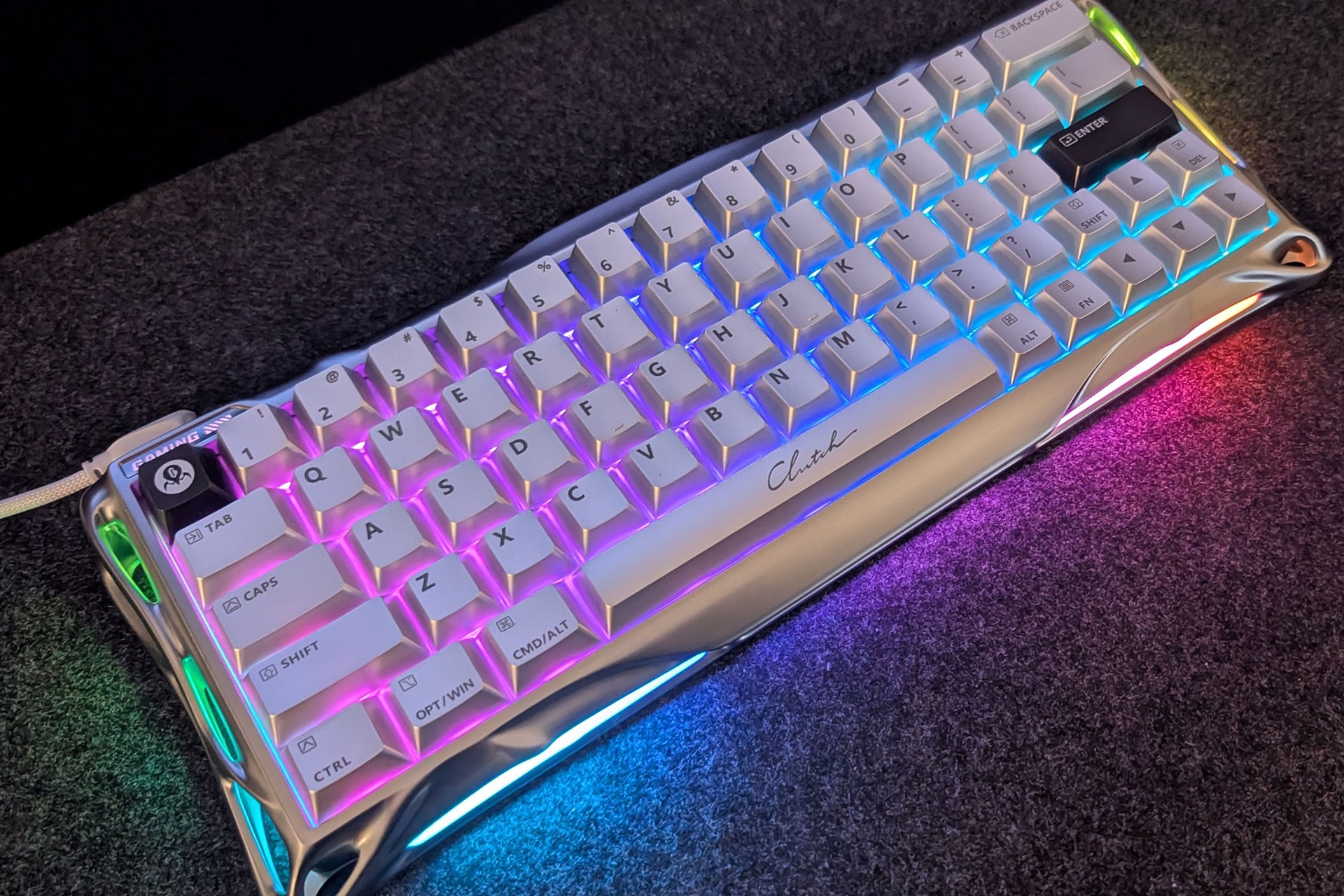
The build of the keyboard felt sturdy and durable with an aluminium construction. It’s a rather small keyboard with a 60% form factor. This can create challenges for me as I typically use something larger. The outer frame boxes in the keyboard layout and only has one additional button on the top right for switching profiles with a single press. The keys also present with a bit of additional flair spread throughout the keyboard. There is a black logo key as the Esc key in the top left, a black Enter key and a rather unique space bar with the word “Clutch” scribed on it. I like most of these little embellishments, yet the space bar is a strange one. I can live with it though.
Keys and switches
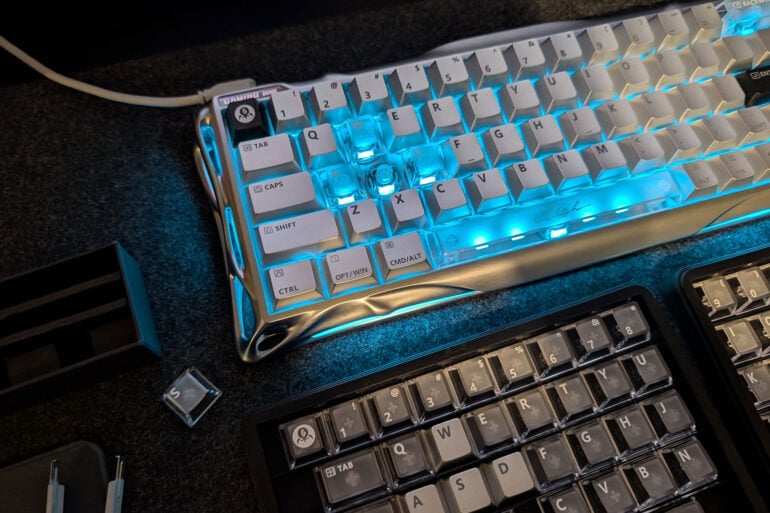
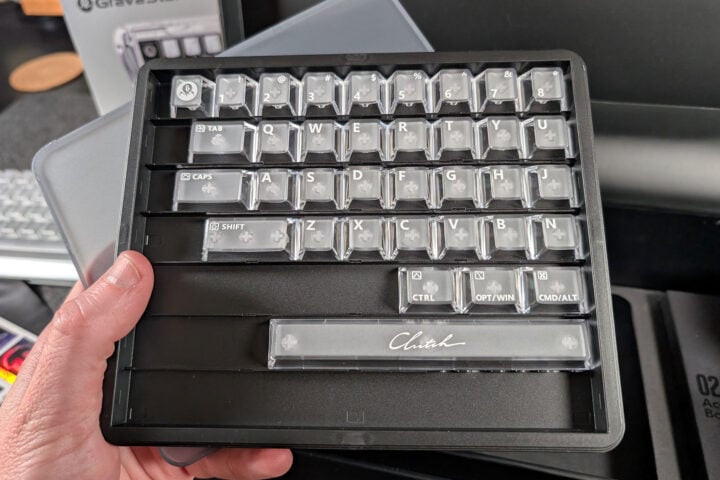
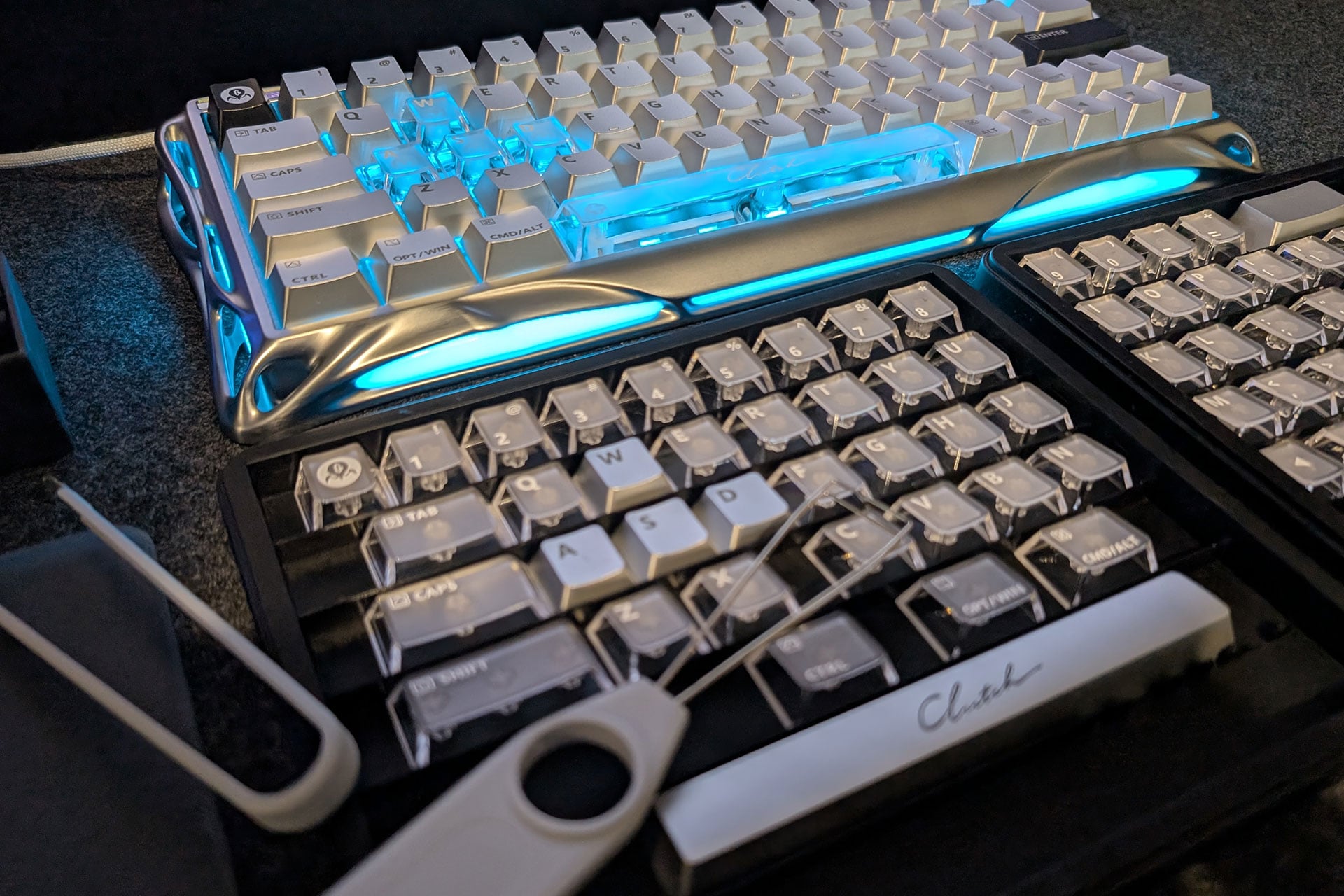
As I dived deeper into exploring the keyboard, I came across the replacement keycaps. Now, most keyboards don’t come with replacement keycaps at all, so having a full set of replacements is an eye-opener. These keycaps were also translucent, meaning the RGB lighting would shine through them. I suddenly had a renewed sense of hope.
Changing out some of the keys and customising the look of the keyboard brought this thing to life. As it turns out, the original keycaps were blocking the RGB lighting from shining through. Without any transparency, not even the lettering, the keyboard felt a little dull to me. But once I had my custom setup sorted with some translucent keys in place, I finally felt the joy this keyboard provides. It now had a balance between the sturdy aluminium construction, the alien-esque styling and the techy RGB lights shining through.
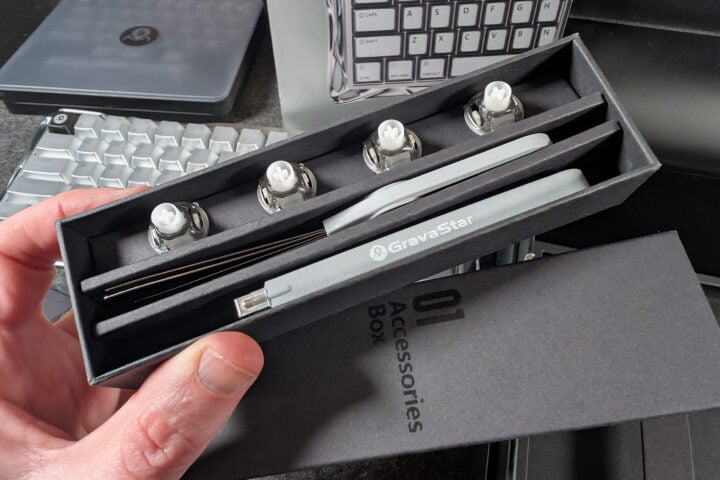
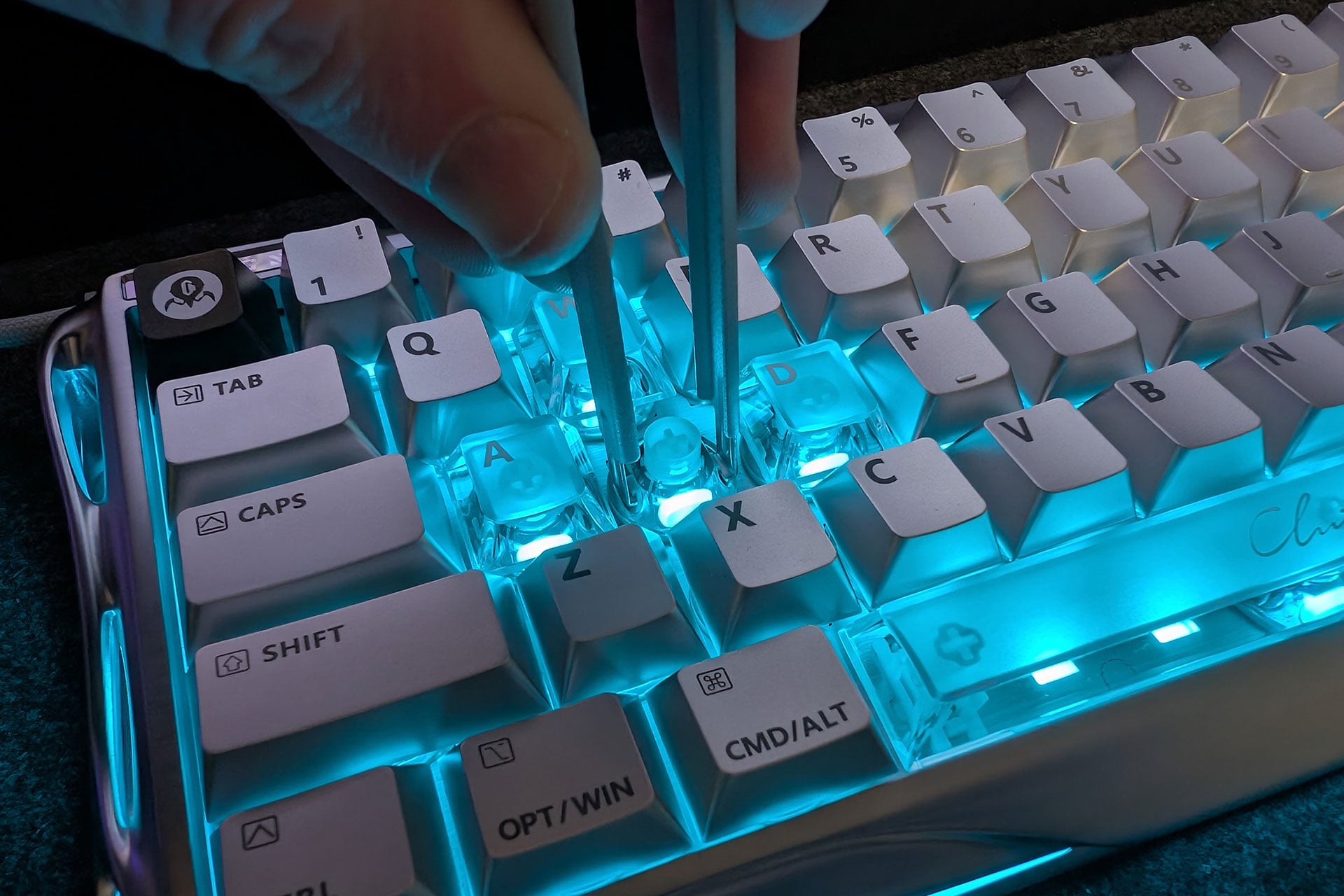
Switch replacements were also a breeze with the handy tools included. The hot-swappable design allows for quickly and easily changing between the magnetic hall effect switches and the four replacement UFO magnetic gaming switches.
For the most part, the switch change helps with a few different areas. Stem stability, or how much a switch stem moves side to side inside its housing, is a big factor. It also offers smoother travel as well as a bit of a sound difference. It’s not huge, but it is noticeable. I ended up using the four replacement switches for my WASD movement keys as I feel I get the most use out of those keys in my day-to-day gaming.
Performance
The polling rate is one of the first things I check when looking at a gaming keyboard. This is the rate at which the keyboard sends data to your computer per second, meaning it’s a measure of how responsive the device is. The Mercury V60 Pro has an impressive 8000Hz polling rate paired with 256kHz key position scanning. All of this adds up to an incredibly smooth gaming experience with basically instant keyboard latency. Your typical gaming keyboard works within the range of 1-10 ms, where the Mercury V60 Pro comes in at an impressive 0.125ms. It goes to show GravaStar has performance in mind just as much as aesthetics.
I do like the ability to have multiple profiles that I can easily change between. There are even some preset configurations for different games like CS:GO, which is a nice touch. The browser-based software was easy to use when adjusting actuation point and rapid trigger settings. There is also a handy Travel Test feature to help with your adjustments.
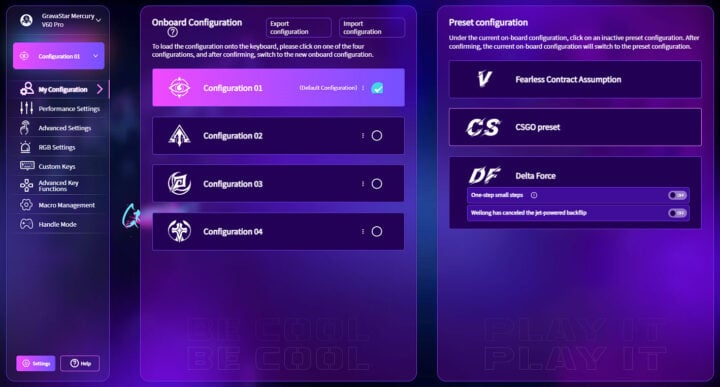
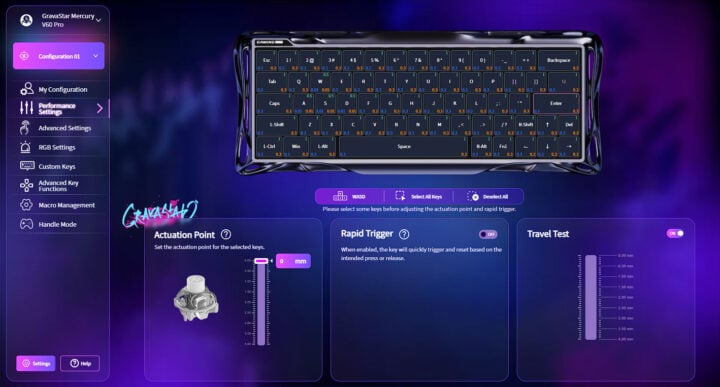
The sound of the keyboard is also something I consider rather important. The sound of the keys certainly adds to the satisfaction of using the product, and thus the overall feeling you get when using it. The Mercury V60 Pro has a rather satisfying click to it. It isn’t too loud or obnoxious, but it certainly has a satisfying click. It’s crisp while also sounding almost smooth with little to no keystroke vibrations. Overall, I would say I enjoyed the sound, and it only enhanced my gaming experience.
Lighting and software
Interestingly, there is no software for this keyboard. Well, there isn’t any installation at least. There is only a web-based driver system, which is a little foreign to me. Maybe it’s a good thing? I personally like controlling all of my gaming peripherals from a software hub. This would typically let me control multiple gaming peripherals within the one software. So having a web browser-style settings page for just this keyboard isn’t what I’m used to. Maybe there is some benefit for those who change computers often or take their keyboard with them to gaming cafes.
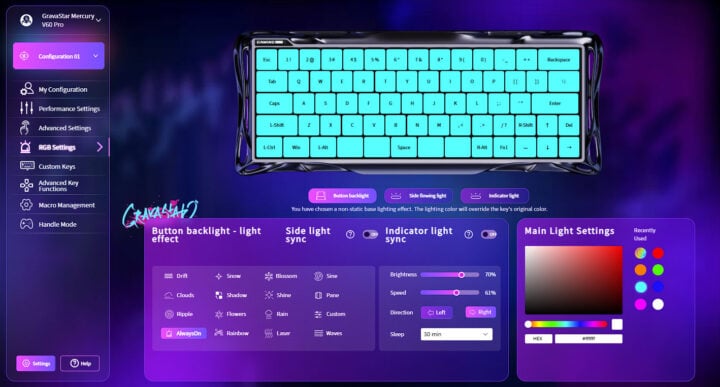
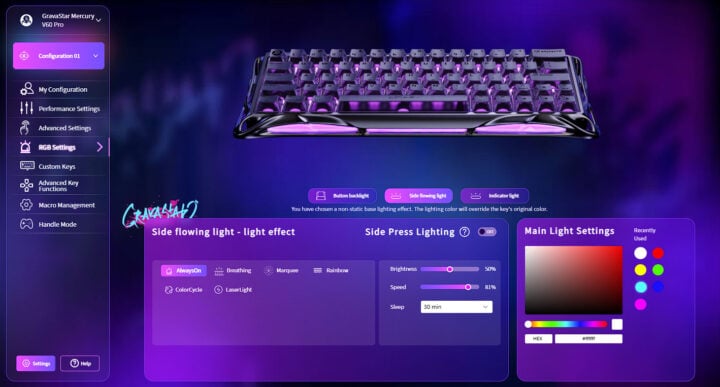
As I touched on above, the lighting of the V60 Pro really comes to life once you change out some of the keycaps. With 16 dynamic modes and dual-zone controls broken up between the key backlighting and side ambient lighting, this keyboard shines. Creating your own look is very much a running theme with this keyboard, and the lighting is no different.
You can even adjust things like the effect speed, which is rather fun. If you prefer not to use the software, you have the option of using some keyboard shortcuts as well. You can change colour modes of either section and adjust speed, colour or brightness all from the keyboard using a combination of keys. For example, Fn + Tab switches the colour of the keyboard backlight.
Who is the GravaStar Mercury V60 Pro for?
The GravaStar Mercury V60 Pro is no doubt a premium keyboard. And with that comes a rather large price tag at $399 in Australia. For a keyboard in this price range, I would expect high-end specs, and the V60 Pro delivers. 8k polling, 0.125ms latency and high-end Hall Effect magnetic switches put this beauty right up there. It also comes with a lot of customisation options that are sure to appeal.
For this set of features, the Mercury V60 Pro is for gamers looking for both high-end specs for dominating the competition and a flashy sci-fi-style gaming weapon they can adjust as they see fit.
The post GravaStar Mercury V60 Pro review: More than just a sci-fi showpiece appeared first on GadgetGuy.
0 (mga) komento:
Mag-post ng isang Komento