


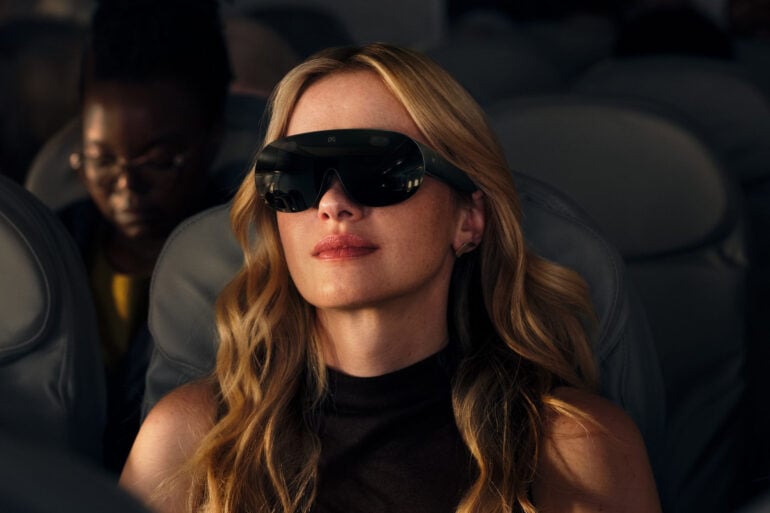
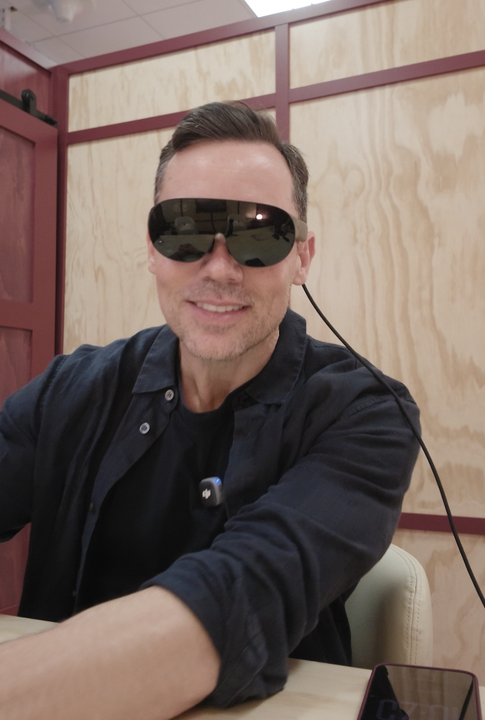
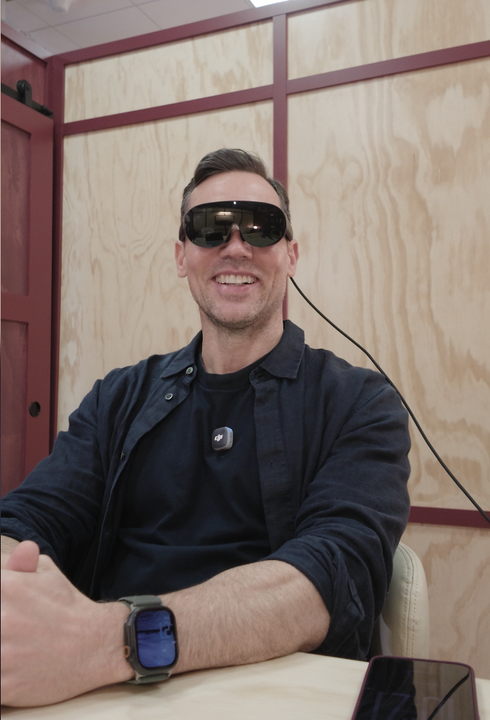
I’ve just spent half an hour inside Meta VR Glasses at Meta’s headquarters in Menlo Park. They’re lighter, smaller and thinner than Apple’s Vision Pro, and a lot cheaper. So who are they for, and what are they like?
Meta announced them at its Connect event, and they go on sale in spring 2027. As well as the demo, I sat down with Angela Chang, a vice president in Meta’s VR division, to find out how they were built.
Meta VR Glasses specifications and price
| Price | US$1,299.99 (Australian pricing to be confirmed) |
| Availability | Spring 2027, including Australia |
| Weight | Glasses about 100g, compute puck 300g |
| Display | 5K micro-OLED, 2412 x 2288 pixels per eye |
| Pixel density | 37 pixels per degree |
| Refresh rate | Up to 120Hz |
| Field of view | 70 degrees horizontal x 66 degrees vertical |
| Processor | Qualcomm Snapdragon Reality Elite (XR2 Gen 3) |
| Memory and storage | 12GB RAM, 128GB storage, microSD slot up to 1TB |
| Cameras and sensors | 13 in total, including passthrough cameras at 26 pixels per degree, four eye tracking cameras and a depth sensor |
| Battery | Up to 3 hours of media playback, 45W charger included, can run while plugged in |
| Lens spacing (IPD) | 56 to 70mm |
| Controls | Eye tracking, hand gestures, Meta AI voice, optional Touch Plus controllers |
| Connectivity | Wi-Fi 6, Bluetooth, USB-C with DisplayPort input |
| Video and audio | Dolby Vision, Dolby Atmos, IMAX Enhanced |
What are Meta VR Glasses?
They’re Meta’s latest VR glasses. They do mixed reality, meaning they show you the outside world using special cameras, and they’re an evolution of Meta’s Quest headset. The Quest is the bigger one you strap to your head and is more focused on gaming. These are aimed at everyday use.
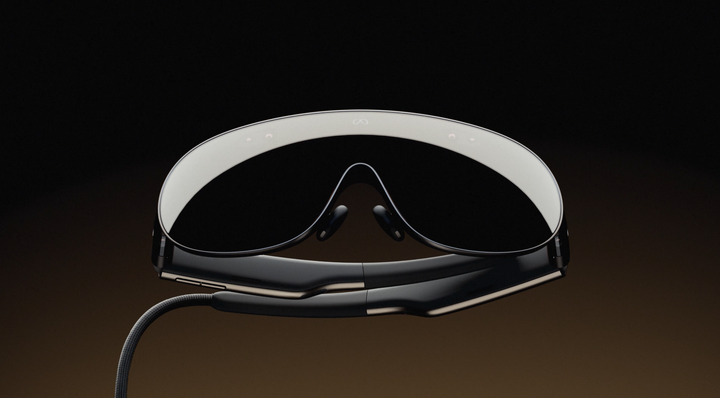
They weigh about 100 grams, or about the same as a deck of cards. As soon as I put them on they felt much slimmer, lighter and more comfortable than the Vision Pro, which is probably the leader in this category and weigh around 600-650 grams.
There are two parts: the glasses themselves and a puck. The puck isn’t just a battery. It’s also where the processor sits, and it connects to the glasses with a special optical cable. You can’t disconnect the cable and swap in another puck, because it’s such a high bandwidth connection.
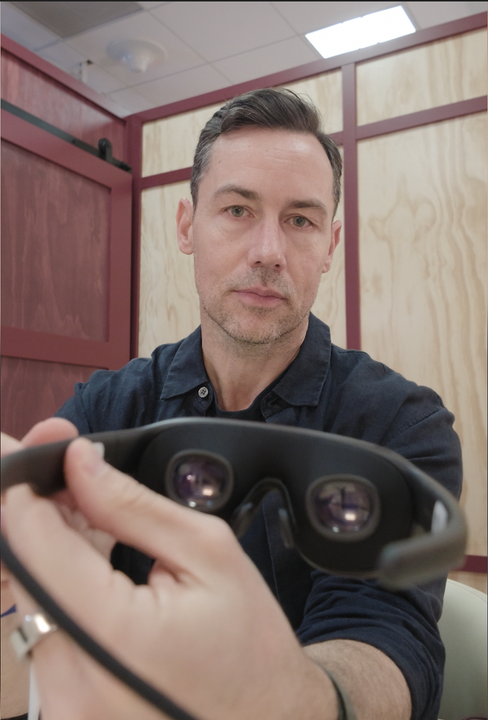
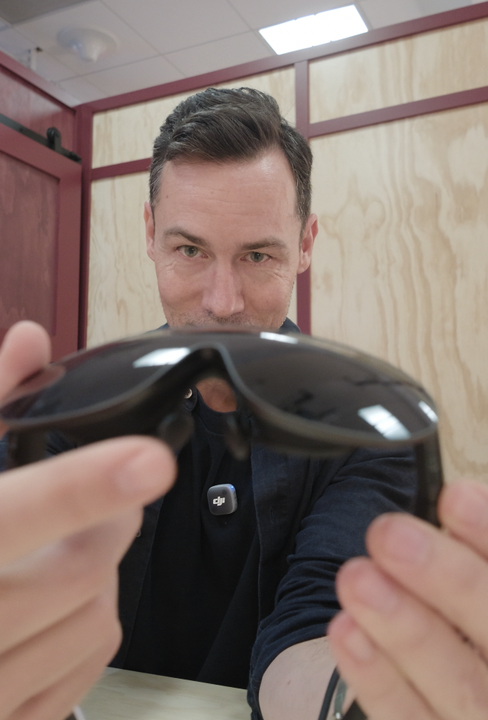
They run the same operating system as Meta Quest, extended to support eye and hand tracking. Inside is Qualcomm’s Snapdragon Reality Elite processor, the XR2 Gen 3, with 12GB of RAM, 128GB of storage and a microSD slot for up to a terabyte. Meta AI is built into the operating system. The plan is to run Muse, Meta’s more conversational AI that can go out and do tasks for you, but in my demo it was the Meta AI chatbot.
Setup and fit
The setup was really interesting. I wear prescription glasses, so when I walked in they put them into a little scanner that worked out my prescription. I didn’t have to tell them anything. About 15 minutes later I had custom lens inserts, which snap into the glasses with magnets. If you wear glasses you’ll need to get inserts made, but it was quick and simple.
Once they’re on, the lenses slide in and out and the glasses guide you on screen to get them to the right width. The lenses adjust from 56 to 70mm apart and can handle faces that aren’t symmetrical. There’s also an adjustable nose piece.
They do sit a little forward on the face, so they can look a bit funny. I think you could get a better fit than I did with some adjustment. With the Vision Pro I use Zeiss inserts, which also attach with magnets. The key difference is that these don’t fully enclose your eyes. There’s no hood resting against your forehead to block out all the light. Interestingly, I didn’t really notice that during the demo.
Design and comfort
They’re made from nice materials. A button on top recentres everything, and there are volume controls on the arm. It’s not complicated and it’s easy to get your head around.
The frame is magnesium alloy, which keeps it strong and light and helps get rid of heat. I didn’t notice any heat build-up in the 30 minutes I used them.
Lightness is the real key. I didn’t notice the weight on my head at all during the demo. There’s no head strap or back band. They just rest on your ears, which is a big step forward for this type of device, and it may open them up to more people who don’t want to mess up their hair. That’s something the Vision Pro couldn’t do, because it’s quite heavy.
The puck is where the battery sits. Meta says it’s good for about three hours of use, depending on what you’re doing. When you want to move around it goes in your pocket, and it has a fan to keep it cool. Angela Chang said heat was one of the challenges: what happens when it’s in your pocket and the fan is blowing? The optical cable also had to stay flexible enough to hang neatly behind your back.
You can’t swap in a spare battery on this first model, but you can plug it into mains power while you use it, so you can keep going if you run out of charge. A 45W charger comes in the box. Three hours should get you through at least one movie on a plane.
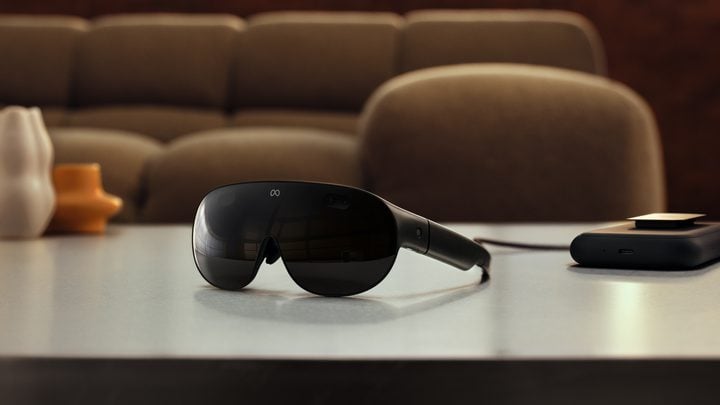
Angela called making them smaller a multivariable physics question. The micro-OLED displays can only get so small before the resolution drops, and Meta also wanted to keep the weight and price down. Overall I think they’ve come up with a good balance.
Display and image quality
The micro-OLED display has 2412 x 2288 pixels per eye, which works out to 37 pixels per degree. Meta says that’s the highest pixel density of any of its VR devices. It looked sharp, not coarse or grainy at all, and in my experience the focus was better than on the Vision Pro. Colours were vibrant and fairly realistic.
The passthrough view of the room around me also looked realistic, and I didn’t notice any problems. I couldn’t test bright lights to judge dynamic range, as we were in a well-lit room with a table in front of me.
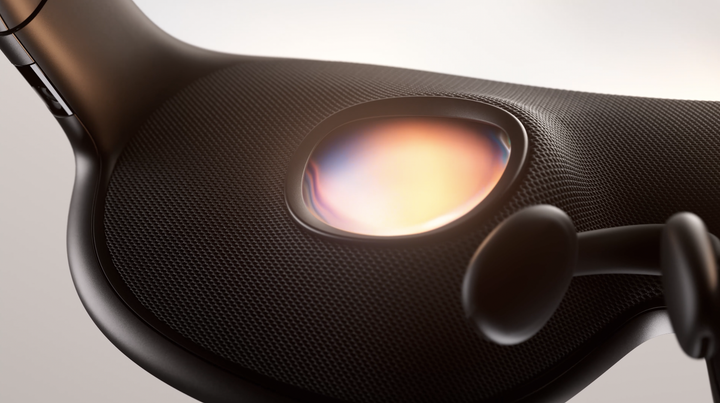
The field of view is 70 degrees horizontal by 66 degrees vertical. Angela says it’s the widest of any glasses-style device. I didn’t get tunnel vision or feel cramped. With the Vision Pro, after a while I did start to notice where the edges were, but I didn’t have that here.
The colour passthrough cameras run at 26 pixels per degree, compared with 18 on the Quest 3, and they have autofocus. The glasses also use your eye tracking to sharpen whatever you’re looking at. In practice it’s seamless and works a lot like your own eyes.
The micro-OLED displays are the most expensive part of the glasses. Angela said Meta had to commit investment to its display partners and uses more than one supplier. It’s pushing the edge of what’s possible with this type of screen.
Dolby Vision, Dolby Atmos and IMAX Enhanced are supported. The sound was good too, with a real spatial sense that makes you feel immersed in the scene.
Controls: eyes, hands and voice
I was so happy that these use both eye tracking and hand tracking. There are no silly devices you have to hold on to. I was sitting at a desk with my hands close in front of me, and it tracked them really well.
When you first put them on, there’s an eye tracking test like on the Vision Pro. You look at dots and they disappear. After that you pinch to select, drag corners to resize windows, and pinch to zoom. There’s also a scroll gesture: you make a fist and move your thumb forward, back, left or right, like a scroll wheel or trackpad. It took me a little getting used to, but it works well. You can also use Meta AI to control things by voice.
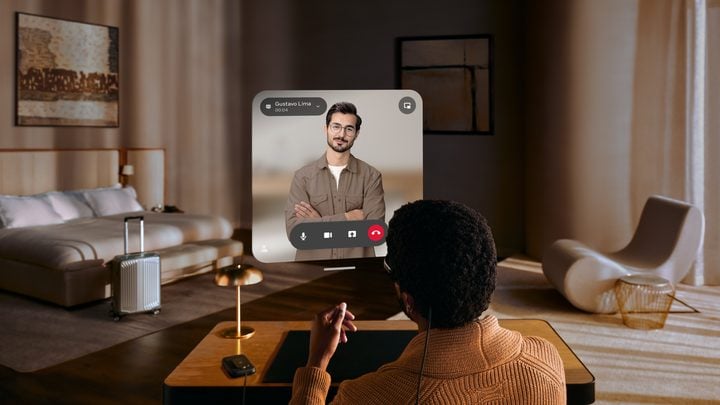
There are 13 cameras and sensors in total. Six watch the world around you, and two of those are on the arms, pointing down at your hands. There are two colour cameras for passthrough, four eye tracking cameras and a time-of-flight depth sensor.
There’s no outer screen showing your eyes, as the Vision Pro has. I don’t know how I feel about that. It’s definitely a cost saving. That screen lets people around you know whether you can see them, and that eye contact is an interesting psychological feature. Meta has dispensed with it entirely.
Movies and sport
One demo was the 3D Billie Eilish concert film. It was very good, though not quite as good as on the Vision Pro, which felt more immersive and wrapped around me more. You still got a real sense of separation, with layers of people in the crowd holding up their phones, and it felt like I was right up on stage. It didn’t feel gimmicky. It’s proper 3D.
For sport there was an NBA game in 180 degrees, so it wraps around you horizontally more than vertically. I was right in the action, with basketball to my left and right, and I could see details in the crowd, including Kylie Jenner on one side and Taylor Swift on the other.
There’s also something called VR Enhanced Cinema, where the movie studio decides the environment around the screen and it changes to match the content. I watched a scene from an Avengers film set in outer space, with planets surrounding the screen. If you’re a real fan it’s nice, but I don’t think you need it. I’d rather make the screen as big as I could on a wall. Disney content is on the way, and streaming apps like Disney+ and Prime Video are there too. You can make the screen really big.
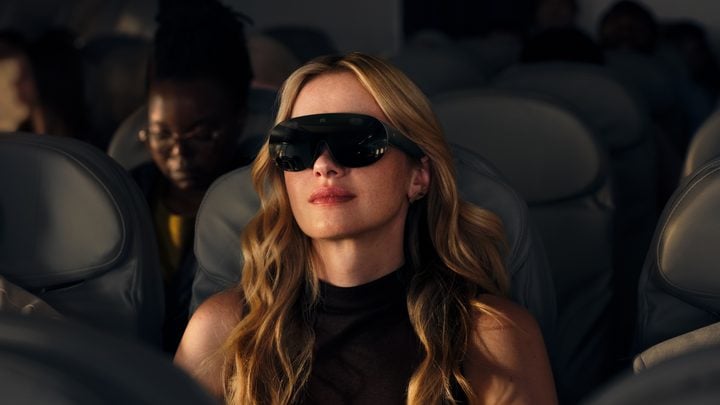
One thing I couldn’t do was get up and walk around, so I couldn’t check how well virtual objects stay in place as you move. The Vision Pro does this exceptionally well. I assume these can too, given the camera system, but because they’re tethered I guess Meta didn’t want us trying it in the demo. And because there’s no hood blocking the light, a fully immersive mode that takes you somewhere else entirely, like an island or a mountain top, probably won’t be as effective.
Work and productivity
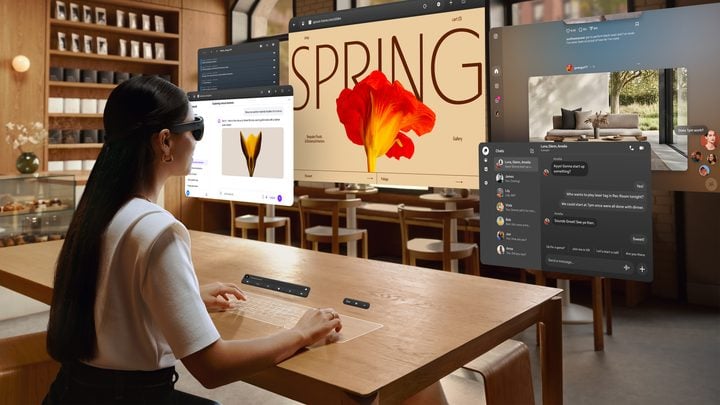
The Virtual Display mode gave me three big screens in front of me. It works with Windows PCs and Macs. On Microsoft Surface laptops a button appears when you look at the laptop, and you just press it to extend the screens. On a Mac you’ll need to download some software.
I did some vibe coding, with the website on one screen, the code on another and a palette of colours on a third. The text was clear and sharp, though the extra screens could benefit from a higher resolution. It was still very useful, and it’s something I could see myself doing, especially with glasses this light and comfortable that pack into a bag for the cafe.
It connects to your devices wirelessly over Wi-Fi 6. There’s a Wi-Fi 7 chip inside, but it isn’t set up for Wi-Fi 7 yet. Meta says there’s no drop in quality over Wi-Fi compared with plugging in, and you can also connect by USB-C.
I really love the virtual keyboard. You place your hands flat on a surface, it maps a keyboard and trackpad onto it, and you type. If you’re out and want to write a long email or text, you can type it out instead of tapping it into your phone. The size and shape of the surface doesn’t really matter, so a fold-down plane tray is fine. The limit is very low light, when it can’t see your hands. Contrasting, well-lit surfaces work best. There’s also a floating keyboard you can tap in the air.
Gaming
The Quest is the more dedicated gaming device, but Meta says the VR Glasses will support more than 75 games you play with your hands, and controllers open up the full Quest library.
I played Dragon Grove, a game board floating in front of you where you connect leaves and grow things. It’s more of a kids’ game, but it showed how you can manipulate objects right in front of you. They looked clear, realistic and sharp up close, and the tracking felt low latency. I also streamed an Xbox racing game with a controller, and that was fine.
The USB-C port also takes a DisplayPort signal, so you can plug in a console or handheld and use the glasses as a big personal screen.
Price and how they compare with Vision Pro
Meta VR Glasses will cost US$1,299, compared with US$3,699 for the Vision Pro. That’s a huge drop. Angela Chang said the Vision Pro has more expensive parts, including two processors, premium materials and the outer display. Meta used supply chain deals and investment to keep the price down, and it’s selling the glasses at cost. I think Meta wants to grow the category and bring more people into it.
Australian pricing hasn’t been announced. My guess is it could land around A$2,000, and A$1,999 would be a really nice price point. The Vision Pro starts at A$6,299 here, so that would be about a third of the price.
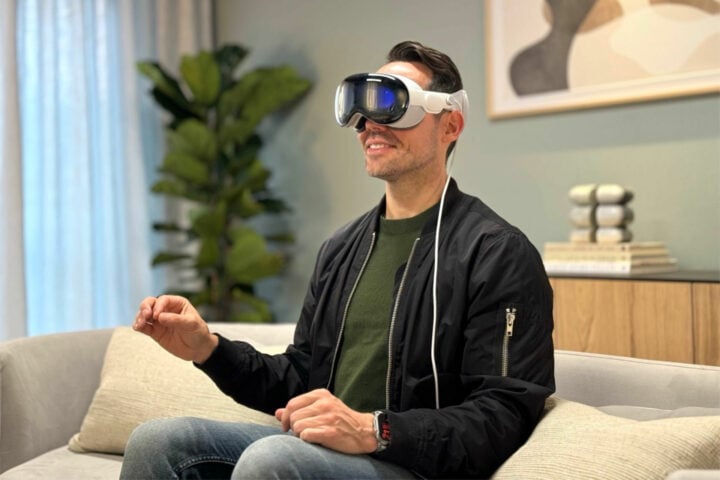
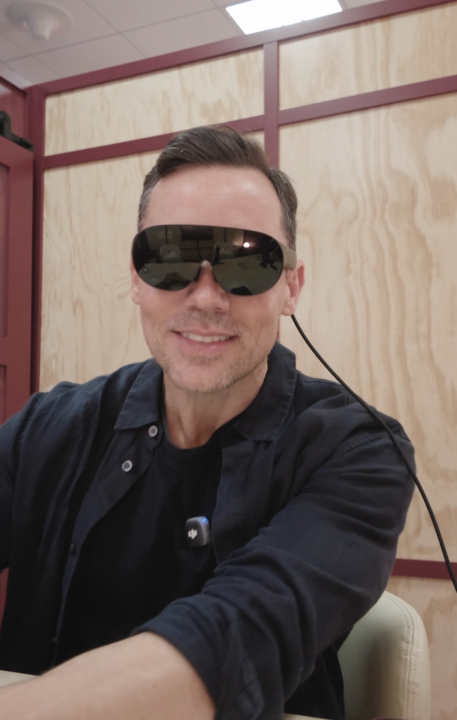
I wouldn’t say they’re better than the Vision Pro at anything in particular visually. Where they move ahead is comfort and price. They’re lighter, they have pretty much all the features, and they’re way cheaper.
I asked Angela whether we’ll ever see the holy grail: glasses like these that can block out everything around you or turn transparent. She thinks so, and said there’s a roadmap beyond micro-OLED displays, though we’re not there yet.
Who is it for?
Meta VR Glasses suit people who want a big personal screen for movies and sport, frequent flyers, and anyone who’d like extra monitors wherever they work. Gamers are covered, but the Quest is still Meta’s dedicated gaming device.
I was very impressed with the experience, and the price really drives it home. They go on sale in spring 2027, and we’ll share Australian pricing when Meta confirms it.
Valens Quinn attended Meta Connect in California as a guest of Meta.
Meta says they go on sale in spring 2027, and Australia is one of the launch countries.
They cost US$1,299.99. Australian pricing has not yet been announced.
Yes. You need prescription lens inserts, which attach to the glasses with magnets.
Meta says up to three hours of media playback. You can also plug the puck into power and keep using them.
Yes. Virtual Display connects to Windows PCs and Macs wirelessly or over USB-C and can show several large screens.
The post Meta VR Glasses hands-on: a lighter, cheaper rival to Vision Pro appeared first on GadgetGuy.
0 (mga) komento:
Mag-post ng isang Komento