


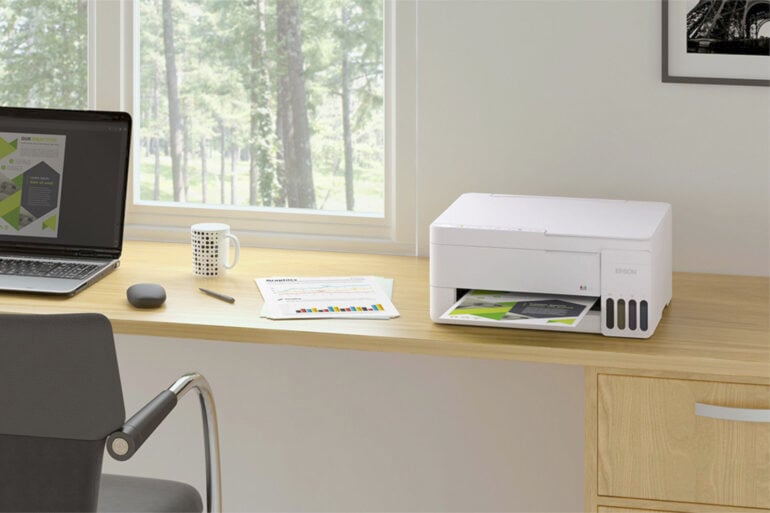
How long has it been since you’ve upgraded your printer? Many older printers rely on cartridge refills, regardless of whether they’re of the inkjet or laser variety. Over time, they add up in cost, plus there’s the environmental element associated with disposing of used cartridges. In recent years, Epson has moved towards a format it calls ‘EcoTank’, and now it has a new range of printers out in Australia.
A bit different to your printer of 10-plus years, Epson’s EcoTank printers don’t rely on disposable cartridges to top up ink levels. Instead, you buy a bottle of ink and use it to fill up a printer compartment. Epson claims that this is cheaper, and you also get more ink per refill.
To use Officeworks as an example, a $28 black ink cartridge for the Epson WorkForce range is good for roughly 350 sheets. Conversely, a $17 EcoTank ink bottle should last up to 4,500 pages. These estimates vary depending on various factors, like printing frequency, but that’s still a big difference.
Three new Epson EcoTank models are out now in Australia: the ET-1910, plus the ET-2910 and ET-2911 — the only difference between the latter two is either a white or black printer colour. The $299 ET-1910 is solely for printing, while the $399 ET-2910 and ET-2911 let you copy and scan too.
Aimed at home offices and small businesses, all three printers support Wi-Fi connectivity, so it doesn’t matter where you put them. Plus, you can also print directly from your phone using Apple AirPrint.
These printers might cost a bit more upfront than budget inkjet alternatives, but if you do lots of printing, you’ll likely save on ink over time. It’s an appealing proposition; no unnecessary subscriptions or fiddling around, just a bunch of printers designed to be economical.
The post Abandon cartridge printers, Epson says with new EcoTank range appeared first on GadgetGuy.
0 (mga) komento:
Mag-post ng isang Komento