


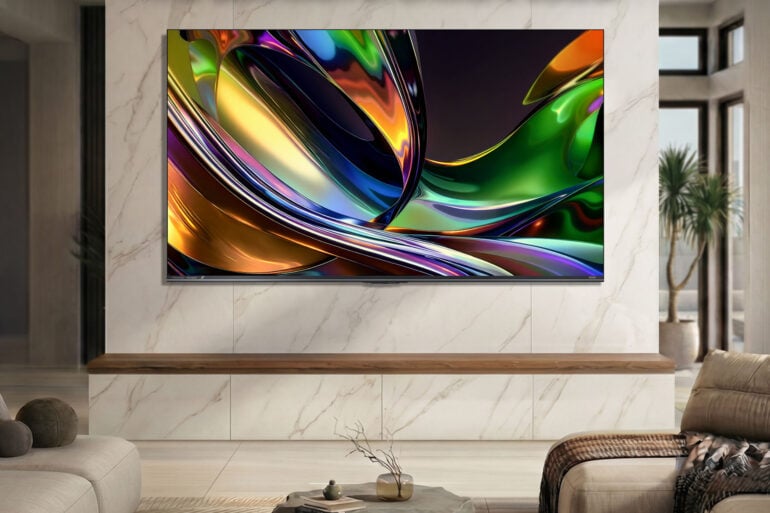
Affordability is very much a relative term. What might be affordable to one person could be eye-wateringly expensive to another. As far as the new RGB-based TV technology goes, Hisense offers one of the cheapest entry points with the new UR8S model. It lives up to many of its high-colour claims, with aggressive dimming tendencies the main area of improvement.
Combining its history of Mini LED backlit TVs with RGB technology, Hisense wants to prove that its new range is worthy of top billing alongside the likes of OLED. While not quite as precise as more premium counterparts, the UR8S performs well in its price bracket, aided by a strong solution to the glare that makes its nest in many Australian living rooms.
At around $2,000 and above, Hisense’s base-level RGB TV isn’t what many would consider cheap, but it’s more affordable than most other examples of the emerging technology.
However, I’ve rarely seen a Hisense TV sold at retail at full price. At the time of writing, the 75-inch version of the TV was on sale for $2,715, a lot cheaper than the $3,999 price listed on Hisense’s website.
Irrespective of this price, the Hisense UR8S is a good all-around TV that makes its colourful ambitions known. There are some nitpicks, most of which only surface in specific scenarios.
Table of contents
- RGB Mini LED technology: A quick recap
- Specifications and price
- Design
- Out of the box picture quality
- Pushing the Hisense UR8S to the limit
- Software and user experience
- Who is the Hisense UR8S TV for?
RGB Mini LED technology: A quick recap
RGB technology is the big trend from major TV companies this year, promising deeper and more accurate colours than before. Each brand has a slightly different twist on the technology, along with different naming conventions, just to complicate things.
Hisense calls its version ‘RGB MiniLED’, Samsung ‘Micro RGB’, LG Micro RGB evo’, and Sony ‘RGB LED’. At the core of the technology are clusters of red, green, and blue backlights, rather than the white LEDs of most older TVs. Without getting too caught in the minutiae, the most consistent claimed benefit is coverage of 100 per cent (or more) of the BT.2020 colour spectrum.
Until now, most TVs have aimed to cover 100 per cent of DCI-P3, a colour gamut commonly used in filmmaking. BT.2020, however, can show a wider range of colours than DCI-P3, hence the big song and dance by TV makers to show how much more colourful their displays look.
However, this broader colour range relies on having media that supports it. For the most part, your ticket to BT.2020 movies comes in the form of 4K UHD Blu-Rays, with the discs able to squeeze in more data than DVDs, regular Blu-Rays, and online streaming.
Conspicuously, TCL is the one major player that hasn’t gone all-in on RGB LEDs yet. Instead, it’s opted for ‘Super Quantum Dot’ (SQD) Mini LEDs, which the brand claims achieve the same colour output using blue backlights. Why? TCL claims that it requires fewer LEDs, leading to more power-efficient, thinner, and cheaper TVs.
This is to say that the aim of every big TV company is the same: produce displays that can show more colours. How they all get there differs depending on the company. Notably, the Hisense UR8S is one of the cheapest entry points into RGB TVs; it starts at $2,299 for the 55-inch model, matched by the 50-inch Sony Bravia 7 II.
Hisense UR8S specifications and price
| Resolution | 3840 x 2160 (4K) |
| Backlight technology | RGB Mini LED (direct LED) |
| Refresh rate | 180Hz |
| Peak brightness | 3,600 nits (on 75-inch model) |
| Audio | 2x 10W main speakers 20W subwoofer 2x 5W side speakers Dolby Atmos support |
| HDR formats | Dolby Vision IQ, HDR 10+, HDR 10 |
| Colour spectrum | 100% BT.2020 |
| Connectivity | 4x HDMI 2.1 ports (including one eARC port) 1x USB 3.0 1x USB 2.0 Wi-Fi 6 Bluetooth 5.4 Composite video Headphone jack |
| Price (RRP) | 55-inch: $2,299 65-inch: $2,999 75-inch (reviewed): $3,999 85-inch: $4,999 100-inch: $9,999 |
| Warranty | Three years |
| Official website | Hisense Australia |
Design
If there’s anything that most TV brands have consistently improved on, it’s anti-reflective technology. Samsung has led the way in recent years with its glare-free matte TV design that all but prevents any light sources from interfering with the picture.
Some folks claim that anti-glare coating interferes with a TV’s black levels. To those people: I wish I had their eyesight. Of the matte-coated screens that I’ve seen, I can’t identify any murky greys that weren’t there previously.
Hisense’s anti-reflective screen on the UR8S is excellent. My home’s living area has a lot of natural light, especially with a big sliding door and window letting in sunlight from the west. On my LG C4 OLED TV, the glare during the afternoon gets to a point where I have to decide between using the TV or having the curtains open. In an ideal world, I’d like to be able to enjoy my TV and natural light, not shutting myself in a dungeon-like room.
That ideal world is here now with anti-reflective technology filtering down to more affordable TVs. You no longer have to limit yourself to the top-end models of the flagship brands to deal with any glare issues.
As soon as the Hisense UR8S sat on my TV cabinet with the curtains drawn open, it was immediately obvious how much of an improvement the anti-glare coating is over the comparative black mirror design of previous TVs. Instead of an unflattering reflection of myself in the TV, all that remained was the faint glow of diffused light.
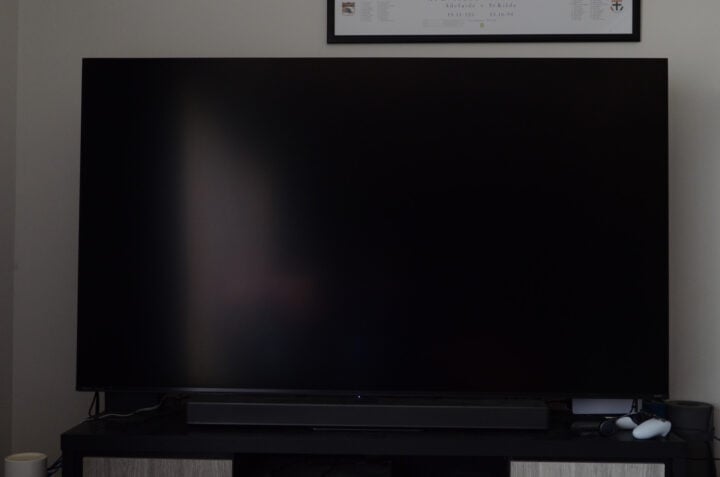
It doesn’t eliminate light entirely, though. If you watch a movie or anything with black on the screen for any length of time, you can still see a faint glow. However, the content underneath is far more visible than it would be on a glossy display.
On the flipside, thickness is one of the drawbacks of current RGB TVs. I reviewed the 75-inch version of the Hisense UR8S, which took up a bit of space on my TV cabinet. Fortunately, there was still just enough room to squeeze in my PS5 Pro and Xbox Series X. Hisense’s base-level RGB TV is thicker than what I’m accustomed to, but not by a sizable margin.
As for sound, my advice is the same as ever: get a soundbar, and you’ll have a much better time. Hisense packed several built-in speakers into this TV, and while the dialogue clarity is reasonably good, the rest of the soundstage is flat.
Out of the box picture quality
By default, the standard picture mode was very vibrant and high in contrast, with over-saturated colours. Reds in particular dominated any image, appearing far deeper than any other colour. Typically, I favour a more realistic-looking picture. So, the first thing I did was dial down the contrast and the saturation to something that didn’t look like I was looking at a 75-inch kaleidoscope.
Some TV brands, like Samsung and LG, have picture setup wizards when turning on the TV for the first time. Surprisingly, Hisense doesn’t have anything like this, leaving you to dive into each individual menu to adjust each setting by hand.
A step up from cheaper Mini LED TVs, the Hisense UR8S didn’t display any noticeable blooming throughout most of my testing. Unlike the brand’s past Mini LED models, Hisense hasn’t provided an exact figure for the TV’s dimming zones beyond the website listing “thousands”, which makes it a little bit tricky to compare with previous generation TVs.
Instead, Hisense’s RGB TVs focus on what it calls “colour dimming units” and “colour control units”. According to the company, these units work together to control the TV’s colour production at a light source level. Among the differences between Hisense’s UR8 and UR9 TVs is the number of colour dimming units: the UR8 TVs have up to 15,000, while UR9 TVs house up to 23,000.
Compared to past Mini LED TVs I’ve tested, blooming was a non-issue. When viewed at an extreme angle, I could notice a tiny bit of haloing around bright objects, but there was nothing obvious in regular viewing conditions. For a mid-range backlit TV, that’s impressive.
Less impressive, however, was that the local dimming tended to slightly fade the edges of text and other small elements on dark or black backgrounds. It’s a sign that the TV’s local dimming is slightly too aggressive. In an effort to eliminate blooming, it goes a little bit too far in cutting off the edges of some visual elements.
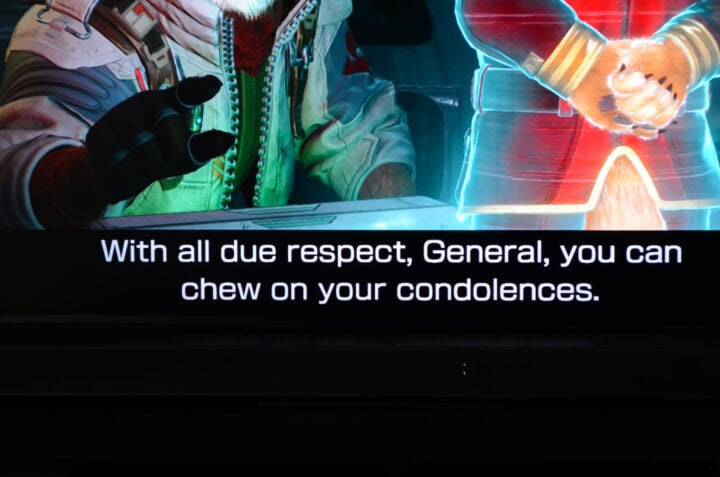
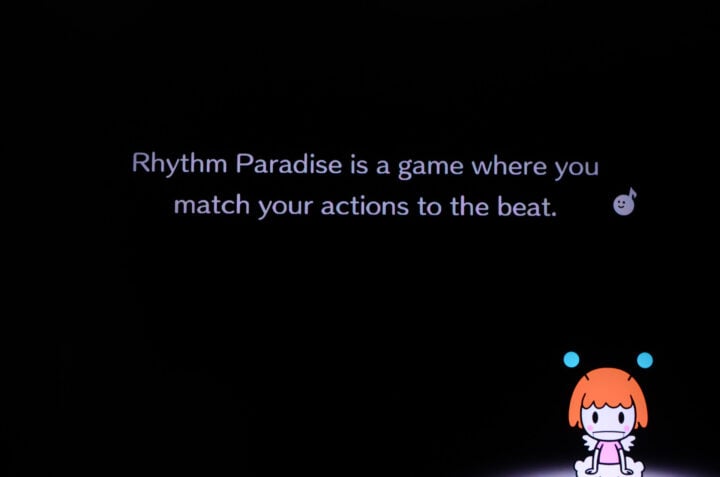
I experimented with the three different local dimming levels to see what difference it would make. ‘Low’ was the best overall, having the least impact on the rest of the picture. Disabling local dimming entirely isn’t an option, as far as I’m concerned. Once it’s off, all the light control goes out the window, and you’re left with lots of dark greys instead of a black screen.
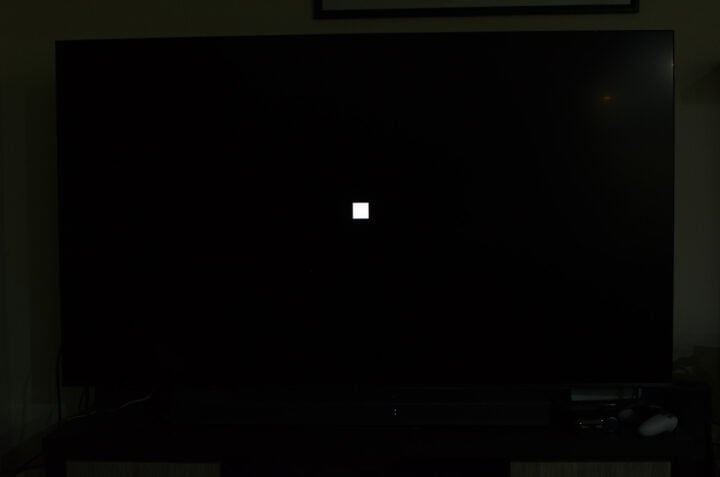
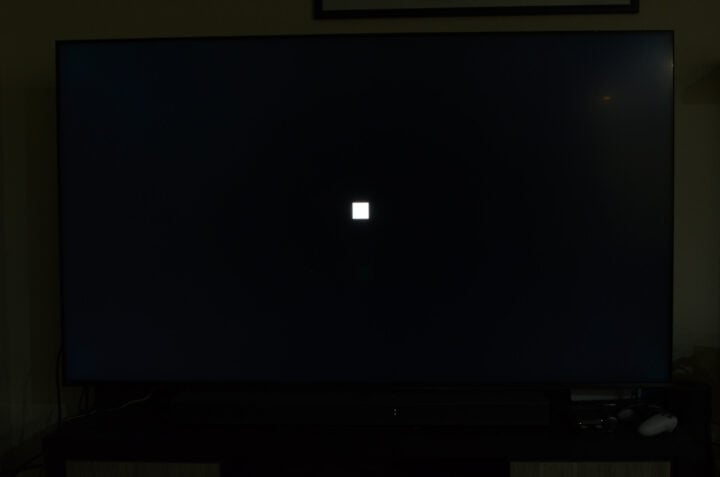
That’s pretty standard for Mini LED TVs, though. These TVs use thousands of tiny backlights, with dimming zones (or ‘colour dimming units’, in this case) controlling which lights switch on and which lights stay off. Generally speaking, the more zones, the more precise a TV’s light control is.
Pushing the Hisense UR8S to the limit
Across general use, the Hisense UR8S performed well. For the most part, it’s well-suited to all kinds of content. Movies and TV shows look true to the source material, sports content is clear and easy to follow, and video games take advantage of the panel’s high 180Hz refresh rate.
On the latter point, I appreciate that the UR8S still has four HDMI 2.1 ports, while the next model up, the UR9S, only has three, replacing one with a USB-C port. Although none of my gaming consoles support refresh rates as high as the TV’s native 180Hz, PC gamers have a bit more flexibility.
To test the TV’s base-level performance, I switched on Filmmaker mode, which used the following settings:
- Backlight: 60
- Brightness: 50
- Contrast: 72
- Colour saturation: 50
- Sharpness: 0
- Local dimming: low
- Peaking brightness: low
- All motion, noise reduction, and other post-processing disabled
When run through the gauntlet of various benchmarking tests, the Hisense UR8S held up reasonably well. Its colours looked deep and accurate, while the local dimming performed strongly, especially when viewed front on.
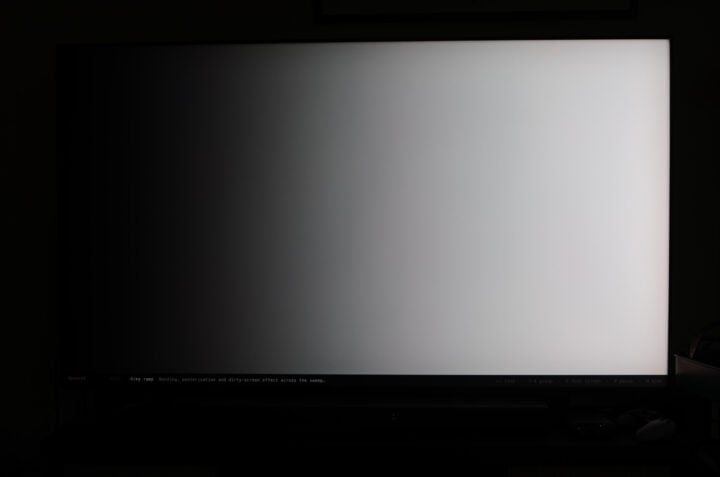
The TV struggled a bit with banding, showing visible signs of banding on both grey and colour ramps. Instead of showing a smooth gradient from one shade to another, the TV displayed slightly visible lines mainly when greys or colours reached their darker hues.
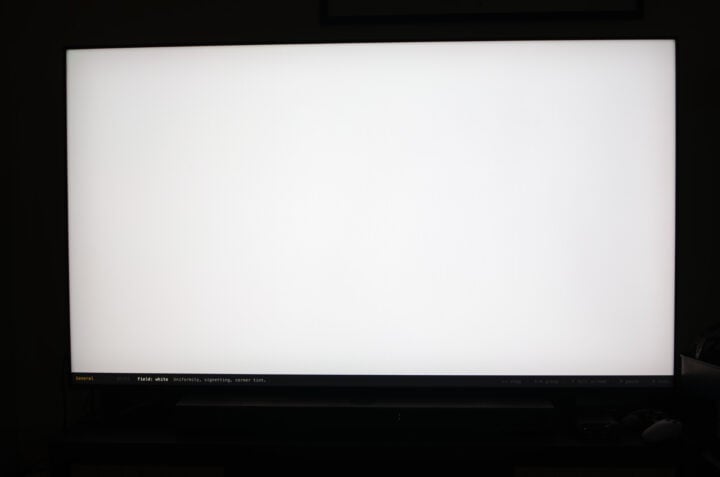
There was also noticeable vignetting, particularly in the top corners, which was most obvious on bright or light backgrounds, especially white.
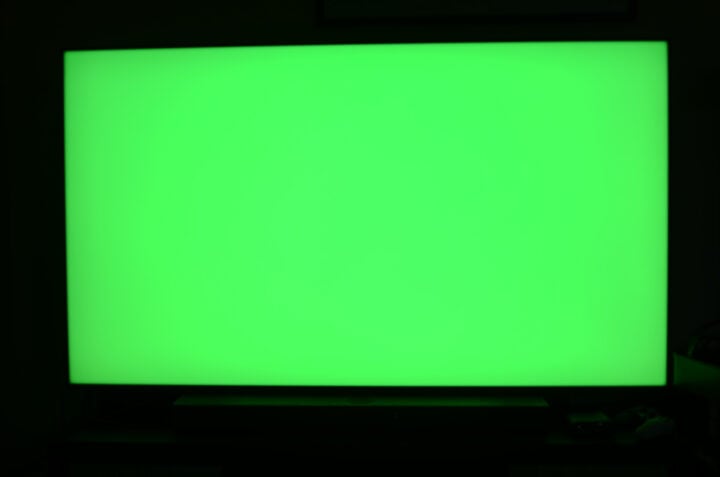
Impressively, the TV showed no haloing or ghosting of a white box moving across a black background. You could slightly tell that the local dimming was working overtime to keep the black areas dimmed because the right-hand side of the box slightly juddered as it moved. Elsewhere, scrolling text looked sharp, leaving no noticeable artefacts or lighting issues behind.
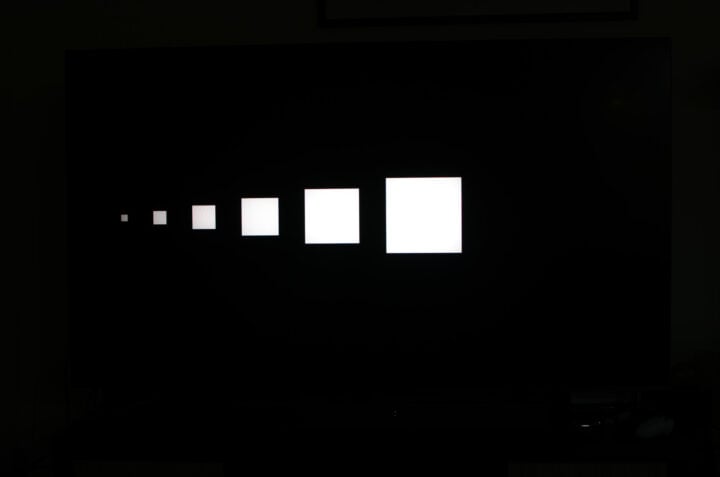
Similar to the text-on-dark-background issue I mentioned earlier, the main difficulty the Hisense UR8S has is consistent brightness across solid colours. With several different-sized white boxes on a black screen, you can see a clear change in brightness between the biggest and smallest boxes. While the large boxes are a bright white, the smallest fade to a light grey. It’s indicative of the TV’s dimming overcompensating, removing any blooming, but at a slight impact to the picture.
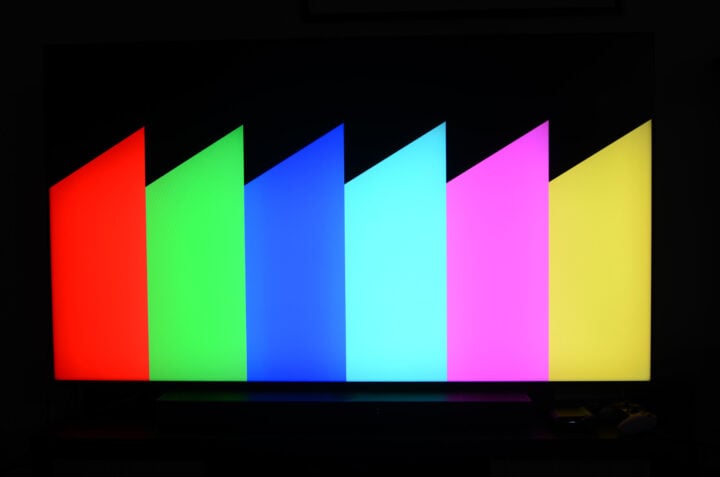
It’s impressive how little blooming the Hisense UR8S shows. Even on a test image with dozens of coloured circles, there was no obvious haloing or light bleed, even when viewed at an angle. But again, some visuals have slightly faded edges or look noticeably dimmer than the rest of the picture — and this is based on SDR content, which is meant to be more consistently lit than the bright highlights of HDR.
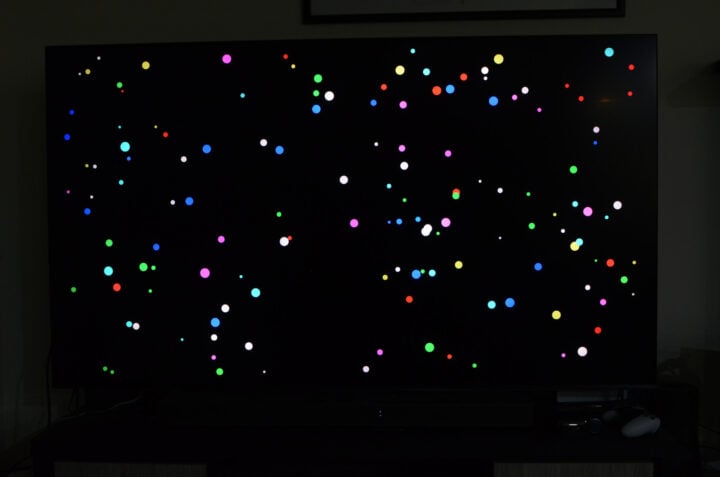
This isn’t all that noticeable when watching TV shows, movies, or sports, where content is evenly lit. It’s more prominent when playing video games, however, which often depict small user interface elements on dark backgrounds.
Sports
If Kayo Sports had a Spotify Wrapped-like annual round-up, I dread to think how many hours I’d rack up each year. Suffice to say, I watch a lot of sports. Naturally, the World Cup dominated the past month, and the on-pitch action looked great on the Hisense UR8S.
Ironically, I don’t think the ‘Sports’ picture mode is the best way to experience sports content, not without some tweaking, at least. By default, the colours are too saturated, almost like a TikTok filter. Toning them down provides a much better viewing experience.
Live AFL matches look fantastic when streamed in 4K, and the TV did well to make the soccer’s HD coverage easy to watch. I always prefer to disable motion smoothing, or at least keep it to a minimum. There’s only so much TVs can do to upscale and convert either 25fps or 50fps content, and I find any potential gains are minimal.
Less about the image processing and more about the UR8S’ design, the anti-reflective coating came in clutch once again. Watching the Socceroos’ tense draw against Paraguay in broad daylight presented no challenges whatsoever. If it were my comparatively reflective LG C4 OLED in its place, I would’ve needed to close the curtains to see through the glare.
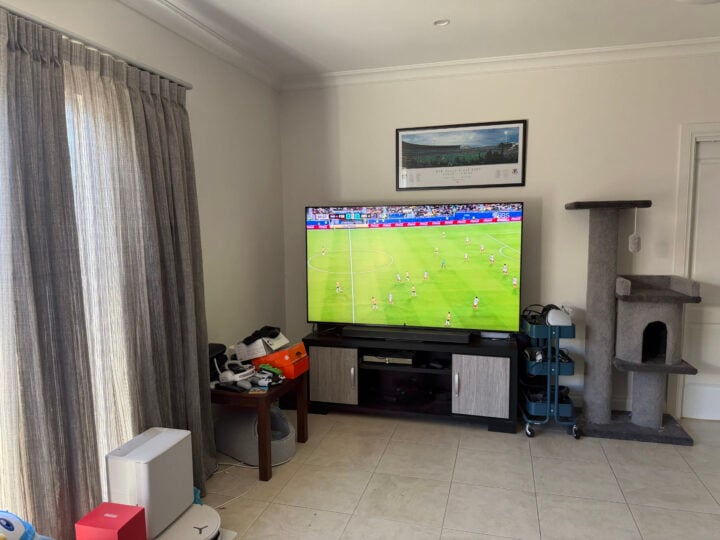
I think it’s easy to overlook how much of a boon this anti-glare treatment is for sports fans. Plenty of major Australian sports take place during daylight hours, like the AFL grand final and test match cricket. To be able to have friends over and enjoy the collective experience of live sports without trapping everyone in a dimly lit den is fantastic.
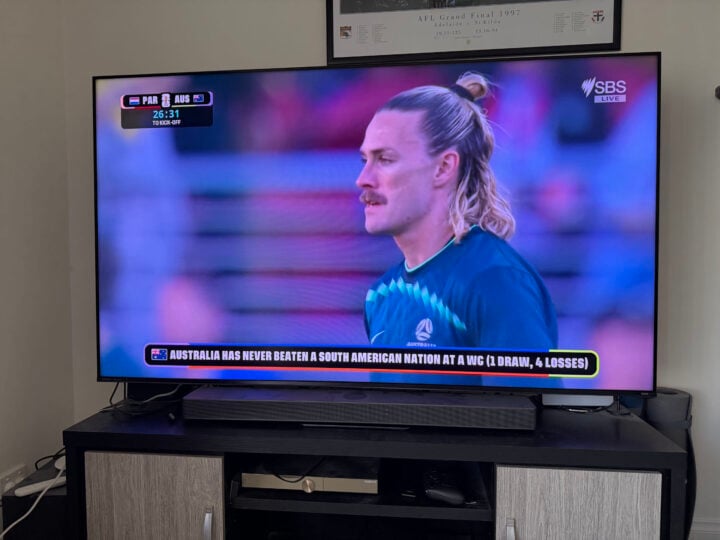
Hisense isn’t alone in making TVs that don’t beam light back in your face, but it’s great that the technology is more widely available.
Gaming
At any given time, any TV in my living room has a PlayStation 5 Pro, Xbox Series X, and a Nintendo Switch 2 connected simultaneously. Other than the subtitle and text fading issues I’ve already mentioned, gaming on the Hisense UR8S is lovely.
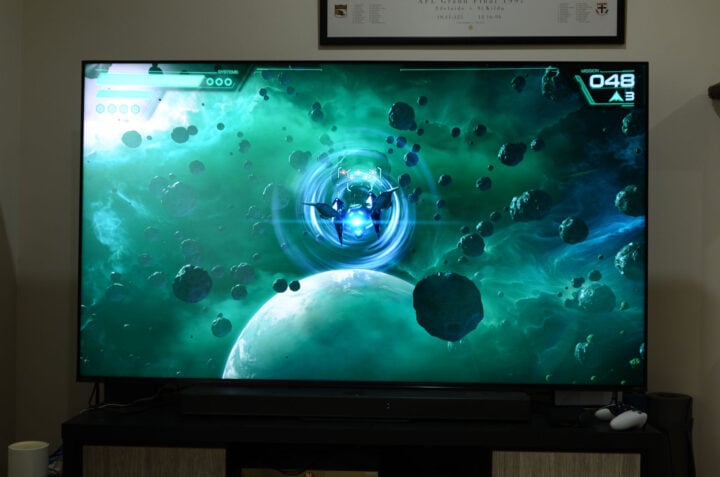
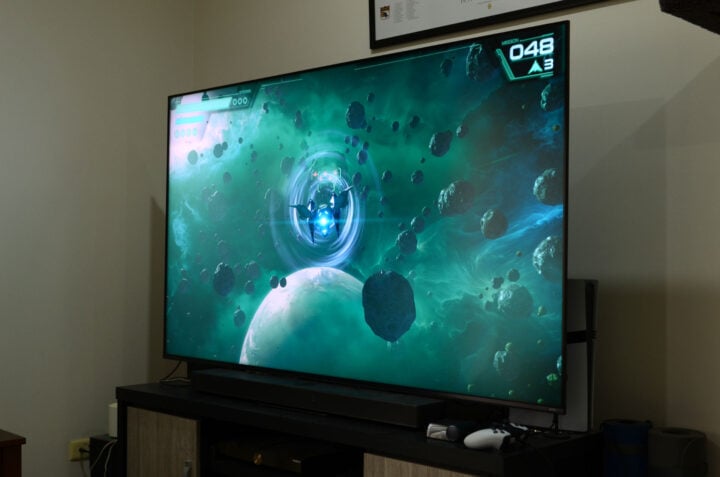
Star Fox‘s gorgeous nebulas and space combat looked a treat. Its colours appeared deep and vibrant, while the motion looked consistently smooth. My entire playthrough of Assassin’s Creed Black Flag Resynced took place on the UR8S, nicely balancing vivid colours and realistic lighting. Connected to a PS5 Pro, the TV depicted SDR and HDR content with a pleasing mix of vibrancy and clear distinction between shadows and highlights.
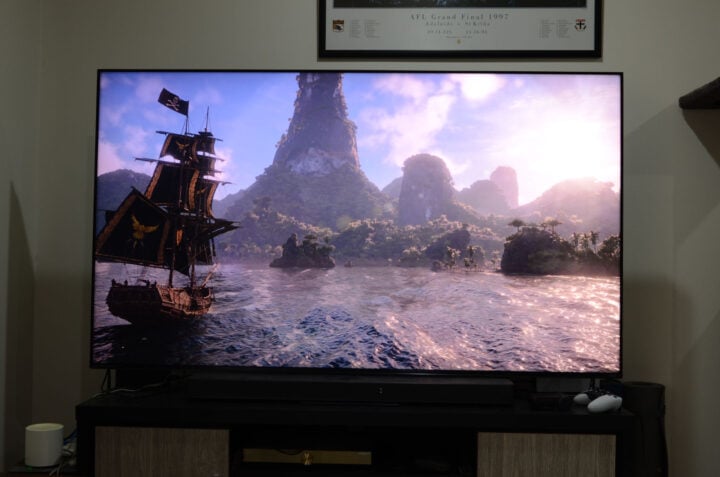
This TV also supports AMD’s FreeSync Premium Pro technology, which is designed to work with the VRR panel to eliminate screen tearing and excessive input lag. Accessible via the TV’s game menu that automatically pops up when booting up a game, it required a bit of tinkering. For some reason, enabling FreeSync defaulted to an extremely warm picture, like Filmmaker mode. But it was easy to change back to a more neutral tone, which I prefer when gaming.
TV shows and movies
Perhaps I’m a bit of an outlier, but TV shows and movies are the least common thing my TV gets used for. Sports and gaming dominate any screen in my household — the former of which tests my partner’s patience when the fifth AFL game of any given weekend starts.
Still, I enjoy an excuse to dust off my physical media collection. Popping in a 4K Blu-Ray of John Wick: Chapter 4 to see Dolby Vision in action, the UR8S deftly handled the movie’s mix of dramatic darks and searingly bright muzzle flashes.
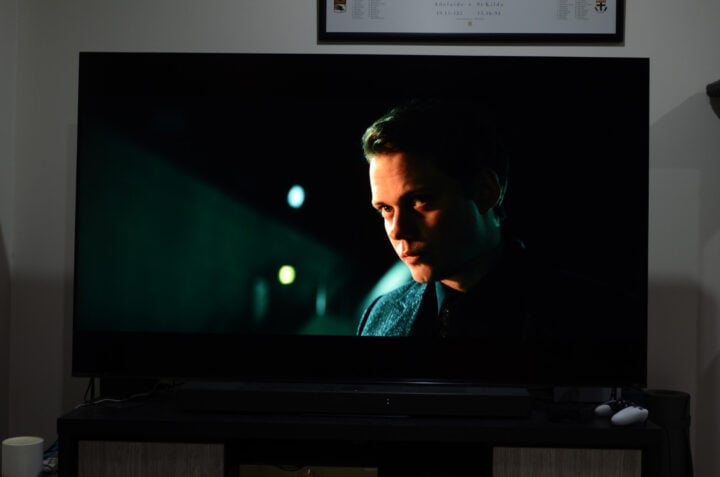
Most impressively, the TV retained a crisp black letterbox, preventing any light spilling over into the black borders. Even with the lights off, scenes with car headlights and fiery explosions retained precise light control, proving that Hisense’s only struggle is with smaller visuals.
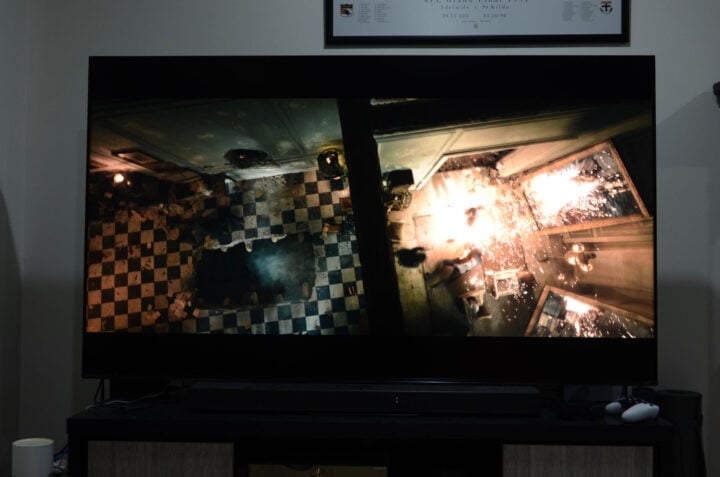
On regular TV shows, like Guy Montgomery’s Guy Mont-Spelling Bee, streamed via ABC iView, each person’s face showed natural-looking skin tones, contrasted by the brightly coloured set design.
Software and user experience
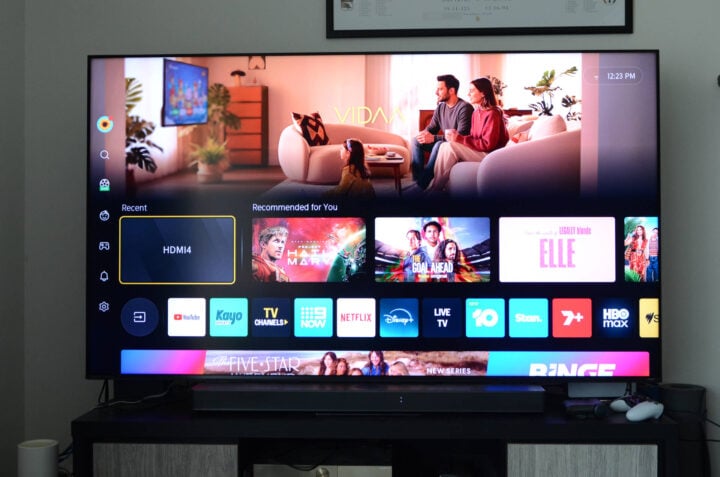
Unlike the US, where Hisense TVs use a mix of Google and Fire TV operating systems, Australian Hisense TVs run on VIDAA. As far as TV software goes, it’s not all that different to any other smart TV platform.
Most of the top section is taken up by promotional material, with various streaming apps located on a row of tiles. If you can name a streaming app popular in Australia, it’s more than likely on here. You’ve got the usual suspects, like Netflix, Disney+, Prime Video, Kayo Sports, and plenty of others. It’s only when you start looking for more niche programming, like Dropout, that VIDAA comes up short.
Apple households are well served here, with native AirPlay support making it easy to cast media from i-devices. For smart homes, there’s also support for Apple Home, Google Home, Alexa, and Matter compatibility. Hisense’s ConnectLife smart home ecosystem also lets your other Hisense appliances talk with one another, if you have them.
Despite being a bit ad-heavy, the VIDAA operating system mainly gets out of your way and lets you enjoy whatever content your heart desires. It’s a snappy OS, getting you from point A to point B without delay. There’s no reinventing the wheel here: it’s a TV OS that looks and acts like a regular TV OS.
Piloting all of this is the same solar remote control Hisense has used in recent years. You won’t hear me complaining; it’s a nice remote!
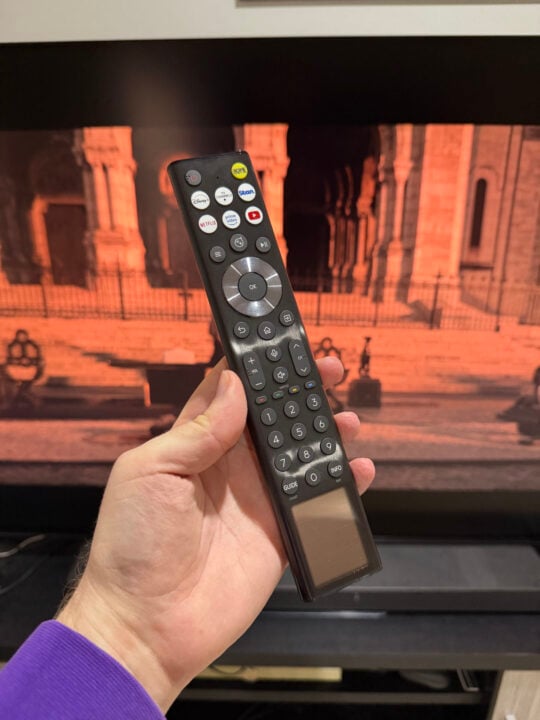
At the bottom is a solar panel that only needs ambient light to stay charged. In other words, no fussing with batteries at inopportune moments. If, for whatever reason, the remote needs charging, the USB-C port on the base is your ticket to power.
Hisense’s remote is quite tall, but the slim form factor makes it easy to handle. I’m also very fond of its many buttons, and not just because of my surname. Aside from several shortcuts to popular streaming apps, the remote has a full suite of number keys. My grandparents still prefer to punch in free-to-air channel numbers, finding it much easier than scrolling through menus. I also appreciated it during the World Cup, quickly hitting ’30’ to access the SBS coverage.
You can also use the VIDAA app to control the TV via your phone. It does the job, but you’d have to pry the physical remote controls from my dead hands.
Who is the Hisense UR8S TV for?
Is RGB the next must-have TV technology? Perhaps only if you have an extensive 4K Blu-Ray collection that takes full advantage of the BT.2020 colour spectrum. But there’s no denying that the Hisense UR8S is an incredibly vivid TV, no matter your content preferences. And, priced similarly to last year’s mid-range Mini LED TVs, there’s a future-proofing argument to be made if more content takes advantage of BT.2020.
This TV’s anti-reflection technology is fantastic, effortlessly dealing with glare, natural or otherwise. It’s well-equipped to handle sports, and gaming is right at home with a full suite of HDMI 2.1 VRR-compatible ports. Although blooming is largely absent, the aggressive dimming annoyingly overcompensates, which is the UR8S’ only glaring issue.
There’s a lot to like about the Hisense UR8S. Equally, there’s a bit to nitpick, too, if you look closely. Whether this TV belongs in your living room depends on how closely you look.
GadgetGuy occasionally uses affiliate links and may receive a small commission from purchased products.
The post Hisense UR8S TV review: Showing more colour is as easy as RGB appeared first on GadgetGuy.
0 (mga) komento:
Mag-post ng isang Komento